Items are the products or services your company offers, serving as the core components for quotes and sale. In Zhylar CPQ system, they include configurable options, with each item having a unique SKU and pricing.
All products are marked under two types- Products and Services.
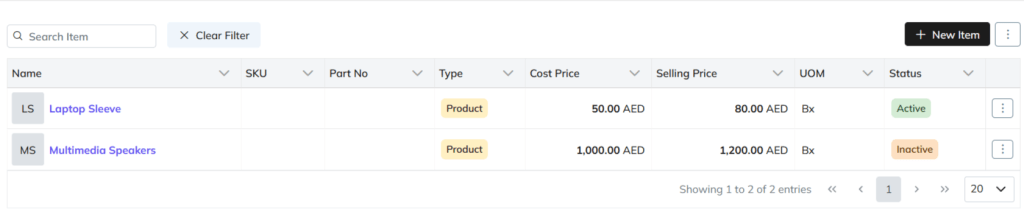
Search and filter options
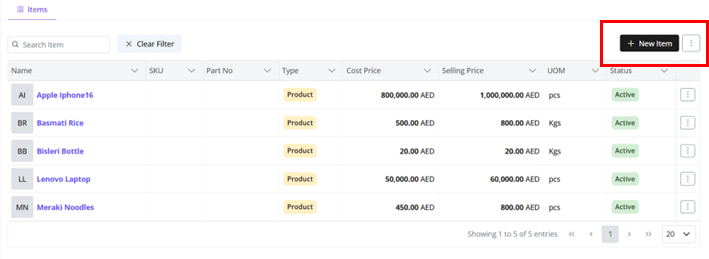
Add New Items
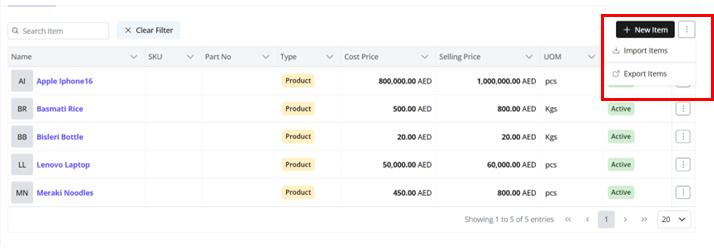
Click “+ New Item”
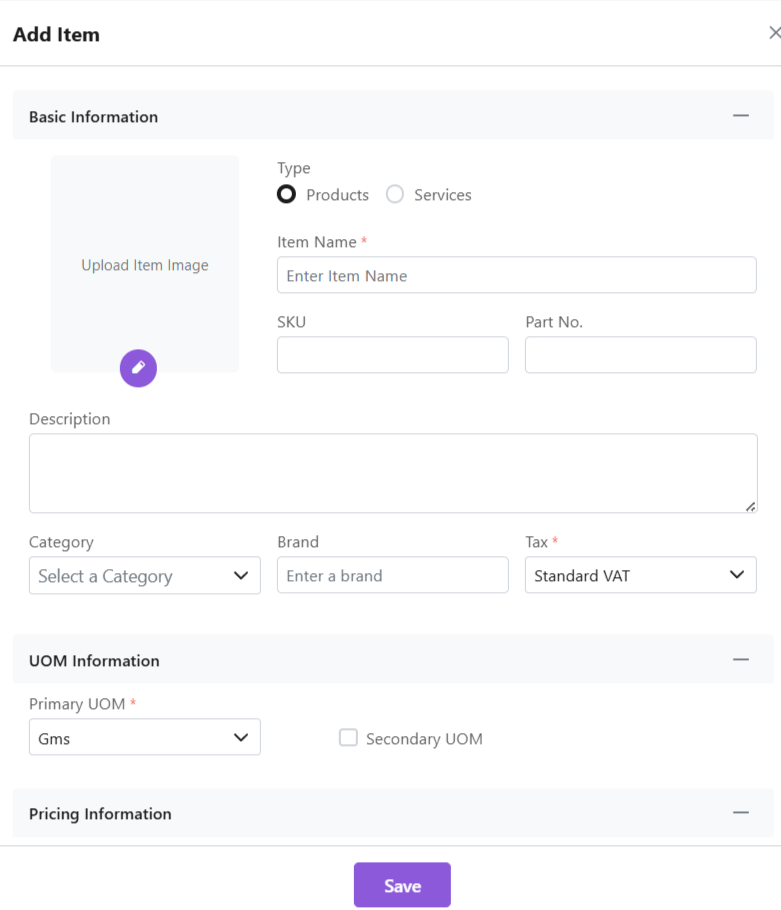
Fill required data
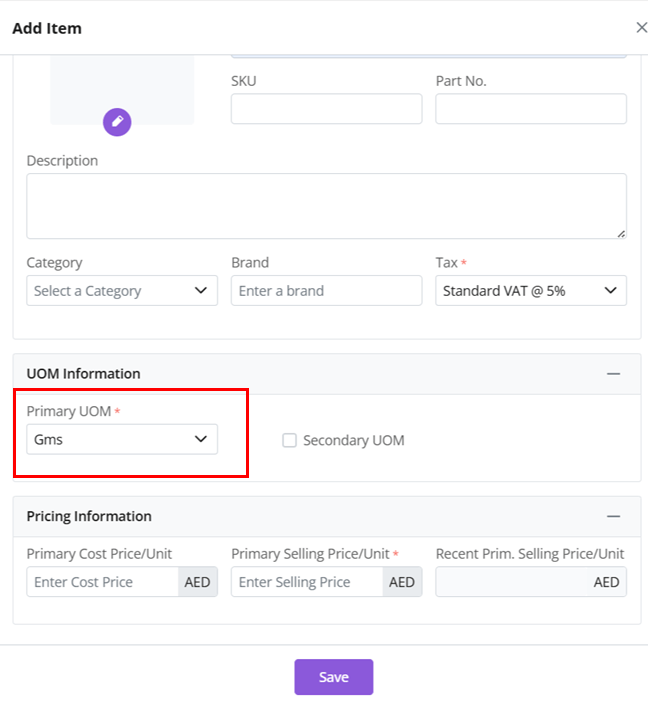
Add Primary UOM and Secondary UOM (refer section below).
Click “Save Item”
Unit of Measure (UOM)
Primary UOM: Main measurement unit (mandatory)
Secondary UOM: Alternative units (optional)
Click on the check box for “Add Secondary UOM”
E.g., a laptop could be sold by the piece (UOM- piece/pc) or in quantity if wholesale (UOM- box/bx)
Set conversion ratios (E.g., 1 box = x laptop pieces)
Remove when not needed
Import Items
To add items in bulk directly to Zhylar system, refer to the article on Import Items.
Export Items
To migrate items from Zhylar to your device;
Click ⋮ 3 dots
Select Export Items.
Items will be downloaded in excel format directly to your device
Item Status
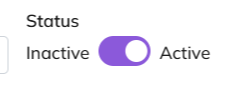
An item can be marked active or inactive.
Active items are products or services available for sale or use in transactions like quotes and invoices. Inactive items are those no longer offered or temporarily unavailable.
To mark an item inactive, toggle to inactive status.
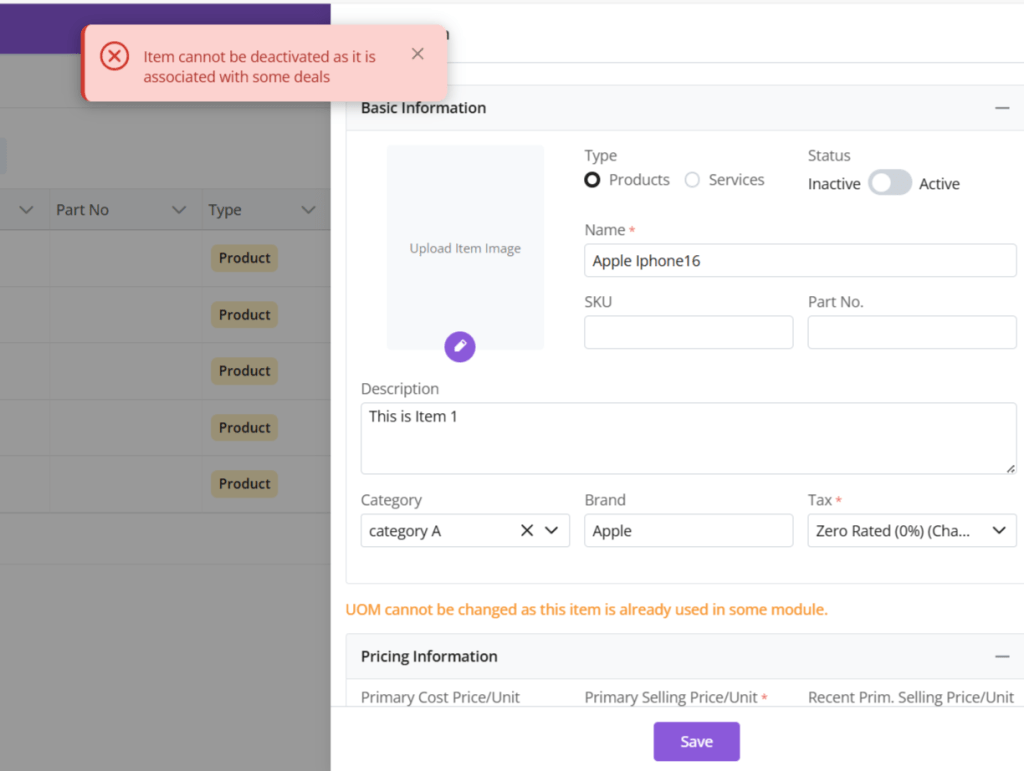
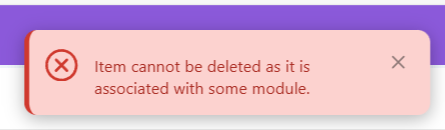
Ensure the item is not associated with any other module. If so, you will receive an error message.
Managing Items
View Items
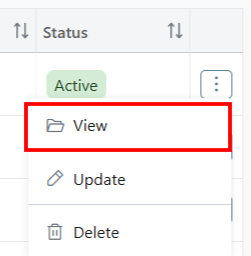
To view the details of an item
Click ⋮ 3 dots
Select View.
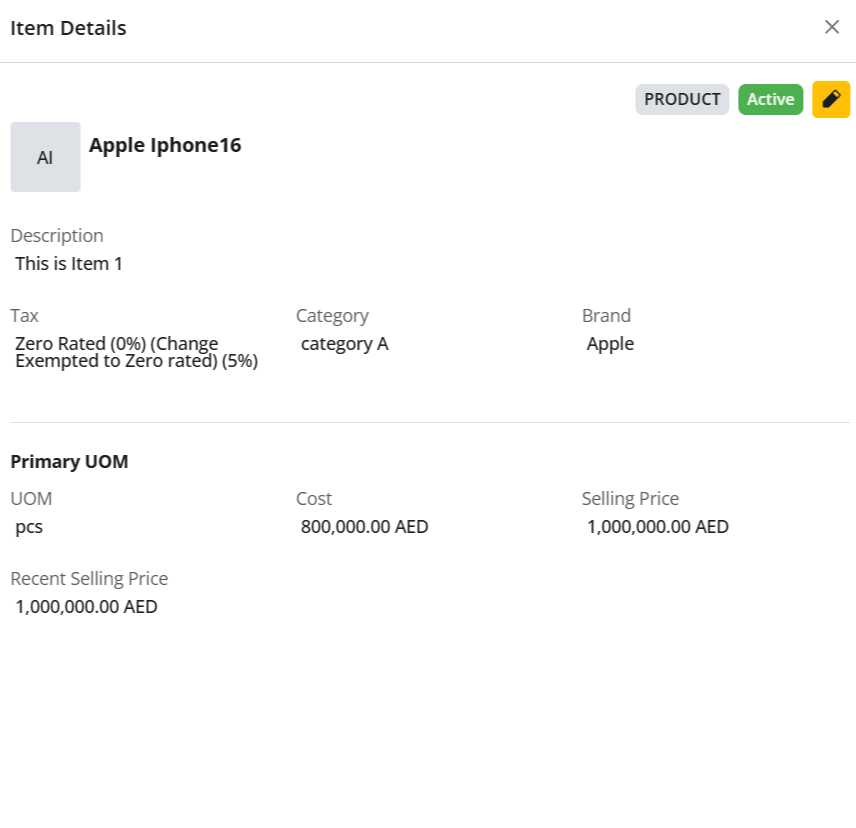
A side sheet will open up with all the item details.
Update
To update an item
Click ⋮ 3 dots
Select Update.
Make required changes.
Click Save.
Delete
You must ensure an item is not associated with any modules. If so, item cannot be deleted.
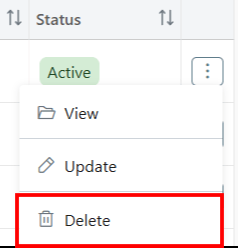
To delete an item;
Click ⋮ 3 dots
Click on Delete.
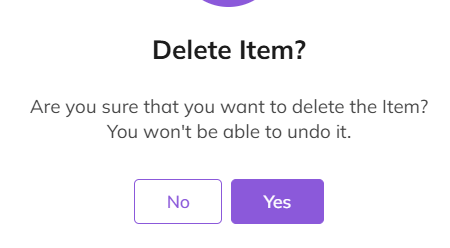
Confirm deletion.
The item will be deleted from the system.
If item is associated with some modules, you will receive an error message.
Make required changes to proceed.
Filter and Search
Use search bar for quick access
Filter by category/type or other fields
Clear filters to reset view
Discover how Zhylar can streamline your sales and elevate your business processes. Visit our website or book a demo today to experience the difference!