
What are document templates?
Document Templates in Zhylar offer pre-designed formats ensuring consistency, saving time, reducing errors, and creating professional documents.
Three default templates are provided for the following modules-
- Quotes- Outline proposed pricing/term + Speed up quote-to-invoice process
- Sales Order- Confirm purchase details + Streamline order management
- Invoice- Detail billing information + Track payments efficiently
Getting Started
- Log in to Zhylar
- Go to Left-hand navigation panel
- Click on Configuration
- Under Customization tab, select Document Template
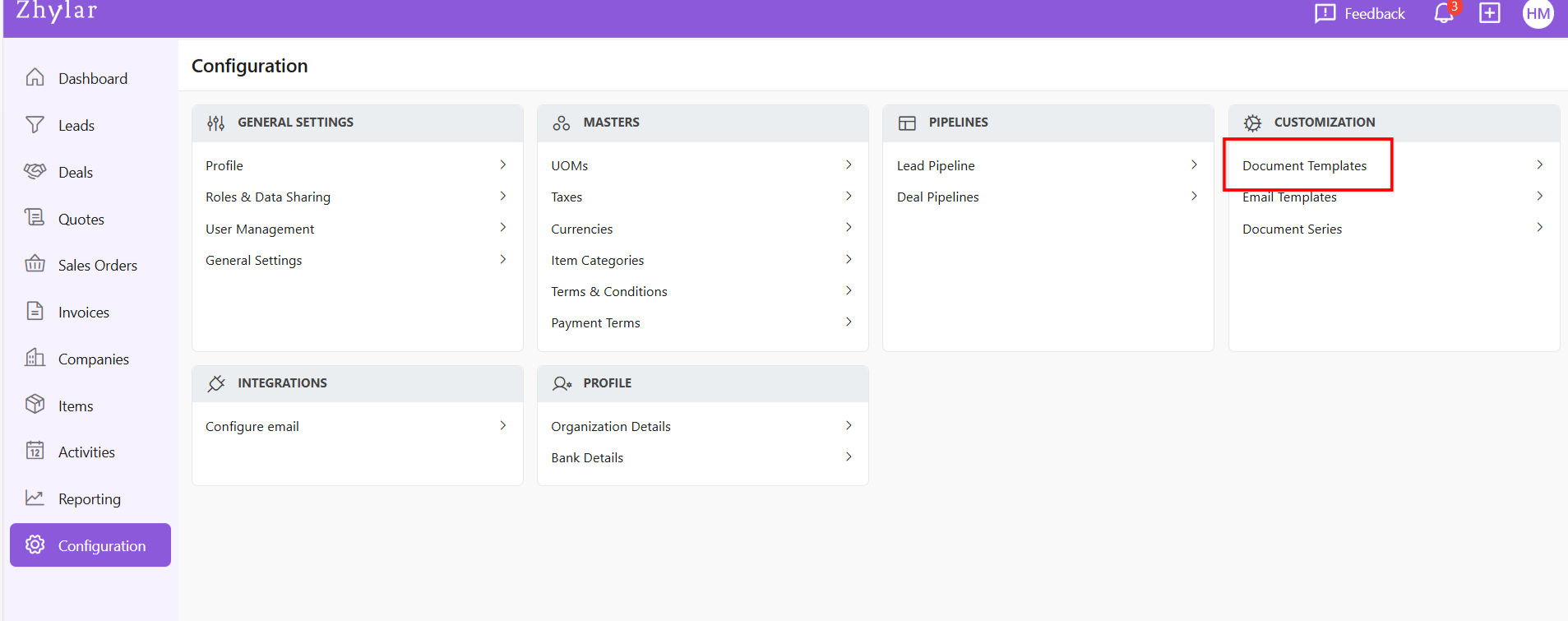

- You will automatically land on the Quotes tab.
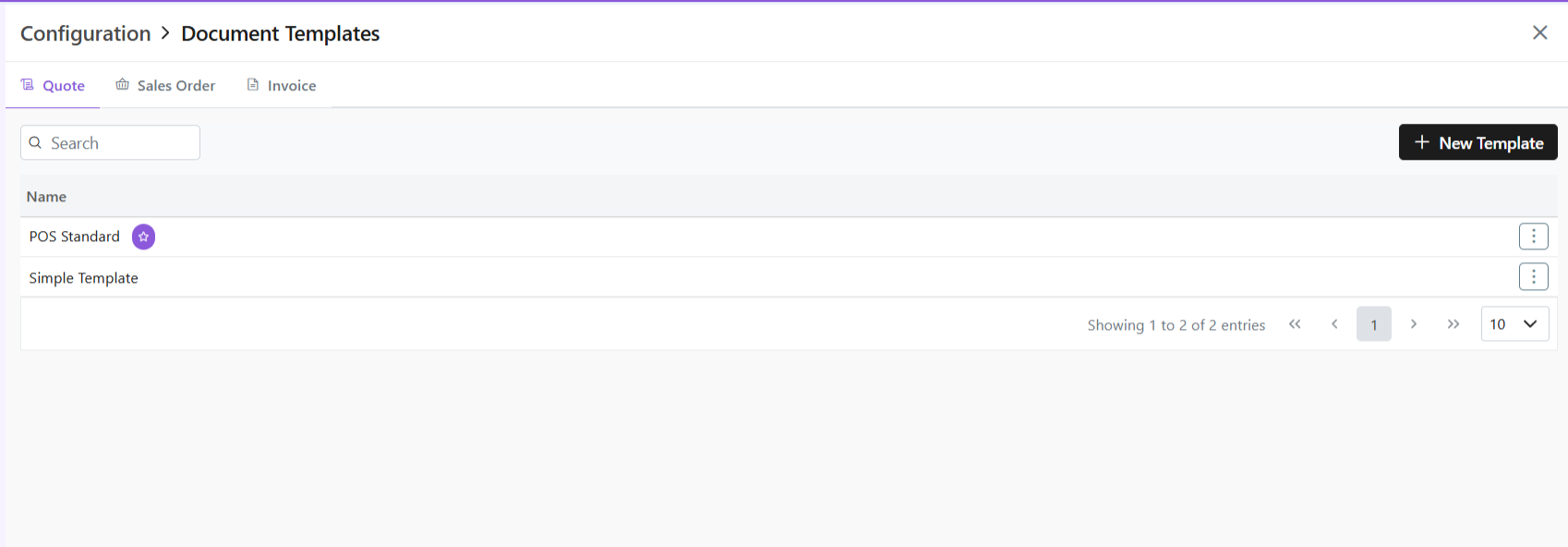
- Navigate to the tab required.
- Few system templates available per module.
- One template will be marked as default denoted by a white star in a purple circle.
Create New Template
- Click ” + New Template”
- One pre-loaded templates will open for you.
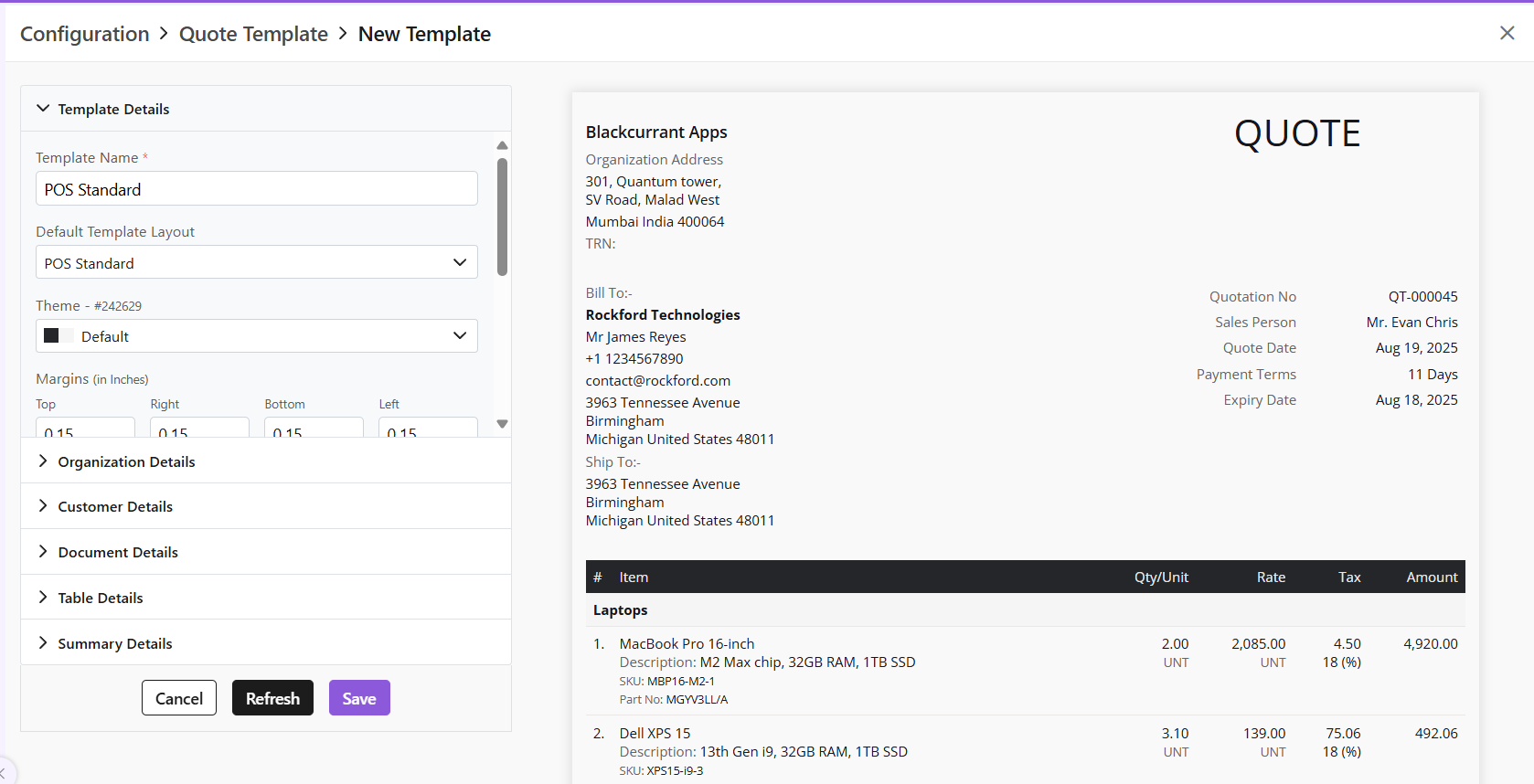
- If required, from the Default Template layout field, choose another template and begin.
- Once template will be marked as a default template. This is the template that will be auto-applied to the document unless changed. This is indicated by a white star in a purple circle.

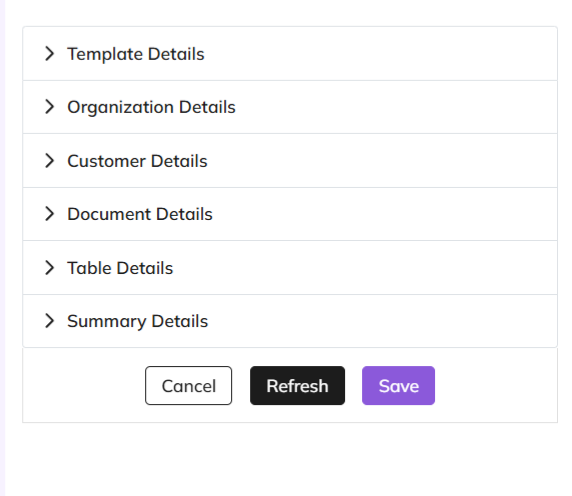
- Customization in the following sections:
- Template Details- basic layout of the document and major customizations in font, alignment, theme, etc.
- Organization Details- Details of the seller’s organization
- Customer Details- enter customer’s details
- Document Details- enter data to be added on the document
- Table Details- Information about the item and related details
- Summary Details- Includes final payment details such as discount, T&C, shipping details etc.
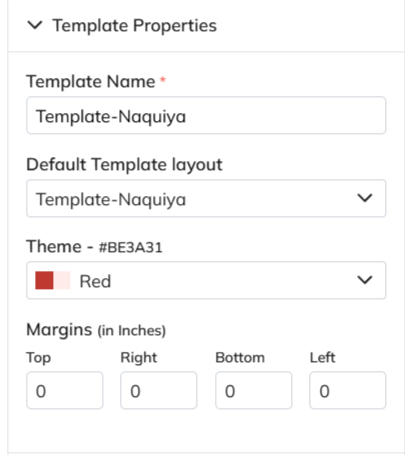
Template Properties
- This is the blueprint of the document.
- The template name is a mandatory field to be filled.
- Add/edit basic details of the template; name, layout, etc.
Template Design
- Major stylistic customizations made in this section, such as font, font size, title color, etc.
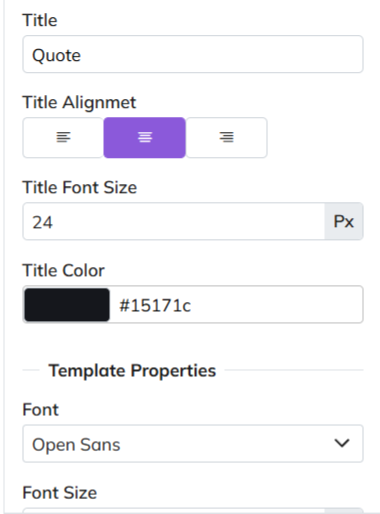
- All changes in this section are optional.
Template Information- Mandatory and Optional Fields
- Template Information section covers the major information to be added to the document.
- Mandatory fields carry basic data that must be provided on the document. They are:
- Due Date
- Quote/SO/Invoice Date
- TRN (Transaction Reference Number)
- Short-Code
- Optional Fields
- Other fields in this section are optional- Donated by a check box beside the field.
- If checkbox is ticked, information must be provided for that field.
- If checkbox is not ticked, that section will be removed from document.
- Make adjustments and customizations.
- After making changes, click “Refresh” if you want to preview
- Click “Save” to confirm
- Rename the template before you save. Or you will receive an error message.
- This is because a pre-loaded template is used each time you click +New Template to begin customization.

Manage Templates
Mark as default
- Click ⋮ 3 dots
- Select Set as Default
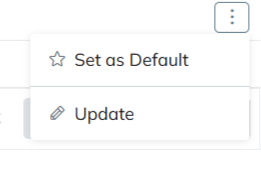
Update Template
- Click ⋮ 3 dots
- Select Update
- Make changes
- Click Save
Please note
- All templates share same creation/management workflow.
- Custom templates created by users can be set as default.
Discover how Zhylar can streamline your sales and elevate your business processes. Visit our website or book a demo today to experience the difference!