
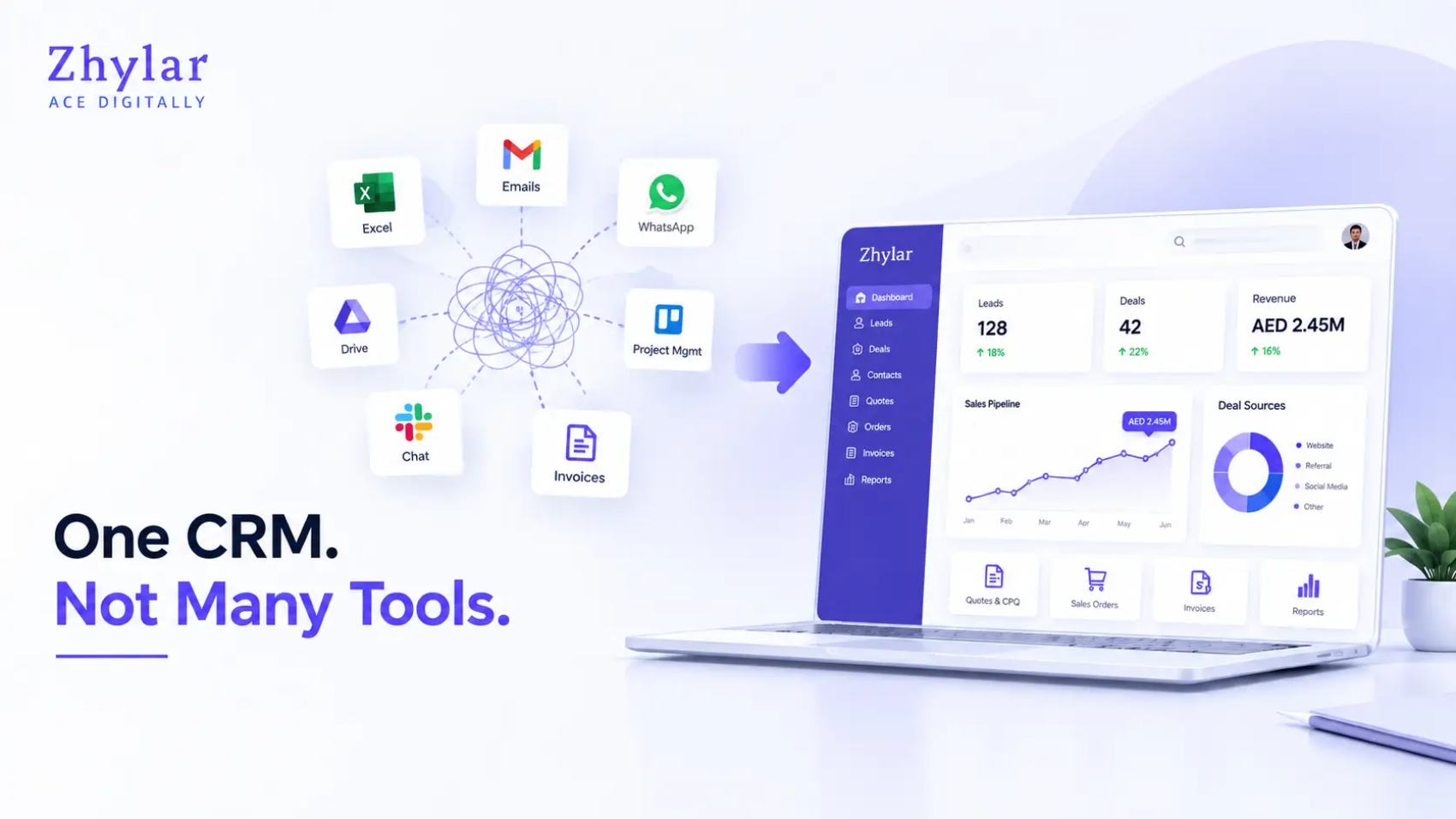
Software sprawl inside small and mid-sized businesses has grown faster than most leadership teams realize. The average company currently uses more than 100 SaaS applications as compared to only 16 apps back in 2017, according to the SaaS management research by BetterCloud. A large share of that budget goes down the drain, with industry reports indicating wasted or underutilized licenses amounting to 25%-35% of total expenses.
That’s not a minor inefficiency. That’s a structural problem, and it’s happening inside businesses that have no idea it’s costing them until a quote goes out with the wrong pricing, an invoice contradicts what sales promised, or a report used to make a real decision turns out to be built on numbers three different systems disagree about.
The Blind Spot Nobody’s Watching: Data Decay
There’s a term worth naming here, because once you see it, you can’t unsee it in your own operations: data decay. It is the problem of having duplicate data about the customers or the deals in systems that are not interconnected. For example, a phone number is changed in the CRM but not the invoicing tool. A quote gets revised in one app while the original version still lives in someone’s inbox. A follow-up is recorded in the task management program which is never seen by the financial team.
None of these are dramatic failures on their own. That’s exactly what makes data decay dangerous, it’s silent, cumulative, and almost invisible until it surfaces as a lost deal, a client dispute over pricing, or a forecast that’s wrong by a wide enough margin to affect real decisions.
All these issues do not seem too catastrophic when considered separately. However, that’s exactly what makes the problem of data decay so dangerous. The whole process is silent and brings cumulative effects, which become discoverable only when the deal is lost, or a customer has a dispute about the prices in the invoice.
This is the blind spot that software consolidation is working on. It is not just the issue of having “too many logins”, which is an annoyance, but data decay, which is a business risk.
Why Businesses End Up With Too Many Tools in the First Place
Nobody sets out to build a messy tech stack. It happens gradually, almost innocently.
A sales team needs a way to send quotes, so someone signs up for a quoting app. The finance department needs more professional-looking invoices, so they add a billing tool into the mix. Eventually, someone realizes that no suitable reminders exist to follow up with the leads, and thus another app comes into play. Each decision makes sense in isolation. But nobody’s looking at the bigger picture, and that’s exactly how data decay takes root, one disconnected “quick fix” at a time.
Six months in, a business might be paying for four or five subscriptions that were each meant to handle one thing, and none of them are working together. This is precisely why more businesses are now searching for a genuine all-in-one CRM software rather than another point solution to patch a symptom that keeps coming back.
Can a CRM Actually Replace Multiple Business Tools and Softwares?
Indeed, we have a mechanism that can be applied in a contemporary CRM system that has transitioned from being merely a contact database into something that is like a quote-to-cash system, which effectively means that one seamless pipeline exists that covers everything happening from the first contact to the payment.
While creating a quote in the system, a sales representative makes use of the available templates that connect with a product catalogue. As the client gives his final approval for the quote, it is instantly turned into an invoice, which means that there is no need for manual re-typing or any other irrelevant action. Another valuable thing is that the invoice already includes a summary of previous negotiations with the customer and is basically ready for use from the financial standpoint.
With regard to follow-ups, things work similarly. Rather than having a representative take a note indicating “call back on Thursday,” the CRM system will keep track of any interaction and provide a follow-up task, thus allowing all information to be located in one record. As quotations, invoices, and activities share the same data layer, the reports stop being a process of manual reconciliation. Dashboards reflect what’s actually happening in real time, because there’s only one version of the truth to pull from.
What Features Should an All-in-One CRM Actually Have?
Not every platform that markets itself as “all-in-one” earns the label. A few insider checks worth running before committing to any business software integration:
- Trace one deal end-to-end before you buy. Ask the vendor to show you a single client record moving from first quote to paid invoice with zero manual re-entry. If they can’t, the “integration” is likely a surface-level sync, not true consolidation.
- Check what happens when a quote is edited after approval. This is the single most common place data decay hides. If the invoice doesn’t auto-update, you’ve found a gap.
- Ask how activity history survives a user leaving the company. Tribal knowledge trapped in one rep’s head is a hidden dependency most businesses don’t discover until it’s already a problem.
Beyond those checks, the baseline feature set should include quotation and invoicing management in one workflow, automated follow-up and activity tracking, centralized customer data, real-time reporting, workflow automation for repetitive tasks, and scalability that doesn’t require re-platforming a year later.
Where Business Software Is Headed Next
Consolidation is more than just a cost-savings shortcut in the present; it is also the key to preparing a company for future challenges. CRM software is rapidly evolving into systems that provide predictive deal scoring that identifies which quotes are likely to drop before the account manager has the chance to realize it. The automation of compliance and audit trail features is becoming the norm, while AI-driven follow-up technologies, where the system determines the best time to follow up based on the customer’s real actions instead of a fixed schedule, begins moving from high-end functionality to a must-have feature in customer relationship management software.
None of this works on a fragmented stack, and the reason comes back to the same blind spot already covered: predictive and AI driven tools require clean and connected data to function. Data decay is what renders a business incapable of adopting AI technologies since the model trained on contradictory data will not be able to produce reliable predictions. A company that relies on different tools has no chance to become AI-friendly because it is creating a fragile foundation.
Is an All-in-One CRM Really Better Than Separate Tools?
For very small operations with basic requirements, some free tools may suffice for a while. However, in the case of most small businesses, consolidation works on three counts: it allows managers to access accurate data, as data does not need to be entered again, ensuring efficiency; managers access the entire quote-to-cash business process at once; and it is cost-efficient, eliminating the need to pay for five subscriptions, as the cost of one effective platform is minimized when downtime is taken into account.
How to Choose the Right CRM Software for Your Business?
To begin with, create a list of every tool you are currently utilizing, so that you can analyze every tool and see if it should remain as a separate tool or be included in one unified CRM which takes care of its integrated features. After this, focus on platforms where quotes, invoicing and follow-ups utilize the same data model and where data combines itself before any integrations are made, since those integrations are frequently where data decay re-enters even after “consolidation.”
Now, it’s time to carry out the three checks we mentioned above, making sure that they are viewed as evaluation criteria rather than background reading:
- Monitor a deal from quote issuance to invoice payment and see how many manual actions happen until its complete processing.
- Edit a quote after it has been approved, and see if the invoice gets edited too.
- Ask what happens to a client’s history the day a rep leaves the company.
Any platform that fails even one of these isn’t consolidation, it’s just a bigger app with the same disconnected data underneath.
From Avoiding Risk to Building an Advantage
It’s necessary to take a look at what really matters here. Consolidation is not about avoiding the failure mode, misunderstanding of an invoice, losing a client, and making a report that is not trusted by anyone. It’s about what becomes possible after that risk is eliminated, like shorter sales cycles and correct forecasting, enough to actually plan hiring and inventory around, and the ability to scale headcount without multiplying chaos in proportion.
The businesses that pull ahead in the next few years won’t be the ones with the most software. They’ll be the ones that recognized data decay early, chose one single connected system to solve it and were able to be much faster than the competition still stitching five various tools together every morning.
If you run the three-check test above and your own stack takes more than two or three actions required for a transaction to go from a quote to a paid invoice the first step in improving it would be to understand what a single connected solution could look like for your organization instead of adding the sixth tool to patch the fifth.
Frequently Asked Questions (FAQs)
1. What does software consolidation mean for a business?
This refers to the practice of replacing multiple single-purpose tools to integrate everything onto one platform, which allows for quotes, invoices, follow-ups and reports to draw from the same pool of information instead of being stored in different environments.
2. What is “data decay” and why does it matter?
Data decay describes the process by which information about a customer or deal is replicated on different systems, so a phone number is no longer updated in a quote, for example. Data decay is generally not the end of the world by itself, but it can accumulate into expensive scenarios and regrets during the course of time.
3. Can one CRM really handle quotations, invoicing, and reporting together?
Absolutely! A good CRM does provide a full quote-to-cash cycle from end-to-end, so reporting will be based on accurate data without requiring any manual adjustments.
4. Is switching to an all-in-one CRM expensive?
Generally, it actually reduces in the long run. One platform typically costs less than four to five subscriptions, and it becomes worth it even more when the hidden cost of time lost switching between apps is factored in.
5. Will an all-in-one CRM work for a small business, or only large companies?
It actually works for small businesses since they have less people dealing with multiple different disconnected tools and need each process perfectly functioning right from day one.
6. How do I know if my business has a data decay problem?
You can find this out by tracking a deal from a quote to a paid invoice. If this requires constant manual input and usage of different applications and making a phone call to clarify what actually happened, that’s data decay in action.
7. Does an all-in-one CRM reduce human error?
Significantly. When information does not require manual juggling between different applications, there is practically no mismatch of invoices, missed follow-ups, and no outdated information about customers.
8. Can an all-in-one CRM scale as a business grows?
Indeed, this is one of the greatest perks of an all-in-one CRM. A good CRM software functions effectively as businesses grow and encourages many new users to come on board.