From Chaos to Kanban_ A Masterclass in Visualizing Your Sales Pipeline (1)

From Chaos to Kanban: A Masterclass in Visualizing Your Sales Pipeline

Every sales team wants the same outcome, a predictable pipeline, faster deal closures, and accurate sales forecasting. Yet, many organizations and their teams are still tracking their deals via spreadsheets, lengthy email chains and manual reporting. 

The result? Sales managers spend more time asking, “What’s the status of this deal?” than actually coaching their teams. Representatives lose valuable selling time updating CRM records, while leadership struggles to gain a clear picture of pipeline health. 

This is where visual sales pipeline management changes everything. 

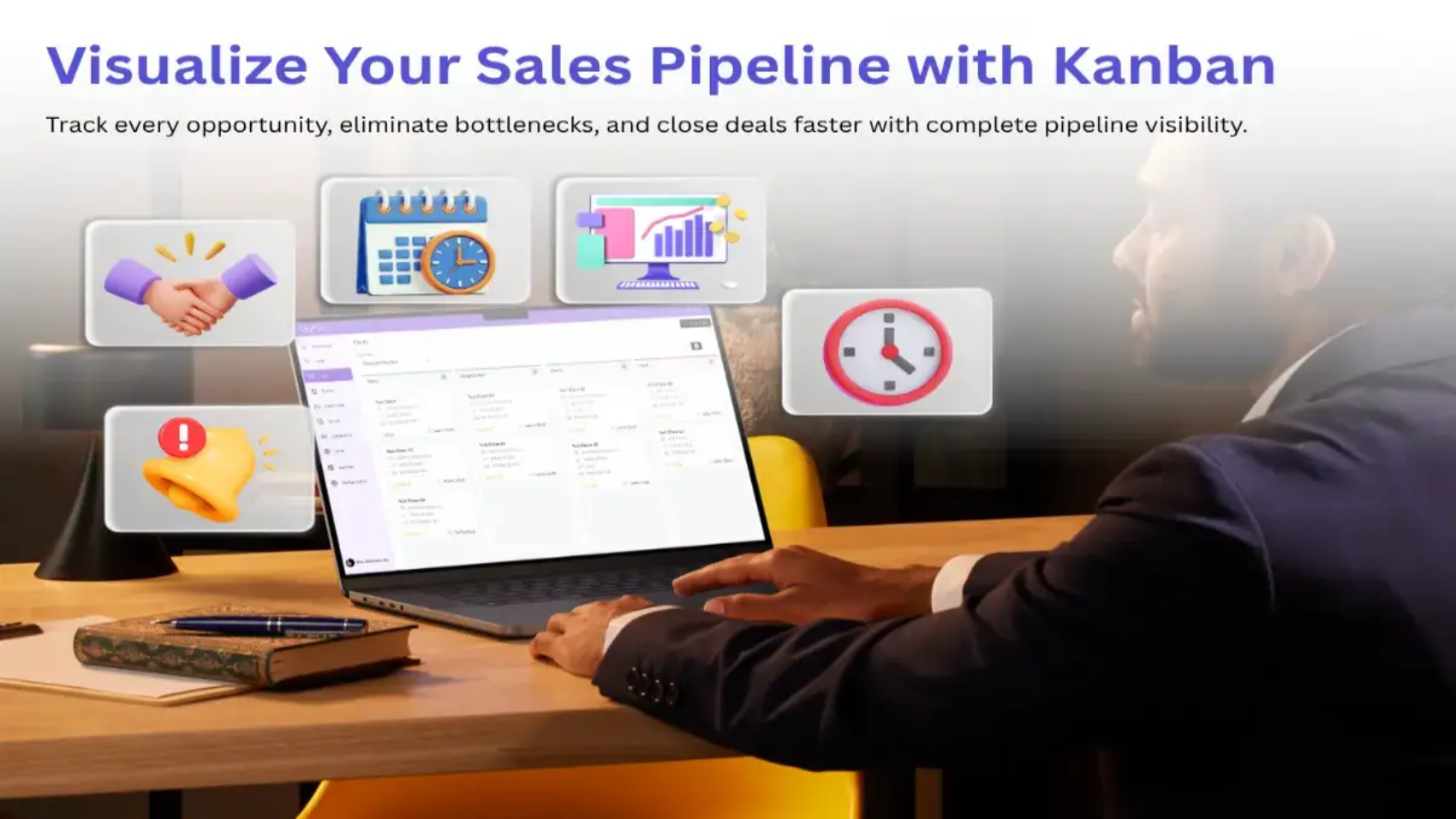
Instead of treating the sales pipeline as a static list of opportunities, modern organizations are embracing Kanban boards to visualize every stage of the sales process. A Kanban view transforms complex sales data into an intuitive workflow, making it easy for everyone to understand exactly where each opportunity stands. 

More importantly, visual sales pipeline management eliminates the need for regular “status update” meetings as the pipeline itself serves as the single source of truth regarding the current status of any and all opportunities in the pipeline. 

In this blog, we’ll explore how Kanban-based sales pipeline management works, why it has become essential for modern businesses, and how the right CRM platform can help teams achieve complete pipeline visibility. 

The Real Cost of an Invisible Sales Pipeline 

When your sales pipeline management relies on spreadsheets, scattered notes, and memory, three things quietly go wrong: 

  • Deals stall without anyone noticing: When a prospect goes cold in the “Proposal Sent” stage for three weeks and is not caught until it’s too late. 
  • Forecasts become guesswork: When no consistent data is maintained regarding the stages of deals in your pipeline, your revenue forecasts become optimistic estimates rather than realistic, factual figures. 
  • Selling time gets eaten by reporting: Reps spend several hours every week compiling reports, rather than focusing on selling more. 

The above mentioned issues are not due to lack of effort by sales representatives. They are the result of having a pipeline that does not have a single, shared, and visible source of truth about the pipeline and its stages. This is why it is so important to increase visibility within the sales pipeline. 

What Is a Kanban Sales Pipeline? 

Originally created for manufacturing, Kanban became one of the best techniques for managing workflows through the years and across many different industries. 

In sales, each ‘deal’ is displayed as a ‘card’ on a Kanban board and is ‘moved’ through the various stages of the sales process. 

A typical Sales pipeline on a Kanban board may contain the following stages: 

  • New Lead 
  • Contact Made 
  • Qualified 
  • Proposal Sent 
  • Negotiation 
  • Closed Won 
  • Closed Lost 

Instead of scrolling through hundreds of spreadsheet rows, sales teams can instantly visualize: 

  • Which deals require immediate attention 
  • Which opportunities are ‘stuck’ 
  • Who owns each opportunity in the pipeline 
  • What the total revenue expectation is for all of the opportunities in the pipeline, as well as each stage of the pipeline 
  • Overall pipeline health 

The result of this visual representation of the pipeline ensures that everyone has full visibility throughout the organization. 

Why Pipeline Visibility Matters 

 Pipeline visibility is the foundation of scalable sales operations. By providing complete visibility into the status of each opportunity (including its stage, owner, next action, and probability), you can significantly improve decision-making and reduce guesswork. 

The primary benefits of complete pipeline visibility include: 

Complete Pipeline Visibility 

Visibility means complete transparency of the entire pipeline across the organization. Visual boards enable all sales team members (from salespersons to senior executives) to work off the same real-time information, which dramatically reduces communication gaps among team members. 

Faster Decision-Making 

Managers will no longer need to generate long and complex reports before making decisions. Sales pipeline bottlenecks will be clearly visible, and if a proposal or negotiation(s) is/are pending, corrective measures can be taken immediately. 

Improved Team Accountability 

All sales pipeline opportunities will now have a specific owner. Therefore, all team members will clearly understand their responsibilities and there will be no more confusion regarding ownership or follow-up. In addition, salespersons will feel more accountable and have more ownership over their respective pipelines. 

Better Sales Forecasting 

When opportunities are consistently moving through the pipeline, sales forecast accuracy is greatly improved.  

Management is able to develop more accurаte forecasts for: 

  • Revenue projections 
  • Monthly targets 
  • Quarterly planning 
  • Resource allocation 

Reduced Administrative Work 

Sales representatives no longer have to prepare multiple reports to provide status on opportunities; they will simply update the opportunity card and team members can see the latest information in real-time without additional status reports. 

Defining Pipeline Visibility 

Pipeline visibility means anyone, a rep, a sales manager, or an executive should be able to look at a single point of information to find the answers to three questions: 

  • Where is this deal currently in the pipeline? 
  • How long has it been in this stage? 
  • Who is responsible for moving this deal forward? 

If you need to call or message someone or have a recurring meeting to get the answer to these questions, then your pipeline does not currently have visibility; it’s being manufactured manually, meeting by meeting. 

Why Kanban Fits Sales Pipelines So Well 

The manufacturing sector originally used Kanban boards to make work in progress visible and highlight bottlenecks in the manufacturing process. The sales process of qualifying leads, sending proposals, and negotiating with prospects can also be seen as ‘work in progress’, just with a price tag attached. 

Applied to a sales pipeline, Kanban rests on three simple mechanics: 

  • Columns: Each of the six columns represents a phase of the sales process (Lead, Qualified, Proposal Sent, Negotiation, Closed- Won / Lost). 
  • Cards: Each of the cards represents an individual opportunity, including all pertinent information, such as value, owner, and last follow-up. 
  • Movement: A card only moves to the next sales phase when there is a real change to the information relating to the opportunity as opposed to being moved merely based on someone announcing (during a meeting) that it is now in the next phase. 

This system replaces the need for weekly meetings to discuss pipeline status, and instead the board continuously communicates to you the status of the pipeline. 

Designing a Sales Kanban Board Step by Step 

Step 1: Map Stages to Your Actual Sales Process 

It’s important not to use a generic template. You should map your current, factual sales process as well as document how people typically move through each stage. If your team already treats two stages as one in practice, merge them on the board, a board that doesn’t reflect reality gets ignored within days. 

Step 2: Set Clear Entry and Exit Rules Per Stage 

Vague stage definitions are the single biggest cause of pipeline confusion. Every column needs one explicit rule for what qualifies a deal to enter and one for what qualifies it to exit. For example, a deal only enters “Negotiation” once a proposal has been formally reviewed by the buyer — not just sent. 

Step 3: Track Time-in-Stage on Every Card 

Visibility of a deal is not just knowing the physical location of the deal, but also being able to determine how long that deal has been there. For instance, a card in the same stage for three days is normal. However, a card in the same stage for three weeks is cause for concern. By documenting the time-in-stage, the board is able to act as an early warning of deals at risk.  

Step 4: Cap Work-in-Progress Per Rep 

You can use the fundamental principles of kanban: restrict the number of active deals a salesperson can have in one stage of a deal at any time. This allows reps to focus on moving their deals forward instead of accumulating them. This also increases overall sales velocity. 

Step 5: Make the Board the Only Source of Truth 

By employing this principle, you will effectively remove status meetings from your calendar. Once your board is consistently up to date, you no longer need to “give updates” to anyone verbally, because everyone can just pull up the board and see the status of every deal in your pipeline in under a minute. 

Eliminating “Status Update” Meetings 

The role of status meetings is in finding an alternative way of getting information out to everyone in regard to something that is not being shared or made visible in other ways. Therefore, status meetings become a manual workaround for this lack of visibility, and a manual workaround is always slow and unreliable. 

Once the Kanban board carries that information continuously: 

  • Managers get pipeline answers just by looking at the board, and not by pulling reps out of selling mode. 
  • The context of the deal, notes about the deal, and next actions, move along with the card. So, when the next rep takes over, they have the history to help them effectively move the deal. 
  • Forecast conversations shift from opinion (“I think this will close”) to evidence (“here’s what the stage data shows”). 
  • The recurring meeting will no longer have any purpose 

Teams that make this shift usually find it’s far easier when their CRM’s default pipeline view already mirrors this Kanban structure — time-in-stage, ownership, and next actions visible without any extra process layered on top. This built-in visibility will often determine whether or not the board will continue to have accurate and current information over time or will slowly revert to being disorganized. 

Mistakes That Undermine Pipeline Visibility 

Even a well-intentioned Kanban rollout can fail if you fall into these traps: 

  • Stacking too many stages onto your board. Once you reach about six to seven stages, your reps will begin jumping over steps just to get through the pipeline quicker. 
  • – Having cards without a designated owner. Anytime a deal is owned by “the team,” it essentially is owned by no one. 
  • – Using the Kanban Board as a reporting tool, instead of a place to visually work through deals. If the only time you touch your board is before a meeting then you are not eliminating, but merely delaying your meetings. 
  • – Allowing stale or untended cards to remain in the pipeline. It’s clutter dressed up as data. 
  • Designing your Kanban Board around what leadership wants to see rather than how your reps actually sell on a daily basis. A Kanban Board that reps do not use will never have accurate data. 

Metrics That Confirm the Shift Is Working 

Once your board is live, these numbers tell you whether pipeline visibility is genuinely improving, not just adding a new tool to the stack: 

  • The average amount of time spent in each stage provides you with information about where deals are getting delayed or held up as they progress. 
  • The conversion rate from one stage to the next stage will indicate where opportunities are leaking during the handshake process between stages. 
  • The amount of stale cards (no activity associated with them for 7+ days) is an immediate indicator of how well you are implementing/using your board. 
  • Sales Velocity provides insight into how fast value is moving through your entire pipeline. 
  • Meeting hours saved as a result of eliminating status update meetings. 

Bringing It All Together 

Disorganization in a sales pipeline is not due to a lack of motivation but rather due to a problem with designing the process, specifically a lack of pipeline visibility. A properly designed Kanban Board does not just make the sales pipeline more organized; it modifies the way that information flows through the team in that it allows the team as a whole to have deal status on the Kanban Board rather than in the person’s head, their inbox, or recorded during a weekly meeting. 

Once all of the deals in the pipeline have a visible deal stage, age, and owner automatically available for view by anyone who is part of the sales pipeline, then the need for status update meetings ends, not due to cancelling them, but because the information provided during these meetings is now readily available to everyone and at no cost. 

Frequently Asked Questions 

1. What does pipeline visibility mean in sales?

In sales, pipeline visibility refers to the ability for anyone to view a deal’s stage, time in that stage, and who it belongs to without having to go directly to a salesperson for an update. 

2. How is a Kanban board different from a standard CRM list view?

A standard CRM list view displays deals in a single list (a row format) and sorted by value or date; whereas a Kanban board displays deals grouped together by stage (visually), which clearly shows bottlenecks and stalled deals much more so than a flat list style will. 

3. How many pipeline stages should a sales Kanban board have?

Generally, 5-7 stages in your sales Kanban board will work for you. If you have 4 or less, you will likely miss an important nuance; if you have 8 or more, you may encourage salespeople to skip stages to avoid additional clicking. 

4. Can a Kanban board fully replace status update meetings?

Yes, the Kanban board can eliminate the need for recurring status update meetings as long as salespeople are keeping the Kanban board up to date; however, you may still want to have an occasional meeting regarding a deal for deep strategic discussions, but your “how is it going” meeting is no longer necessary with use of the Kanban board. 

5. Why do sales Kanban boards oftenfail toget adopted?  

The Kanban board stages do not match how your team members sell. When the structure of the board does not reflect behaviours in reality the updates become inconsistent and eventually lose visibility. 

6. How often should stale deals be reviewed on the board?

At minimum weekly, though high-velocity teams often check time-in-stage daily to catch stalled deals early. 

7. Does better pipeline visibility improve forecast accuracy?

Yes. When you build your forecast from the actual stage of deals and how long they have been in that stage, they will be far more accurate than when you rely solely on a team member’s intuitive sense. 

8. Is a sales Kanban board worth it for a small team?

Yes! A two- or three-person sales team will benefit from using the board because it will reduce the mental burden of tracking the status of each deal manually and will help each member avoid losing an opportunity. 

Financial Integrity_ Closing the Loop Between Sales and Accounting (1)

Financial Integrity: Closing the Loop Between Sales and Accounting

In 2025, the Federal Tax Authority (FTA) conducted about 176,000 inspections of the market, which is an 89% increase from the year before. This demonstrates clearly where we’re headed with regards to federal tax compliance enforcement in the UAE. It indicates a transition from less frequent spot-checking to more continuous and systemic oversight of the manner in which enterprises maintain and report their revenue. This represents a fundamental shift in the operational and regulatory landscape for all businesses registered for value-added tax (VAT) in the UAE and will undoubtedly remain unchanged. 

For many businesses, though, the greatest risk is not the outcome of a deliberate failure to comply; rather, it is a subtle, structural compliance deficiency. The accounting department and the sales department typically have the same goal: to produce accurate financial information and to file taxes in a timely manner. Unfortunately, sales and accounting are typically operated in completely separate ways. Sales typically use a CRM to manage their data while accounting typically uses computerised systems such as QuickBooks or Zoho. As a result, much of the data that is moved between sales and accounting must be re-typed and, therefore, there can be many “duplicate” invoices and VAT numbers will tend to drift apart. 

This gap isn’t just an operational inconvenience. In a market where the Federal Tax Authority (FTA) expects every dirham of output VAT to be traceable back to a real, verifiable transaction, a disconnected sales-to-accounting workflow is a direct threat to financial integrity and to VAT compliance. Therefore, closing this loop isn’t optional. It’s what is driving how modern businesses in the UAE will remain audit-ready, file accurate VAT returns and avoid a last-minute chaotic reconciliation that results in errors, penalties and sleepless nights prior to the FTA’s deadline. 

The Hidden Cost of Disconnected Sales and Accounting Systems 

When there is no communication between a Customer Relationship Management (CRM) and an accounting system, someone has to do the communication for the two systems. Typically, this means that a finance employee has to manually enter information on invoices, customer information, and information impacting Value Added Tax (VAT) on sales from the CRM into an accounting software system, for example, QuickBooks or Zoho Books, for each sale listed in the CRM. 

The manual gap between each system creates three predictable issues: 

  • Duplicate or missing invoices- A sale that is closed in the CRM may not be accurately reflected in the accounting system or be entered into the accounting system a second time creating distortion of-eligible revenue. 
  • Mismatched VAT treatment- Employees in sales are not tax professionals. Therefore, a transaction that is to be zero-rated, exempt, or subject to the reverse charge mechanism can easily be entered incorrectly if it isn’t flagged consistently between systems. 
  • No single source of truth- When there are different reports of revenue based upon the sales in the CRM as opposed to how revenue shows in the books, finance spends countless hours (sometimes days) reconciling the two systems before they have a chance to file VAT. 

None of this is a people problem. This is solely a systems issue. In the context of UAE VAT Compliance, this is a systems issue with real financial consequences.

Why UAE VAT Filing Leaves No Room for Sync Gaps 

UAE VAT compliance is very strict with an unforgiving clock. Once a business is VAT registered (mandatory at AED 375,000 in annual taxable supplies, voluntary from AED 187,500) it will have to file a VAT return (Form VAT201) through the FTA’s EmaraTax portal and pay any VAT due to them within 28 days of the closing date of that business’s tax period. The majority of businesses will do this on a quarterly basis while businesses with an annual turnover greater than AED 150 million will be required to file monthly. The 28-day deadline for filing a VAT return or making a VAT payment will be the same whether or not there is VAT payable for that period; there is no exemption if there was “nothing to report”. 

Miss that window, and the penalties are specific and immediate: 

Compliance event  Penalty 
First late VAT201 filing  AED 1,000 
Repeat late filing (within 24 months)  AED 2,000 
Late VAT payment (under Cabinet Decision No. 129 of 2025, effective 14 April 2026)  14% per annum, calculated monthly on the outstanding balance 
E-invoicing non-compliance (Ministerial Decision No. 243 of 2025, mandatory from July 2026)  Up to AED 5,000 per breach 

It’s important to pay attention to how late payments work: this new late payment structure replaces an even tougher previous model (2% immediate, 4% after seven days, then 1% per day, capped at 300%) with a flat annualized rate. While still being flexible on the amount of time before penalties are incurred, this system has removed any cap on the amount charged so that for every day you do not make your payment the amount you owe continues to grow linearly until you finally do make your payment. 

This is precisely where sales-to-accounting sync becomes a compliance issue, not just an efficiency one. A VAT201 return is only as accurate as the underlying sales data feeding it. If invoices generated in the CRM aren’t reconciled with the VAT ledger in QuickBooks or Zoho Books, finance teams risk reporting output VAT that doesn’t match actual sales activity, a significant discrepancy that will trigger an FTA audit of the organization, or may require preparation of a Voluntary Disclosure (Form VAT211) or may lead to incorrect return and subsequent re-filing of return. 

And the expectations are even higher. Starting in July 2026, the UAE rollout of the EIS will add additional pressure to move away from quarterly summaries of invoice-level reporting to near-real-time reporting. For businesses that already have a strong, automated connection between their sales data and their accounting platform, adapting to this change will be much easier than for those that continue to rely on manual export and end-of-quarter scrambles. 

What “Closing the Loop” Actually Means 

Closing the loop between sales and accounting isn’t about adding more spreadsheets or more checklists. It’s about designing a workflow where a sale, once recorded, flows through to the accounting system automatically — correctly tagged, correctly dated, and correctly mapped to the right VAT treatment, without anyone re-entering a single figure. 

A genuinely synced workflow typically includes: 

Real-time, two-way data flow: When a deal closes or an invoice is generated in the CRM, it should appear in QuickBooks or Zoho Books immediately, not at the end of the week when someone finally has time to update the books. 

Consistent VAT coding at the point of sale: Standard-rated, zero-rated, and exempt transactions should be classified the same way in both systems, eliminating the guesswork that often happens during manual entry. 

A traceable audit trail: Every invoice should be traceable from the original sales record through to the VAT return line it informed. This is invaluable not just for FTA audits, but for internal financial reviews and investor due diligence. 

Automatic reconciliation, not manual matching: Instead of finance teams cross-checking CRM exports against accounting reports by hand, the two systems should already agree — because they were never allowed to drift apart in the first place. 

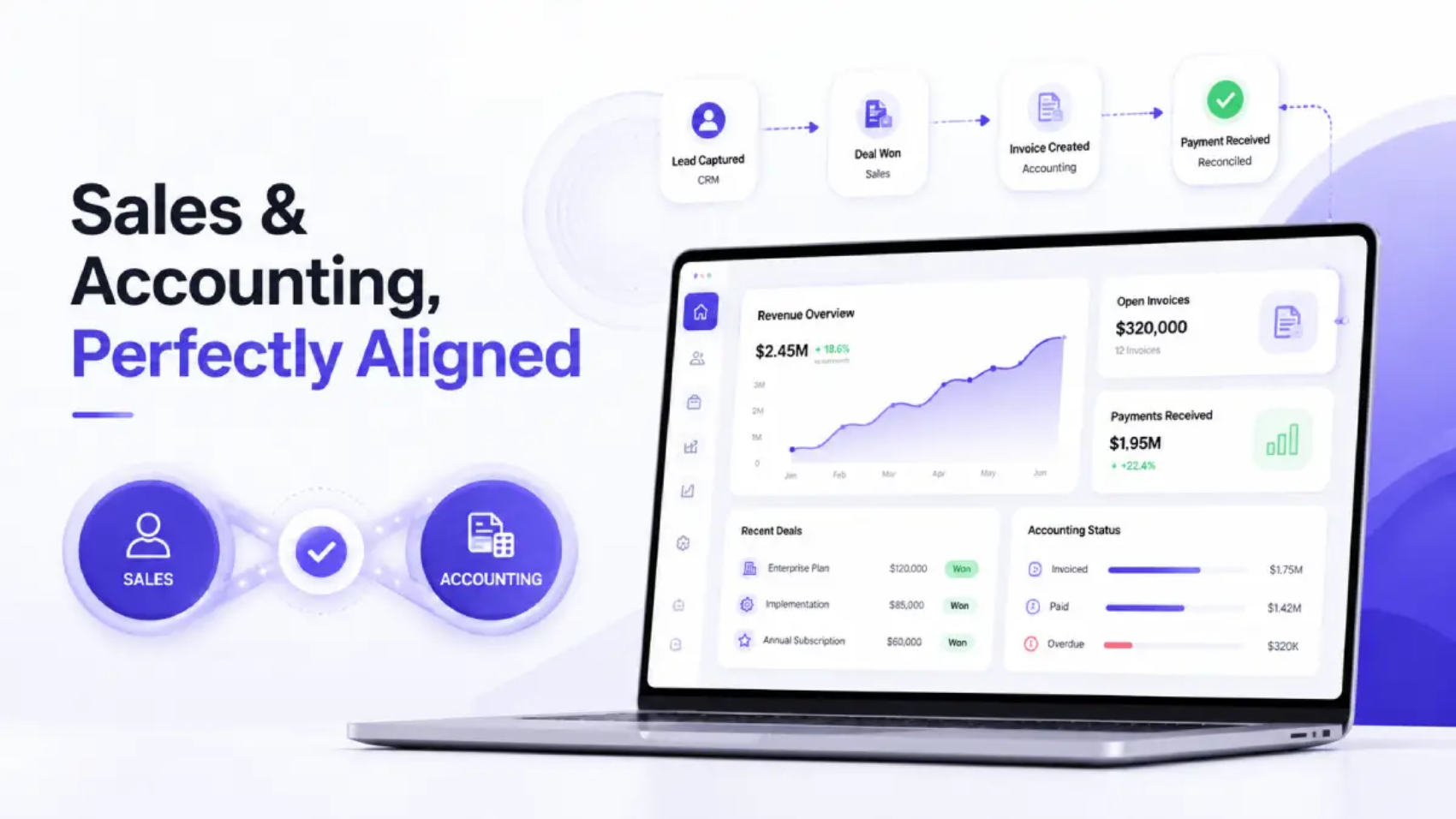
This is exactly the gap that purpose-built CRM platforms with native QuickBooks and Zoho integrations are designed to close. Rather than treating the CRM as a sales-only tool and the accounting platform as a separate, disconnected system, the right setup treats them as two views into the same financial record — so that sales velocity and accounting accuracy stop working against each other. 

Five Signs Your Sales-to-Accounting Sync Needs an Upgrade 

If you experience any of the following, it is important to examine the flow of sales and accounting data between your systems: 

  1. Finance often requests “the real numbers” from sales before they process the VAT return, as there is a misalignment between figures in the CRM and on the company accounts. 
  2. Invoices are being created on two separate occasions – once when the sale takes place, and again when someone manually enters it into QuickBooks or Zoho Books. 
  3. VAT coding is inconsistent, with similar transactions sometimes marked standard-rated and sometimes exempt, depending on who entered them. 
  4. There is no clear audit trail connecting specific sales with specific lines on the filed VAT return. 
  5. Reconciliation takes place quarterly in a rush rather than being an ongoing process during the reporting period. 

Any one of these would indicate that the workflow between sales and accounting is primarily based on manual labour, rather than reliable syncing, and therefore presenting opportunities for errors in relation to VAT reporting. 

Building a Compliance-First Sales-to-Accounting Workflow 

The organisations that are able to handle the complexities of UAE VAT compliance most efficiently are not necessarily the organisations with the largest finance teams; instead they are the organisations whose systems are designed such that compliance occurs as a result of regular selling activity rather than being an independent, manual activity added afterwards. 

In many cases this means selecting a CRM that not only stores contact information and deal status but also has built-in functionality for invoicing, VAT fields, and direct integration with accounting solutions like QuickBooks or Zoho Books. As a result of having a CRM built with this level of financial integrity, sales reps can generate compliant invoices without having to know how to code sales taxes, while simultaneously providing finance teams with already reconciling, VAT-coded, and audit-ready accounting records by the time the filing season arrives. 

The result is a workflow where: 

  • Sales transactions automatically become accounting transactions without duplicate data entry. 
  • Transactions will be treated consistently for VAT purposes reducing the probability of misclassifying transactions. 
  • Finance teams will spend their time focused on reviewing exceptions rather than searching for inconsistencies. 
  • VAT 201 preparation will be a matter of exporting accurate amounts created previously rather than reconstructing the amounts from scratch. 

The Road Ahead: E-Invoicing and Real-Time Compliance 

The implementation of compulsory e-invoicing in the United Arab Emirates is an indication of how the VAT compliance landscape will be evolving, moving towards having less focus on retrospective account reconciliations and instead, placing greater emphasis on having system-level (real-time) accuracy.  

Businesses who already have a closed loop between their CRM and their accounting software (i.e., QuickBooks, Zoho Books, etc.) will naturally be in a better position to comply with this change as they have a synchronisation that has been created with real-time accuracy rather than trying to retrofit a manual system to meet a new digital requirement. 

Before Your Next VAT Filing: A Sync Readiness Check 

Financial integrity isn’t a once-a-quarter event that happens right before a VAT deadline — it’s the cumulative result of every sale being recorded correctly, every invoice matching the right VAT treatment, and every figure in the accounting system tracing cleanly back to a real transaction in the CRM. 

Don’t wait for the next filing cycle to find out where the gaps are. Run through this before your next VAT201 is due: 

  1. Run a report of last quarter’s total CRM sales and compare it to the total VAT revenue in your accounting system. If those two reports do not match exactly, you do not have a rounding error; you have a system synchronization error. 
  2. Select five invoices randomly from your recent invoice history. Follow the trail of each from your CRM through to the corresponding line on your VAT201. If there are any points on that trail where you have to manually search for information or create a spreadsheet; that is another area of potential risk in your process. 
  3. Ensure that the VAT treatment (standard rated, zero rated, exempt or reverse charge) has been consistently applied between similar transactions of different sales persons. 
  4. Ask finance how many hours were spent reconciling CRM against accounting for last quarter. Any time that was spent on reconciling these systems is therefore lost to reviewing rather than simply entering data. 
  5. Confirm whether the current systems are capable of supporting invoice level reporting prior to e-invoicing mandate in the UAE taking effect (July 2026). 

If any of these expose a gap, the fix isn’t more checklists or more headcount in finance — it’s choosing a CRM that treats invoicing, VAT coding, and direct QuickBooks or Zoho Books synchronization as core functionality, not an add-on. It is important to remember that the FTA conducted 176,000 inspections in 2025 and that number will only continue to increase. The businesses that are least exposed to inspections will not have the most amount of paperwork but will have sales and accounting systems that are in agreement prior to any inspection being conducted. Businesses that successfully comply with UAE VAT have done so by no longer treating sales to accounting synchronization as an IT function, and have treated it as core compliance infrastructure which is built in from the first invoice rather than patched in prior to any audits. 

Frequently Asked Questions 

1. How often do UAE businesses need to file VAT returns?

The frequency of filing for VAT Returns is established by the Federal Tax Authority. For example, most businesses registered for VAT and have a yearly revenue of less than AED 150 million will generally have to file on a quarterly basis. If your business has more than AED 150 Million in annual revenue or has a more complicated transaction structure, then you will have to file on a monthly basis. The exact period will be available on EmaraTax. 

2. What is the deadline for filing a VAT return in the UAE?

You must submit your VAT returns (Form VAT201) and pay any associated amounts owed within 28 days after the end of the tax period. This applies whether or not there is any VAT due; you must file your zero return on time. 

3. What happens if my CRM sales totals don’t match my accounting system’s VAT figures? 

A mismatch means the VAT201 you file may not reflect actual sales activity, which can lead to an inaccurate return, an FTA inquiry, or the need to submit a Voluntary Disclosure to correct it later. The earlier the gap is found and reconciled, the less disruptive it is — discovering it during a filing crunch or an audit is far costlier than catching it through continuous sync. 

4. What penalties apply for late VAT filing or late payment in the UAE? 

If your filing is not completed on time, you will incur a late filing fee of AED 1,000 for the first offence and AED 2,000 for any second offence that occurs within 24 months from the date of the first offence. In addition to this penalty, you will incur a charge of 14% on any amount remaining due from the date of the late payment until it is paid, based on a yearly charge divided up into 12 monthly instalments, as per Cabinet Decision No. 129 dated 14 April 2026. Both penalties will occur regardless of whether you committed the error intentionally or otherwise. 

5. Do I need to integrate my CRM with QuickBooks or Zoho Books, or can manual exports work?

Exporting data manually can allow the numbers to be moved between accounting systems; however, it also introduces the same exact risks (duplicate invoices, inconsistent VAT codes, delayed visibility) which direct integration is designed to avoid. Also, as transaction volume increases, most VAT filing mistakes occur due to manual handoff. 

6. What is a Voluntary Disclosure, and when do I need to file one?

A Voluntary Disclosure (Form VAT211) is a formal notice from a business to the FTA that an error has occurred on a previously filed VAT return, as opposed to waiting for the FTA to discover it via selection for review or audit. Generally speaking, if the error is disclosed proactively by the business, the return will be viewed more favorably than if the discrepancy was identified through an inspection. 

7. How does the UAE’s upcoming e-invoicing mandate affect VAT compliance?

Starting in July 2026, all businesses must use the UAE’s Electronic Invoice System (EIS) as part of the mandatory rollout under Ministerial Decision No. 243 of 2025. Fines for non-compliance can be as high as AED 5,000 per violation. This will change the way invoices are reported to be more like real time reporting. Businesses with automated sales-to-accounting processes will need to change very little in their processes compared to businesses that still use manual processes. 

8. What’s the difference between standard-rated, zero-rated, and exempt VAT transactions?

Standard-rated supplies are subject to VAT at the prevailing VAT rate in the UAE. Zero-rated supplies (e.g. certain types of export) are also subject to VAT but at a 0% VAT rate, which means that an entity can recover the underlying input VAT. Exempt supplies are not subject to the VAT regime, meaning there is no VAT charged on the sale of the good/service nor is the buyer allowed to recover their input VAT. One of the most common errors in filing a VAT return is incorrectly classifying supplies based on VAT treatment. 

9. Does my business need to register for VAT in the UAE?

The registration threshold for VAT in the UAE is based on annual taxable supplies. If annual taxable supplies exceed AED 375,000, it becomes mandatory to register. If annual taxable supplies are greater than AED 187,500, it is optional to voluntarily register (i.e., the entity can, but is not required to). Generally speaking, businesses below the AED 187,500 threshold do not have to register for VAT but will want to monitor their taxable supply levels closely as they approach either threshold. 

10. Can sales-to-accounting sync reduce risk during an FTA audit?

Yes, absolutely. Implementing sales-to-accounting syncs can greatly reduce exposure and risk of an unfavourable outcome during an FTA audit. The primary question for an auditor performing an FTA audit is whether the VAT figures reported have corresponding evidence of a real, verifiable transaction. When there are sales-to-accounting syncs implemented in the business, the auditor has the ability to follow an unbroken trail of evidence that existed prior to the audit notice, thereby eliminating the finance team from having to create a source of evidence for all transactions subject to the FTA audit in response to the audit notice. 

Sustainable Scaling: Why Systems, Not People, Define Your Ceiling

The Myth of the Heroic Leader 

Every high-growth company has one. The founder who answers emails at midnight. The operations head who holds the entire process in their head. The team lead is the unofficial “system” keeping everything from falling apart. 

While we celebrate and uplift these individuals, and create posts on LinkedIn about their relentless drive, we also quietly question why our companies eventually cease growing after those individuals back away from their roles. 

This is the leadership ceiling, and guess what, it has nothing to do with ambition, talent, or even capital. It has everything to do with systems thinking, or the lack thereof. 

Here is what the data tells us: companies that document and systematize their core processes scale 2.5x faster and operate with 30% lower operational cost than those built around individual expertise. Unfortunately, most business owners do not begin creating systems until it becomes too painful, often during a critical growth phase when the cost of disruption is highest. 

If you truly want to grow and develop your business in a sustainable way, stop hiring to fix your problems and build the infrastructure that will prevent those issues from happening. 

What Is a Leadership Ceiling, and Why Does It Exist? 

The leadership ceiling refers to the invisible limitations on the growth of your business. The ceiling is defined not based on the market opportunity available but through your business’ internal ability to effectively handle complexity. 

Here is what it looks like in practice: 

  • Revenue stagnation occurs when the CEO continually approves low-level operational decisions that could be automated.  
  • Customer experience becomes inconsistent because onboarding information resides solely in the mind of an individual and not in a documented process.  
  • Teams are duplicating efforts as they do not have a single location to access data and have to rely on multiple spreadsheets as sources of information.  
  • New hires are taking months longer than necessary to ramp up, as they have no documented processes to rely on and have to rely on tribal knowledge about what to do. 

The painful truth? Most business ceilings are self-imposed. Organizations build companies around people and not processes. So, when key people leave, get sick or simply burn out then organizations’ systems collapse because they do not have systems. Only people. 

Systems thinking allows you to reimagine and redesign your organization so your outputs can be achieved with both predictable, repeatable and independent from any single individual? 

Systems Thinking: The Scalability Framework Leaders Miss 

Systems thinking is an established concept, originating from two different fields: engineering and ecology. The central tenet of systems thinking is that complex outcomes emerge not from individual parts, but from the relationships and feedback loops between parts. 

When applied to business leadership for scaling, systems thinking encompasses the following elements: 

  • Designing workflows that can operate independently of constant human intervention; 
  • Creating feedback loops that bring problems to light before they develop into crises; 
  • Establishing decision-making structures so that your team can consistently make decisions, without having to consult with you for each decision; 
  • Ensuring that information can flow freely between all departments, rather than being handcuffed in people’s inboxes or written spreadsheets. 

Leaders who embrace this approach do not just build bigger companies. They build better companies where growth generates more output without introducing additional complexity. 

The question is: where do most organizations go wrong? 

The Excel Trap: When Workarounds Become the System 

Let us talk about the elephant in the room: the spreadsheet. 

For early-stage businesses, Excel and Google Sheets are survival tools. They are free, flexible, and require zero onboarding. Every founder has a spreadsheet that tracks leads, another for client status, another for invoicing, another for team tasks. 

Once your business grows, you will find yourself with more sheets to manage, and you’ll soon realize that there will be a number of issues associated with managing your growing number of spreadsheets (e.g., version conflicts, duplicate data, someone having updated the wrong tab, a major contract being lost, etc.). 

What you are experiencing is commonly referred to by operations experts as fragmented data infrastructure and is one of the most overlooked growth inhibitors for scaling businesses. 

The core of the issue resides in the fact that spreadsheets are considered static containers and not dynamic systems capable of triggering corresponding events when changes to the original sheet occur or providing management with a quick overview of the current status of the overall health of the business. They require constant manual input and offer zero automation. They scale horizontally, more files, more tabs but never vertically in terms of intelligence or insight. 

When your operation revolves around a labyrinth of Excel spreadsheets, your team spends a lot of time managing the data rather than benefiting from it. Your leaders end up basing their decisions on dated snapshots instead of live signals. And your business ceiling is effectively hard-coded into your file-naming conventions. 

Replacing fragmented Excel sheets with a unified operational platform is not a technology upgrade. It is a systems thinking decision. 

What Sustainable Scaling Actually Looks Like 

The most resilient, high-growth companies share a common trait: they operate like systems, not like collections of talented individuals. 

Here is what that looks like on the ground: 

A Single Source of Truth

Every team, sales, operations, customer success, and leadership can access the same information in real-time at the same time and will have no conflicting versions of any data, so there will never be any discussion about which spreadsheet is current or getting the latest version of data or reports. Each department will make all required operational decisions based on the same dashboard with the same data at the same time. 

Automated Workflows That Replace Human Memory

Instead of relying on a team member to remember to follow up with a prospect or send a renewal reminder, all workflows that require follow-up or completion of a task or process will be automatically performed by the system so nothing falls through the cracks because the process does not depend on whether or not someone remembers to do it. 

Visibility at Every Layer

Leaders will not need to chase their team members for status updates anymore, nor will they need to sit in lengthy meetings to review reports of their teams’ performance. Performance data, pipeline health, task completion, and team capacity are visible at a glance. This frees leadership bandwidth for strategy, not surveillance. 

Onboarding That Scales

When processes live in a system rather than in people’s heads, new team members ramp up in days, not months. The institutional knowledge is saved within the platform; workflows, templates and follow-up sequences can be found in the system instead of someone’s memory. 

Feedback Loops That Improve Continuously

A well-built operational system does not just manage current activity; it generates the data needed to improve future performance. A properly designed operational system will also show the deals that are stalled, clients who are churning and what tasks are delayed. This way you fix the system instead of fixing the person. 

The Central Nervous System Your Business Is Missing 

Think of your business the way a neurologist thinks about the human body. Every organ, limb, and reflex relies on the central nervous system for coordinating the signals, managing the response and keeping the body operating cohesively. 

Now ask yourself: what is your organization’s central nervous system? 

If the honest answer is “a bunch of email threads, WhatsApp groups and shared folders”, then you do not have a central nervous system. What you have is a collection of organs without a spine. 

To achieve sustainable growth, your organization requires a single central operational platform; a place to manage your customer relationships, coordinate your team’s workflows, have access to one central data repository with real-time visibility for your leadership team of the entire organization. 

Modern CRM and operations platforms are specifically designed for this purpose. When they are deployed properly, they become the connective tissue of your organization by replacing isolated, manual, error prone systems (spreadsheets and multiple point products) with a single integrated, intelligent workflow engine. 

The shift from “everyone has their own spreadsheet” to “everyone works from the same system” is not just a productivity upgrade. It is the foundation of scalable business infrastructure. It is what allows a 10-person team to operate with the discipline of a 100-person organization, and a 100-person organization to scale to 1,000 without reinventing itself at every stage. 

From People-Dependent to Process-Dependent: Making the Shift 

If you are a leader reading this and recognizing your own organization in these patterns, here is a practical framework for beginning the transition: 

Audit your current systems. Map every core business process, lead management, client onboarding, project delivery, invoicing, reporting. Get an understanding of which ones are being run through spreadsheets, done mentally by someone on your team, and have no documentation whatsoever. 

Identify your single biggest bottleneck. Where does information break down most often? Where do your deals, projects, relationships fall through the cracks? This is your most significant leverage point. 

Centralize before you automate. Your first goal should not be to automate your existing processes; it should be to have them all in one place. When you are using one consolidated platform, you have visibility. Visibility gives you the ability to use that information to automate effectively. 

Build for the team you want, not the team you have. Design your systems to support 3x your current headcount. Scalable systems should be designed before the growth, not as a result of it. 

Measure adoption, not just implementation. A system nobody uses is just another spreadsheet with a login screen. Ensure your team is actually working within the platform and make adoption easy by designing the system around how your team works. 

What to Look for in an Operational Platform  

As you evaluate CRM and operational tools for your growing business, prioritize the following:  

  • Unified data model: Does every department have access to the complete customer record at all times, updated in real-time? If different teams operate from different data objects, you have not solved the fragmentation problem, you have moved it.  
  • Workflow automation depth: Can the platform trigger multi-step processes across departments without code? Automation that requires a developer to create each individual workflow, will continue to create a bottleneck.  
  • Reporting without exports: Can leadership view live dashboards without having to request data exports from team members? If the reporting cycle continues to require an individual to generate a CSV file, so that information can then be turned into a report, the information visibility issue still exists.  
  • Onboarding support: Does the platform allow you to embed process documentation, templates, and checklists natively, so new hires ramp inside the tool, not outside it?  
  • Feedback loop generation: Does the platform surface anomalies proactively, stalled deals, overdue tasks, at-risk clients or does it only respond to queries?  

The right platform that helps you organize your existing operations, will also help create visibility into gaps in your operations. Once those gaps are visible, you can start to improve your operations.  

What’s Coming: The AI-Native Operations Layer 

The next evolution of the leadership ceiling conversation is already unfolding. AI-native operations platforms are beginning to move beyond workflow automation into agentic workflows, where the system does not just trigger a follow-up, it drafts it, contextualizes it with deal history, and recommends timing based on engagement patterns. 

By implementing strong operational infrastructure today, leaders are not only solving a problem for today but are laying the groundwork for future compounding of AI capabilities. If an AI co-pilot is layered onto fragmented, manually collected data, it will be useless. However, when layered onto a clean, comprehensive operational system, an AI co-pilot becomes a true strategic asset. 

Those leaders who make the leap from spreadsheets to integrated platforms today will have an enormous structural advantage when operations that are augmented by AI become a competitive norm, which, given the current pace of adoption, is only years away, not decades! 

The Leader’s Real Job 

Here is a reframe that changes everything: your job as a leader is not to be the best person in your business. It is to build the best system. 

Systems do not get overwhelmed. Systems do not quit. Systems do not carry institutional knowledge out the door when they move to a competitor. Systems compound, they get better with use, generate insights over time, and create the conditions for sustainable, scalable growth. 

The leaders who break through their ceiling are not necessarily smarter or more talented. They are simply the ones who stopped being the ceiling themselves and started to establish an infrastructure that supports everyone in their company. 

Your team can do incredible and outstanding things; however, they will require a solid base to build from. 

Build the system. Eliminate the ceiling. Grow sustainably. 

Frequently Asked Questions (FAQs) 

Q 1: What is sustainable scaling in business?  

Sustainable scaling refers to ways businesses can grow sustainably without the need for significant increases in production costs or system complexity. This means creating repeatable systems, automated workflows and centralized infrastructures that continue to support and enable growth no matter how big the organization becomes 

Q 2: How does systems thinking apply to business leadership?  

Systems thinking involves designing an organisation where outcomes are driven by processes rather than by people. Consequently, leaders create processes that are predictable and rely on automated systems, clear expectations and unified data systems. Thus, if leaders create new feedback loops, clear workflows, and common data systems, they enable the organisation to operate in a predictable manner, eliminating bottlenecks and allowing for more effective decision-making for everyone within the organisation. 

Q 3: What is a leadership ceiling and how do you break through it?  

A leadership ceiling is when a company has reached its limit on growth and is dependent on key people to operate as opposed to depending on scalable systems. You can break through that ceiling by documenting processes; centralising your operations; and utilising tools that provide visibility and structure to your team, thereby allowing you to have a functional and high-performing organisation without being dependent on any individual. 

Q 4: Why are spreadsheets a problem for scaling businesses?  

Spreadsheets are static, manual, and siloed which means that they can’t trigger actions nor automatically complete follow-up tasks, nor can they provide live visibility into business operations. As teams grow, having many independent Excel files to manage results in data discrepancies, lost opportunities and operational gaps. Spreadsheets are a useful tool for surviving but not a great tool to build a sustainable scaling company. 

Q 5: What is the difference between being people-dependent and process-dependent?  

A people-dependent business collapses or stalls when key team members leave, because knowledge and workflows live in their heads. A process-dependent business encodes workflows, decisions, and data into systems that anyone can follow. Process-dependency creates consistency, faster onboarding, and the operational resilience needed for long-term, sustainable growth. 

Q 6: What does a scalable business system look like?  

An effective scalable business system will consist of the following elements: single version of truth for data; an automated process that will remove manual effort; real-time leadership dashboards; a centralized and standardized employee onboarding system; an embedded feedback loop for improvement. Together, these elements will enhance the scalability of the company’s operational capabilities as a result of an increased number of employees as the company grows. 

Q 7: How does a CRM platform replace fragmented Excel sheets?  

A CRM platform combines customer information, team tasks, pipeline tracking, and communications in a single central location. Unlike spreadsheets, a CRM platform allows for automated follow-ups, highlights overdue actions, and gives leadership real-time visibility into the whole company. This eliminates data duplication, human error, and transforms fragmented manual processes into one intelligent and integrated operational system. 

Q 8: What role does operational efficiency play in business scaling?  

Operational efficiency determines how much output your team produces relative to the time and resources invested. Scaling without operational efficiency means every new client or hire adds proportional friction. To be successful at scaling with operational efficiency, you need to implement systems to help automate repetitive tasks, centralize information, and provide better systems for communication. This allows your teams to be able to handle significantly more volume without burning out or breaking down. 

Q 9: How can leaders use systems thinking to improve team performance?  

Leaders can apply systems thinking by mapping every core process, identifying where information breaks down, and replacing manual handoffs with automated workflows. When teams work within a unified system rather than isolated tools, accountability improves, duplication disappears, and performance becomes measurable — creating the conditions for consistent, high-output team behaviour at scale. 

Q 10: When is the right time to move from spreadsheets to a business operations platform?  

The right time is before you feel the pain of outgrowing them — ideally when you have a repeating sales process, more than one client-facing team member, or data spread across three or more spreadsheets. Transitioning early means your systems scale with your growth rather than becoming an urgent, disruptive fix during a critical growth phase. 

The 2026 UAE SME Growth Report: Navigating Economic Shifts

The UAE’s business landscape is evolving fast, and if you’re an SME owner, you’re probably feeling it.

A rapidly changing regulatory environment, significant pressure to digitalize at a fast pace, fluctuation in customer expectations, and an uncertain global macroeconomic environment.

It’s no longer enough to “keep up.” You need to see what’s coming before it hits you.

That’s exactly what the 2026 UAE SME Growth Report reveals: businesses that are growing today aren’t just working harder, they’re making smarter, data-backed decisions.

The key to this transformation is real-time visibility to data on an organization’s operations.

Understanding the UAE SME Landscape in 2026

SMEs remain the backbone of the UAE economy. But the environment they operate in has changed significantly.

Three major forces are driving this transformation: 

  • Regulatory evolution (VAT, corporate tax, e-invoicing readiness) 
  • Digital acceleration across industries 
  • Customer demand for quicker, more personalized and transparent service 

Because of this shift towards more complex business operating environments, many SMEs will find it difficult to continue with existing growth models. To optimize growth, businesses must combine operational improvements with core competency development and strategic foresight. 

Key Economic Shifts Impacting SMEs

Compliance Is Becoming More Complex

With the corporate tax regimes now in force and mandatory e-invoicing being phased in under FTA regulations; small and medium enterprises must take steps to ensure that their records are accurate and produced in real-time. 

What does this mean for you? 

  • Late filings can result in penalties 
  • Manual tracking increases compliance risk 
  • Disconnected systems create data inconsistencies 

Businesses are migrating towards systems that are ready for compliance in the UAE, VAT-enabled accounting software for the UAE and integrated systems that reduce the reliance on manual processes.

Cash Flow Is Under Tighter Scrutiny

While total SME financing from UAE banks reached AED 28 billion in 2023, lenders and investors are taking a more conservative approach to evaluating new lending opportunities. Small and medium enterprises must exhibit a greater level of financial discipline. 

Some of key trends that we are seeing: 

  • There is an increased focus on cash flow forecasting by SMEs in the UAE. 
  • There is an increased demand for real-time financial reporting by SMEs in the UAE. 
  • There is an increased dependence on automated invoicing solutions by SMEs in the UAE. 

Late payments, poor or no visibility and inaccurate forecasts are no longer going to be accepted risks for businesses seeking financing or investor interest. 

Digital Transformation Is No Longer Optional

In 2026, digital maturity directly correlates with business performance. 

SMEs adopting cloud-based business software UAE, CRM software UAE for SMEs, and ERP solutions UAE SMEs are: 

  • Making quicker decisions 
  • Decreasing operational costs 
  • Retaining customers better 

Companies that still use spreadsheets and non-integrated systems are experiencing a decline in their market position. 

Customer Expectations Are Evolving Rapidly

Customers now expect: 

  • Faster responses 
  • Personalized interactions 
  • Seamless service across channels 

To fulfill these higher customer expectations businesses have embraced CRM marketing automation solutions, customer data platform, and integrated communication tools. 

Companies that fail to meet these expectations will lose a considerable percentage of market share, even when their underlying product is strong. 

Data-Driven Decision-Making Is Becoming the Norm

The most important change has come from how decisions are being made. 

Previously, decisions were made based on experience and gut feeling, 

And now, decisions are based on real-time analytics UAE SMEs, dashboards, and predictive insights 

This change has changed the way leaders run their organisation within the SME sector and widening the gap between businesses that have visibility and those that don’t. 

The Hidden Risk: “Blind” Decision-Making 

The most common obstacle SMEs encounter isn’t a lack of data. It’s operating without full visibility into what that data means in real time.

Blind Decision Making

This creates what can be called “blind spots” in business operations. 

The solution isn’t more data, it’s better visibility and integration. The goal is to connect the systems that you already have so that information flows automatically and decisions can be made based on current facts rather than recent memory. 

How Real-Time Data Visibility Changes the Game 

Modern SMEs are increasingly investing in systems that host real-time dashboards, allow for unification of data, and support instantaneous report generation. 

Here’s how automated invoice reconciliation works when your ERP, CRM, and VAT return module are connected, solving one of the most time-consuming compliance problems for product-selling SMEs in the UAE. 

With the right solutions integrated into daily workflows, businesses can do the following: 

The integration will not only save time — but it will remove an entire category of human error from your compliance chain. 

This transition to a proactive way of making decisions has been the key differentiator between fast-growing and stagnant SMEs. 

Role of a Technology Partner 

Integrating your systems like this usually means finding a partner who has experience implementing ERP and CRM systems in the UAE. This is someone who knows how your firm’s chart of accounts will be affected by FTA e-invoicing regulations, and how to set up a CRM to ERP integration so that data flows seamlessly without manual intervention. The right partner reduces the amount of risk associated with implementing a system and is often the difference between a system that works on day one and one that requires six months of troubleshooting. SMEs don’t have to navigate this alone. 

Strategic Pillars for SME Growth in 2026 

To successfully navigate through economic shifts, SMEs must build capability across five interconnected areas. The following order of development is most suitable based on most SMEs in the UAE: 

  • To establish financial visibility first 
  • Then, integrate CRM 
  • Finally, include automation into operations  

This is because each level is built on the data quality that was created in the previous level. 

Financial Visibility and Control

Investing in accounting software UAE SMEs and real-time reporting tools ensures: 

  • Generating accurate forecasts 
  • Faster compliance 
  • Better financial planning 

For most SMEs in the UAE, this is the first integration they should consider as accurate financial data is a prerequisite for all the other systems. If you do not have accurate financial data to work from, then cash flow forecasts and VAT reconciliation remains manual. 

Integrated Technology Ecosystems

Disconnected systems slow down business operations. 

The process of integrating ERP-CRM Systems is the most important structural layer that makes the above-mentioned scenario possible and will be the basis for all the future automation that will follow. It is also important to note that the order of integration is also important: accounting first, then CRM, then workflow automation on top. 

Customer-Centric Growth

The ability to deliver exceptional customer experience will be a major key to growth in 2026. 

Using CRM marketing automation integration, businesses can: 

  • Personalize communication 
  • Improve lead nurturing 
  • Increase retention rates 

This will not only increase revenue but also build long-term brand value. 

Operational Efficiency Through Automation

Automating business functions is no longer a luxury, but it’s a necessity. By using workflow automation, automated invoicing, and inventory management software, SMEs can reduce the number of manual errors, improve speed of processing, and reduce operating costs. 

When using automating systems that are integrated, automation builds upon itself because each step in the workflow produces clean data which is then used to determine the next step in the process. Automation by using un-integrated systems does not resolve the inconsistencies in the workflows, it simply accelerates them. 

Data-Backed Strategy

The most successful SMEs are the ones that treat data as a strategic asset. By using business intelligence tools UAE, companies can analyze performance trends, identify opportunities for growth and optimize resource allocation 

With this approach, companies will be able to make informed business decisions based on measurable data as opposed to purely relying on subjective data. 

Please Note: These five pillars are not separate capabilities. They compound, meaning, all work together to build upon each other. Financial visibility helps create data strategy; data integration allows for automating; therefore, automation allows for creating a customer-centric approach at a small business level. Businesses that implement these pillars in sequence, rather than in isolation, see returns from each pillar that are significantly higher than those built as standalone tools. 

Industry-Wise SME Growth Outlook 

Retail SMEs 

  • Growth driven by e-commerce integration UAE 
  • Increased use of inventory tracking software UAE 
  • Strong focus on providing an excellent customer experience to create personalized interactions. 

Service-Based SMEs 

  • Demand for CRM systems UAE and client management tools 
  • Focus on customer retention and generating recurring revenue. 

Manufacturing SMEs 

  • Adoption of ERP solutions UAE manufacturing 
  • Focus on improving their supply chain efficiency while managing cost control. 

Tech Startups 

  • Rapid scaling supported by cloud platforms UAE SMEs 
  • Leveraging the use of analytics and automation in their business operations. 

Challenges SMEs Must Address 

There are numerous challenges still to be addressed, even as opportunities exist. 

  • Rising costs of running a business, 
  • Attracting and retaining talented employees, 
  • Adapting to changing regulations 
  • Managing digital transformation effectively 

How companies react will determine if they are successful. 

Reactive businesses struggle.
Proactive businesses adapt and grow.

What High-Growth SMEs Are Doing Differently 

From what we’re seeing across the UAE market, high-growth SMEs share a few common traits. They invest in digital platforms early instead of waiting for their pain point to make their purchase decision. Furthermore, high-growth SMEs rely on data visibility rather than assumptions. They align their teams using integrated technology instead of coordinating via spreadsheets. Moreover, they continuously optimize their processes rather than performing an annual review. And, most importantly, they do not operate in silos as this is where most blind spots are created. 

Looking Ahead: The Future of SME Growth in the UAE 

The next phase of SME growth will be defined by: 

  • Hyper-automation (automation at the software, person, and firm level) 
  • AI-driven insights (using data to create new revenue opportunities) 
  • Real-time decision ecosystems (using information gathered from multiple sources and types to make fast decisions). 
  • Improved alignment with government regulations (to simplify compliance and minimize regulatory disruption) 

SMEs that recognize these trends will not only survive, but they will also thrive! 

Final Thoughts: Are You Ready for 2026? 

The SME landscape in the UAE is changing at a rapid pace. The question is not, “will there be any change”, but rather, “when will that change occur?” 

The real question is: Are your decisions based on complete, real-time visibility, or are there still blind spots in your business? 

In 2026, your growth will not be based on how hard you work but instead will be dependent upon how clearly you can see. 

Next Step 

If you’re evaluating your current systems, start with this: 

  • Do you have real-time visibility into the operations of your business?  
  • Are your tools integrated with each other?  
  • Does your data allow you to make immediate decisions? 

If the answer isn’t a confident yes, you should begin to explore some of the modern CRM solutions in the UAE, cloud-based ERP solutions, and business automation solutions that are designed for a fast-moving environment.  

The businesses that act now will play a defining role in writing the next chapter of SME growth within the UAE. 

FAQs 

1. Why is real-time data important for SMEs in the UAE?

Real-time data empowers SMEs with the ability to make well-informed decisions instantly which leads to improvements in overall efficiency, enhanced customer experiences, and increased revenues. 

2. How does a CRM improve business decision-making?

CRM systems provide SMEs with the ability to collect and store all of their information in one location, allowing for real-time analysis, enabling small and medium-sized enterprises to track sales, customers and performance to enhance their business decisions. 

3. What challenges do UAE SMEs face in 2026?

Data from research shows that as of 2026, SMEs are facing several key challenges including uncertainty in the economy; changes in regulations; rising expectations of customers and the need for digital transformation. 

4. How can SMEs become more economically resilient?

Implementing data-driven strategies to make timely decisions based on real-time data and demonstrating an agile response to any changes in the market. 

5. What role does government policy play in SME growth in the UAE?

Government initiatives such as funding programs, tax incentives, and regulatory reforms significantly support SME expansion and innovation. 

6. How can SMEs manage cash flow effectively in a changing economy?

To better manage cash flow, small to medium-sized enterprises could consider automating their invoicing, keeping close tabs on expenditures, and utilizing tools that provide timely insights into both revenue and expenditures. 

7. What industries are expected to see the most SME growth in the UAE?

Sectors like E-commerce, Fintech, Logistics, Health Care, and Renewable Energy are all industries that are anticipated to experience significant SME growth. 

8. How can SMEs future-proof their operations in 2026 and beyond?

Investing in technology that can grow with the company, being flexible in their business plans, and continuously analysing their market, and sales data will allow small and mid-sized enterprises to better prepare for the future growth of their business. 

Tasks

In a CRM system like Zhylar, tasks are activities or to-dos. They are linked to leads, deals, or contacts. These tasks help teams stay on top of their sales process. Tasks can include follow-up calls, meetings, sending proposals, or reminders for payment collection. They ensure accountability. They prevent missed opportunities. They keep every team member aligned by clearly defining what needs to be done, by whom, and by when.

Getting Started

  • Move to Task
  • Here, you can find a list of all Tasks added to the system.
  • A task can be added by moving to the Tasks panel.
  • Click on +New Task
  • Fill details.
  • You must give the task a name, assign an owner and set a due date. These fields are mandatory.
  • Set to repeat if required.
  • Set reminder if required.
  • Click Save.

Filter Tasks

You can filter tasks for easy search by clicking on the Filters button.

  • For example, owner filter is selected. Under which, user Jaccob Blue is selected.
  • Now, you will only see tasks whose owner Jaccob Blue is.
  • To check the details of any activity, click ⋮ 3 dots
  • Select View.
  • The details will be visible to you.
  • Click ⋮ 3 dots
  • Select Update
  • Make changes.
  • Click Save.
  • Click ⋮ 3 dots
  • Select Delete
  • Provide confirmation.
  • Your task will be deleted successfully.

Also Read

Web Forms

General Settings

Basic Terminologies


Pipeline Management- Deals

A deal pipeline (or sales pipeline) is a visual way to track where each deal is in your sales process.
It’s divided into stages — for example:

  • NewQualifiedProposal SentClosed Won/Closed Lost

By moving deals through these stages, teams can:

  • Make sure no opportunity gets forgotten
  • See exactly how close they are to closing
  • Spot bottlenecks in the process
  • Through the multiple pipeline feature, Zhylar offers a flexible approach to managing the sales cycle.
  • Create multiple pipelines for different workflows
  • Each pipeline has:
    • Custom fields
    • Tailored stages
    • Role-based access
  • You can navigate to the deals pipeline in two ways:
    • Go to the Left-hand navigation panel
    • Go to Configuration
    • Under “Pipelines”, select Deal Pipelines
  • Alternately, go to the Left-hand navigation panel
  • Go to Deals
  • Quick Access: Click ⚙️ on Deals page

Creating Pipelines

  • Using either of the two aforementioned ways, go to Deal Pipelines
  • Click “Add Pipeline”
  • Configure:
    • Stages: Add/rename as needed
    • Probabilities: Set win % per stage
    • Click Save

Probability Scoring

  • Stage Value = Potential deal amount. E.g., 1000 AED
  • Stage Probability = Likelihood of closing E.g., 10%

Stages in a Pipeline

In Zhylar, you can create several Deal Pipelines. Within those pipelines, you can create stags.

  • Each Pipeline has three default stages
    • New
    • Done
    • Lost
  • Users can add and customize stages as required.
  • Click Add Deal Stage to add a new stage.
  • Give the stage a name.
  • You can shuffle the position of the stages that you add via drag and drop method.

Delete Added Stage

Users can only delete stages they have added, i.e., Default stages cannot be deleted.

To delete,

  • Click on the red cross.
  • You will be asked to transfer any existing leads from this stage to another stage.
  • Once done, you can proceed to delete the stage.

Purpose

  • Prioritizes deals with higher probability of conversion
  • Focus on deals that generate more revenue, i.e., targeted effort
  • Take action on deals that require follow-up
  • Forecasts realistic revenue through probability and weighted value
  • Visualize the complete deal cycle as well as the position of each deal in the cycle.

Read all about the complete Deals Module before you proceed.

Also Read

Units of Measurement

General Settings

Basic Terminologies


Managing Pipeline – Leads

In Zhylar, lead pipelines are structured workflows that track your leads from initial contact to successful conversion. You can customize stages to match your sales process, identify bottlenecks, and prioritize high-value opportunities. With our visual Kanban view, your team can easily drag and drop leads between stages. This process ensures a smooth, organized, and transparent sales journey.

  • Log in to Zhylar
  • Go to Left-hand navigation panel
  • Click on Configuration
  • Under Pipelines, select Lead Pipelines.
  • Alternately, you can also go to the Leads Module Click ⚙️.
  • You will be taken to the Leads Pipeline page.
  • This pipeline has 4 default stages added to it.
  • Users can:
    • Rename default stages
    • Add more stages to the pipelines
    • Edit name of the stages
    • Shuffle positions of the stages added.
    • Delete stages added by the user.
  • Users cannot:
    • Users cannot delete default stages.
    • Shuffle positions of default stages
  • To add new stage, click on + Add Stage
  • A box will open.
  • Name the stage.
  • Click Add Stage.

To update a stage,

  • Click on the yellow pencil.
  • Make changes.
  • Click Update Stage/Update and Close.
  • Users can shuffle stages via drag-and-drop method. This is applicable only for added stages. Default stages cannot be shuffled.
  • Stages that can be shuffled will be indicated by 2-way facing arrows.
  • Default stages cannot be moved.
  • User can delete only added stages. Default stages cannot be deleted.
  • To delete, click on the red bin icon.
  • You will be asked to move leads in that stage to another stage before deletion.
  • Transfer leads in that stage to another stage.
  • Click Delete Stage.
  • The stage will be deleted.

Also Read

Web Forms

General Settings

Basic Terminologies


Import Leads

Importing leads in a CRM system involves bringing lead data into the CRM. This data includes names, contact details, and company information. Sources of this data include spreadsheets, CSV files, or other software. This enables businesses to quickly centralize all prospect information. They can do this in one secured Zhylar CRM system for organized tracking. Nurturing and conversion are also part of the process.

  • Log in to Zhylar
  • Go to Left-hand navigation panel
  • Click on Leads
  • The Leads list view will open.
  • From the top-right hand corner, click ⋮ 3 dots beside + New Lead
  • Click on Import Leads
  • You will be taken to a new page.
  • Upload a file in .xlsx format with the details of your leads.
  • If file is not ready, Download Template File from the right-hand corner.
  • Fill out the data in the filed provided.
  • All fields marked in * are mandatory.
  • For some fields, entry can be punched manually.
  • For others, such as country code, salutation and such, a drop-down arrow will be there. You can select one of the pre-filled values.
  • Once done, upload this file back in the space provided by clicking on the Upload File button.
  • Click Import Leads.
  • Your Leads will be added to the system.
  • From here, go to the Leads module directly by clicking on Go to Leads. Leads have been added to the list view.
  • In case there is an error with the file upload, simply click Replace File and try again.

Importing Leads is a quick way to add leads in bulk whilst avoiding any errors.

Once your Leads have been imported, you can now proceed. Read about how to navigate through the Leads module at Zhylar.

Also Read

Web Forms

General Settings

Basic Terminologies


Web Forms

Webforms in CRM are online forms that capture customer information directly into the CRM system. They accelerate lead generation by automating data entry. This reduces manual errors and ensures leads or inquiries are instantly recorded. Follow-up occurs immediately.

  • Go to Configuration from the left-hand panel
  • Click on Leads
  • Select Web forms
  • Click on + New Web Form
  • Add fields (name, email, custom questions)
  • Click Save.
  • To publish, open the form again. Click Publish.
  • Add expiry day for the form to become inactive. Or, keep the form published forever.
  • A published form cannot be deleted. It should be marked as “Archive” first.

Each webform will reflect a status:

  • Draft– Form not published yet.
  • Publish– Form published and active.
  • Expired– Form has reached expiry date selected by user.
  • Archive– Form moved to archive status. (irreversible action).
  • To track leads generated from a certain web form, click open the form.
  • Click on View Leads
  • You will be taken to a new page.
  • The leads generated from this form will be visible to you.

The actions related to web form and how to conduct them are as following:

  1. Edit– Click ⋮ 3 dots > Update (only if draft)
  2. Copy Link– Click ⋮ 3 dots > Copy Link (Embed on website or share)
  3. Archive– Click ⋮ 3 dots > Archive > Confirm (Form can be deleted)

Delete Webform

  • To delete a webform, you must first ensure that a form is either in Draft/Archived/Expired status.
  • A form presently in Publish status cannot be deleted.
  • Click ⋮ 3 dots > Mark as Archived first.
  • Once done, click ⋮ 3 dots
  • Select Delete (Irreversible action/ published forms cannot be deleted)
  • Provide confirmation
  • Your web form will be deleted.
  • Once a form has reached its expiry date, the status will reflect Expired.
  • This form can now be deleted, if required.

Units of Measurement

General Settings

Currencies

Leads

A lead is a potential customer who has expressed interest but isn’t yet qualified as a sales opportunity. Leads are the starting point of the sales cycle. They must be carefully evaluated. This evaluation determines their likelihood of converting into deals. Through leads, teams can prioritize high-value prospects.

  • Visual drag-and-drop interface
  • Leads grouped by status (e.g., New, Contacted, Qualified)
  • Quick actions (hover over a lead card).
  • Move leads from one status to another.

Here, you can find a list of all the leads entered in the system.

  • Table format with all lead details
  • Sort & filter (e.g., by date, name, status)

The leads of a specific company can be viewed from their own profile.

  • From the left-hand panel, select Company
  • Click on Leads tab
  • The leads against this company will be listed for you.

You can customize Lead Pipelines in 2 ways:

  • From the Leads Module Click ⚙️. Or,
  • Go to Configuration and click on Lead Pipeline
  • User can Add or Rename the stages here.
  • Users can also change the order of the stages by clicking on the stage name.
  • Update the stage name or click on the two-way faced arrows to shuffle stage positioning.

There are two ways to manually add new leads in the system

Option 1: From Leads Module

  • Click “+ New Lead”
  • Fill in required data
  • Save
  • A new lead can also be added by clicking the + sign next to the profile.
  • All following steps remain the same.
  • Find lead (search or filter)
  • Only open leads can be updated. Leads marked “converted” cannot be edited.
  • Click ⋮ 3 dots
  • Select Update
  • Make changes
  • Click Save
  • Click ⋮ 3 dots > View
  • Select Convert
  • Add Deal Revenue and Deal Closing Date.
  • The Lead will then be converted to a Deal.
  • Once done, the lead will not be visible in all open leads view.
  • This will also help in sorting/searching leads.

Cloning a Lead

  • Click ⋮ 3 dots
  • Select Clone
  • A side sheet will open.
  • Add/Update details or Save Lead
  • A lead can be cloned at any stage.

Deleting a Lead

  • Click ⋮ 3 dots
  • Select Delete
  • Lead can be deleted at any stage
  • Confirm (action cannot be undone)
  • To view Activities to a Lead, click on View.
  • A new page will open.
  • Here, there are several activity tabs.

Details

Here, you can find the details of the lead.

Activities

  • You will find a list of Activities related to the lead.
  • You can also add Activities and Calls from here directly.

Notes

  • You will find a list of Notes related to the lead.
  • You can also add Notes from here directly.

Emails

  • All E-mails sent vis-a-vis this Lead will be visible here.
  • You can also send new E-mails from here directly.

Files

  • All Files attached to this Lead will be visible here.
  • You can also attach new Files from here directly.

History

  • Check the timeline of the Lead under the History tab.

Units of Measurement

General Settings

Currencies