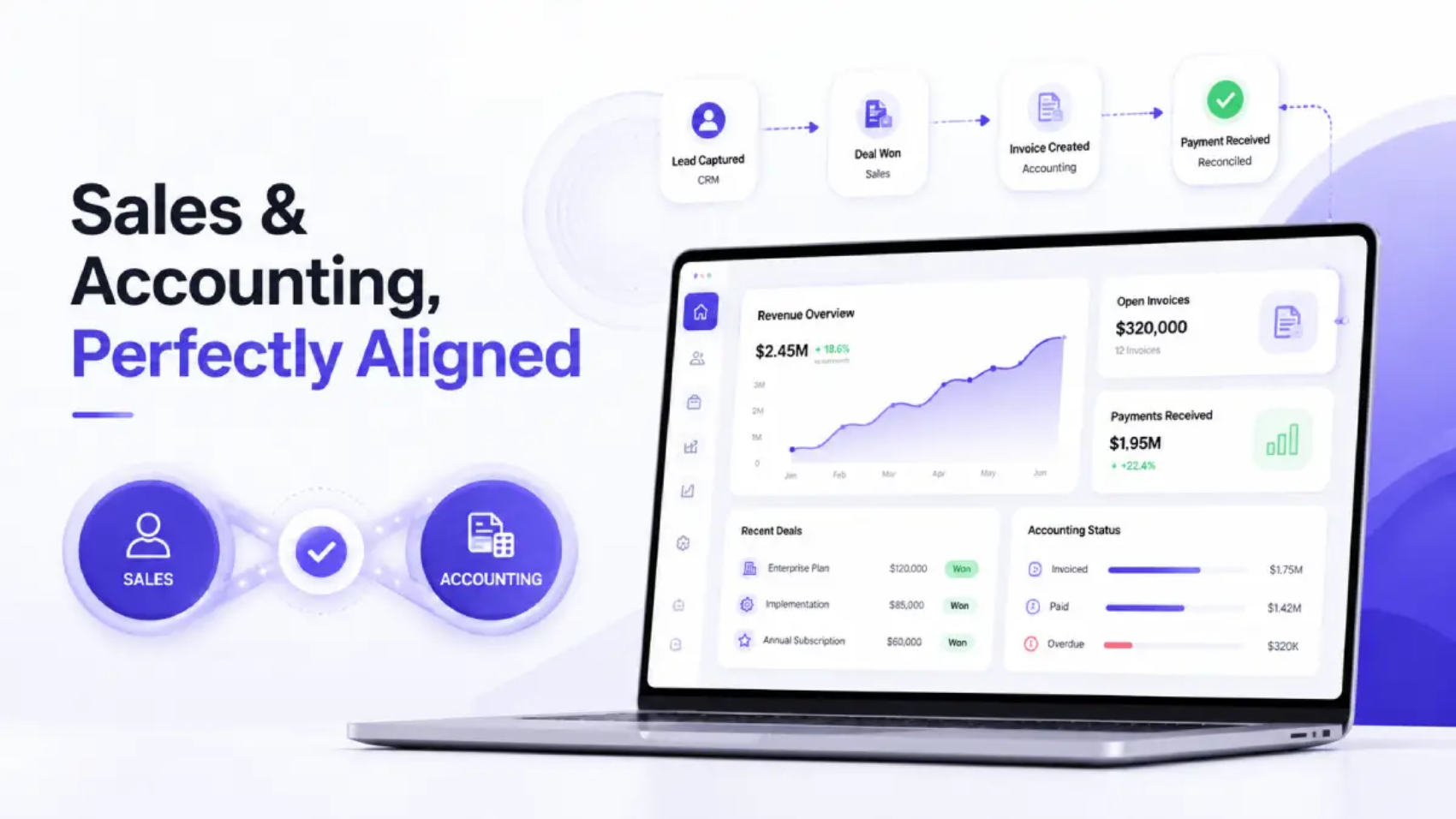
Financial Integrity_ Closing the Loop Between Sales and Accounting (1)

Financial Integrity: Closing the Loop Between Sales and Accounting

In 2025, the Federal Tax Authority (FTA) conducted about 176,000 inspections of the market, which is an 89% increase from the year before. This demonstrates clearly where we’re headed with regards to federal tax compliance enforcement in the UAE. It indicates a transition from less frequent spot-checking to more continuous and systemic oversight of the manner in which enterprises maintain and report their revenue. This represents a fundamental shift in the operational and regulatory landscape for all businesses registered for value-added tax (VAT) in the UAE and will undoubtedly remain unchanged. 

For many businesses, though, the greatest risk is not the outcome of a deliberate failure to comply; rather, it is a subtle, structural compliance deficiency. The accounting department and the sales department typically have the same goal: to produce accurate financial information and to file taxes in a timely manner. Unfortunately, sales and accounting are typically operated in completely separate ways. Sales typically use a CRM to manage their data while accounting typically uses computerised systems such as QuickBooks or Zoho. As a result, much of the data that is moved between sales and accounting must be re-typed and, therefore, there can be many “duplicate” invoices and VAT numbers will tend to drift apart. 

This gap isn’t just an operational inconvenience. In a market where the Federal Tax Authority (FTA) expects every dirham of output VAT to be traceable back to a real, verifiable transaction, a disconnected sales-to-accounting workflow is a direct threat to financial integrity and to VAT compliance. Therefore, closing this loop isn’t optional. It’s what is driving how modern businesses in the UAE will remain audit-ready, file accurate VAT returns and avoid a last-minute chaotic reconciliation that results in errors, penalties and sleepless nights prior to the FTA’s deadline. 

The Hidden Cost of Disconnected Sales and Accounting Systems 

When there is no communication between a Customer Relationship Management (CRM) and an accounting system, someone has to do the communication for the two systems. Typically, this means that a finance employee has to manually enter information on invoices, customer information, and information impacting Value Added Tax (VAT) on sales from the CRM into an accounting software system, for example, QuickBooks or Zoho Books, for each sale listed in the CRM. 

The manual gap between each system creates three predictable issues: 

  • Duplicate or missing invoices- A sale that is closed in the CRM may not be accurately reflected in the accounting system or be entered into the accounting system a second time creating distortion of-eligible revenue. 
  • Mismatched VAT treatment- Employees in sales are not tax professionals. Therefore, a transaction that is to be zero-rated, exempt, or subject to the reverse charge mechanism can easily be entered incorrectly if it isn’t flagged consistently between systems. 
  • No single source of truth- When there are different reports of revenue based upon the sales in the CRM as opposed to how revenue shows in the books, finance spends countless hours (sometimes days) reconciling the two systems before they have a chance to file VAT. 

None of this is a people problem. This is solely a systems issue. In the context of UAE VAT Compliance, this is a systems issue with real financial consequences.

Why UAE VAT Filing Leaves No Room for Sync Gaps 

UAE VAT compliance is very strict with an unforgiving clock. Once a business is VAT registered (mandatory at AED 375,000 in annual taxable supplies, voluntary from AED 187,500) it will have to file a VAT return (Form VAT201) through the FTA’s EmaraTax portal and pay any VAT due to them within 28 days of the closing date of that business’s tax period. The majority of businesses will do this on a quarterly basis while businesses with an annual turnover greater than AED 150 million will be required to file monthly. The 28-day deadline for filing a VAT return or making a VAT payment will be the same whether or not there is VAT payable for that period; there is no exemption if there was “nothing to report”. 

Miss that window, and the penalties are specific and immediate: 

Compliance event  Penalty 
First late VAT201 filing  AED 1,000 
Repeat late filing (within 24 months)  AED 2,000 
Late VAT payment (under Cabinet Decision No. 129 of 2025, effective 14 April 2026)  14% per annum, calculated monthly on the outstanding balance 
E-invoicing non-compliance (Ministerial Decision No. 243 of 2025, mandatory from July 2026)  Up to AED 5,000 per breach 

It’s important to pay attention to how late payments work: this new late payment structure replaces an even tougher previous model (2% immediate, 4% after seven days, then 1% per day, capped at 300%) with a flat annualized rate. While still being flexible on the amount of time before penalties are incurred, this system has removed any cap on the amount charged so that for every day you do not make your payment the amount you owe continues to grow linearly until you finally do make your payment. 

This is precisely where sales-to-accounting sync becomes a compliance issue, not just an efficiency one. A VAT201 return is only as accurate as the underlying sales data feeding it. If invoices generated in the CRM aren’t reconciled with the VAT ledger in QuickBooks or Zoho Books, finance teams risk reporting output VAT that doesn’t match actual sales activity, a significant discrepancy that will trigger an FTA audit of the organization, or may require preparation of a Voluntary Disclosure (Form VAT211) or may lead to incorrect return and subsequent re-filing of return. 

And the expectations are even higher. Starting in July 2026, the UAE rollout of the EIS will add additional pressure to move away from quarterly summaries of invoice-level reporting to near-real-time reporting. For businesses that already have a strong, automated connection between their sales data and their accounting platform, adapting to this change will be much easier than for those that continue to rely on manual export and end-of-quarter scrambles. 

What “Closing the Loop” Actually Means 

Closing the loop between sales and accounting isn’t about adding more spreadsheets or more checklists. It’s about designing a workflow where a sale, once recorded, flows through to the accounting system automatically — correctly tagged, correctly dated, and correctly mapped to the right VAT treatment, without anyone re-entering a single figure. 

A genuinely synced workflow typically includes: 

Real-time, two-way data flow: When a deal closes or an invoice is generated in the CRM, it should appear in QuickBooks or Zoho Books immediately, not at the end of the week when someone finally has time to update the books. 

Consistent VAT coding at the point of sale: Standard-rated, zero-rated, and exempt transactions should be classified the same way in both systems, eliminating the guesswork that often happens during manual entry. 

A traceable audit trail: Every invoice should be traceable from the original sales record through to the VAT return line it informed. This is invaluable not just for FTA audits, but for internal financial reviews and investor due diligence. 

Automatic reconciliation, not manual matching: Instead of finance teams cross-checking CRM exports against accounting reports by hand, the two systems should already agree — because they were never allowed to drift apart in the first place. 

This is exactly the gap that purpose-built CRM platforms with native QuickBooks and Zoho integrations are designed to close. Rather than treating the CRM as a sales-only tool and the accounting platform as a separate, disconnected system, the right setup treats them as two views into the same financial record — so that sales velocity and accounting accuracy stop working against each other. 

Five Signs Your Sales-to-Accounting Sync Needs an Upgrade 

If you experience any of the following, it is important to examine the flow of sales and accounting data between your systems: 

  1. Finance often requests “the real numbers” from sales before they process the VAT return, as there is a misalignment between figures in the CRM and on the company accounts. 
  2. Invoices are being created on two separate occasions – once when the sale takes place, and again when someone manually enters it into QuickBooks or Zoho Books. 
  3. VAT coding is inconsistent, with similar transactions sometimes marked standard-rated and sometimes exempt, depending on who entered them. 
  4. There is no clear audit trail connecting specific sales with specific lines on the filed VAT return. 
  5. Reconciliation takes place quarterly in a rush rather than being an ongoing process during the reporting period. 

Any one of these would indicate that the workflow between sales and accounting is primarily based on manual labour, rather than reliable syncing, and therefore presenting opportunities for errors in relation to VAT reporting. 

Building a Compliance-First Sales-to-Accounting Workflow 

The organisations that are able to handle the complexities of UAE VAT compliance most efficiently are not necessarily the organisations with the largest finance teams; instead they are the organisations whose systems are designed such that compliance occurs as a result of regular selling activity rather than being an independent, manual activity added afterwards. 

In many cases this means selecting a CRM that not only stores contact information and deal status but also has built-in functionality for invoicing, VAT fields, and direct integration with accounting solutions like QuickBooks or Zoho Books. As a result of having a CRM built with this level of financial integrity, sales reps can generate compliant invoices without having to know how to code sales taxes, while simultaneously providing finance teams with already reconciling, VAT-coded, and audit-ready accounting records by the time the filing season arrives. 

The result is a workflow where: 

  • Sales transactions automatically become accounting transactions without duplicate data entry. 
  • Transactions will be treated consistently for VAT purposes reducing the probability of misclassifying transactions. 
  • Finance teams will spend their time focused on reviewing exceptions rather than searching for inconsistencies. 
  • VAT 201 preparation will be a matter of exporting accurate amounts created previously rather than reconstructing the amounts from scratch. 

The Road Ahead: E-Invoicing and Real-Time Compliance 

The implementation of compulsory e-invoicing in the United Arab Emirates is an indication of how the VAT compliance landscape will be evolving, moving towards having less focus on retrospective account reconciliations and instead, placing greater emphasis on having system-level (real-time) accuracy.  

Businesses who already have a closed loop between their CRM and their accounting software (i.e., QuickBooks, Zoho Books, etc.) will naturally be in a better position to comply with this change as they have a synchronisation that has been created with real-time accuracy rather than trying to retrofit a manual system to meet a new digital requirement. 

Before Your Next VAT Filing: A Sync Readiness Check 

Financial integrity isn’t a once-a-quarter event that happens right before a VAT deadline — it’s the cumulative result of every sale being recorded correctly, every invoice matching the right VAT treatment, and every figure in the accounting system tracing cleanly back to a real transaction in the CRM. 

Don’t wait for the next filing cycle to find out where the gaps are. Run through this before your next VAT201 is due: 

  1. Run a report of last quarter’s total CRM sales and compare it to the total VAT revenue in your accounting system. If those two reports do not match exactly, you do not have a rounding error; you have a system synchronization error. 
  2. Select five invoices randomly from your recent invoice history. Follow the trail of each from your CRM through to the corresponding line on your VAT201. If there are any points on that trail where you have to manually search for information or create a spreadsheet; that is another area of potential risk in your process. 
  3. Ensure that the VAT treatment (standard rated, zero rated, exempt or reverse charge) has been consistently applied between similar transactions of different sales persons. 
  4. Ask finance how many hours were spent reconciling CRM against accounting for last quarter. Any time that was spent on reconciling these systems is therefore lost to reviewing rather than simply entering data. 
  5. Confirm whether the current systems are capable of supporting invoice level reporting prior to e-invoicing mandate in the UAE taking effect (July 2026). 

If any of these expose a gap, the fix isn’t more checklists or more headcount in finance — it’s choosing a CRM that treats invoicing, VAT coding, and direct QuickBooks or Zoho Books synchronization as core functionality, not an add-on. It is important to remember that the FTA conducted 176,000 inspections in 2025 and that number will only continue to increase. The businesses that are least exposed to inspections will not have the most amount of paperwork but will have sales and accounting systems that are in agreement prior to any inspection being conducted. Businesses that successfully comply with UAE VAT have done so by no longer treating sales to accounting synchronization as an IT function, and have treated it as core compliance infrastructure which is built in from the first invoice rather than patched in prior to any audits. 

Frequently Asked Questions 

1. How often do UAE businesses need to file VAT returns?

The frequency of filing for VAT Returns is established by the Federal Tax Authority. For example, most businesses registered for VAT and have a yearly revenue of less than AED 150 million will generally have to file on a quarterly basis. If your business has more than AED 150 Million in annual revenue or has a more complicated transaction structure, then you will have to file on a monthly basis. The exact period will be available on EmaraTax. 

2. What is the deadline for filing a VAT return in the UAE?

You must submit your VAT returns (Form VAT201) and pay any associated amounts owed within 28 days after the end of the tax period. This applies whether or not there is any VAT due; you must file your zero return on time. 

3. What happens if my CRM sales totals don’t match my accounting system’s VAT figures? 

A mismatch means the VAT201 you file may not reflect actual sales activity, which can lead to an inaccurate return, an FTA inquiry, or the need to submit a Voluntary Disclosure to correct it later. The earlier the gap is found and reconciled, the less disruptive it is — discovering it during a filing crunch or an audit is far costlier than catching it through continuous sync. 

4. What penalties apply for late VAT filing or late payment in the UAE? 

If your filing is not completed on time, you will incur a late filing fee of AED 1,000 for the first offence and AED 2,000 for any second offence that occurs within 24 months from the date of the first offence. In addition to this penalty, you will incur a charge of 14% on any amount remaining due from the date of the late payment until it is paid, based on a yearly charge divided up into 12 monthly instalments, as per Cabinet Decision No. 129 dated 14 April 2026. Both penalties will occur regardless of whether you committed the error intentionally or otherwise. 

5. Do I need to integrate my CRM with QuickBooks or Zoho Books, or can manual exports work?

Exporting data manually can allow the numbers to be moved between accounting systems; however, it also introduces the same exact risks (duplicate invoices, inconsistent VAT codes, delayed visibility) which direct integration is designed to avoid. Also, as transaction volume increases, most VAT filing mistakes occur due to manual handoff. 

6. What is a Voluntary Disclosure, and when do I need to file one?

A Voluntary Disclosure (Form VAT211) is a formal notice from a business to the FTA that an error has occurred on a previously filed VAT return, as opposed to waiting for the FTA to discover it via selection for review or audit. Generally speaking, if the error is disclosed proactively by the business, the return will be viewed more favorably than if the discrepancy was identified through an inspection. 

7. How does the UAE’s upcoming e-invoicing mandate affect VAT compliance?

Starting in July 2026, all businesses must use the UAE’s Electronic Invoice System (EIS) as part of the mandatory rollout under Ministerial Decision No. 243 of 2025. Fines for non-compliance can be as high as AED 5,000 per violation. This will change the way invoices are reported to be more like real time reporting. Businesses with automated sales-to-accounting processes will need to change very little in their processes compared to businesses that still use manual processes. 

8. What’s the difference between standard-rated, zero-rated, and exempt VAT transactions?

Standard-rated supplies are subject to VAT at the prevailing VAT rate in the UAE. Zero-rated supplies (e.g. certain types of export) are also subject to VAT but at a 0% VAT rate, which means that an entity can recover the underlying input VAT. Exempt supplies are not subject to the VAT regime, meaning there is no VAT charged on the sale of the good/service nor is the buyer allowed to recover their input VAT. One of the most common errors in filing a VAT return is incorrectly classifying supplies based on VAT treatment. 

9. Does my business need to register for VAT in the UAE?

The registration threshold for VAT in the UAE is based on annual taxable supplies. If annual taxable supplies exceed AED 375,000, it becomes mandatory to register. If annual taxable supplies are greater than AED 187,500, it is optional to voluntarily register (i.e., the entity can, but is not required to). Generally speaking, businesses below the AED 187,500 threshold do not have to register for VAT but will want to monitor their taxable supply levels closely as they approach either threshold. 

10. Can sales-to-accounting sync reduce risk during an FTA audit?

Yes, absolutely. Implementing sales-to-accounting syncs can greatly reduce exposure and risk of an unfavourable outcome during an FTA audit. The primary question for an auditor performing an FTA audit is whether the VAT figures reported have corresponding evidence of a real, verifiable transaction. When there are sales-to-accounting syncs implemented in the business, the auditor has the ability to follow an unbroken trail of evidence that existed prior to the audit notice, thereby eliminating the finance team from having to create a source of evidence for all transactions subject to the FTA audit in response to the audit notice. 

The Speed of Trust: Why Modern B2B Buyers Value Response Time — And How to Operationalize It

The $1.5 Trillion Speed Problem in B2B Sales 

Every year, B2B companies collectively lose billions in addressable revenue — not to inferior products, not to undercutting competitors, and not to weak marketing. They lose it to slow response times. 

Gartner research consistently highlights that B2B buyer journeys have become increasingly complex, more self-governed, and significantly shorter in the timeframe that vendors can engage positively with them. The global B2B e-commerce market is predicted to grow to over $36 trillion by 2026, and the companies are either winning or losing the opportunity based upon the number of minutes (sometimes seconds) between when a lead raises their hand and when a sales team is able to respond to the lead. 

The macro shift reshaping excellence in sales is that we have transitioned from a relationship economy where deals were won over long lunches and quarterly reviews, to a responsive economy where the first salesperson to provide a credible and competent response receives an overwhelming amount of trust and ultimately share of the market. 

The companies that see this shift and build systems to assist them with this transition will create long-term advantages. Companies that do not will increasingly fall further behind than their competitors who simply picked up the phone or generated a quote faster. 

The Psychology Behind Lead Response Time 

Why Speed Feels Like Trustworthiness 

Sales psychology has long understood that first impressions carry disproportionate weight. In the B2B context, first impressions used to be made with a handshake in a boardroom. Now, first impressions are made by how quickly you respond after a potential customer raises their hand. 

When a prospect submits a demo request, downloads a pricing guide, or fills out a contact form, they are in a peak intent moment. Their pain point is fresh, their motivation is high, and their attention is undivided. Responding quickly to their request in this moment of time will convey three messages to them: 

  • Competence: Your operations are organized and responsive. 
  • Respect: You treat their time as valuable, not subordinate to your internal processes. 
  • Reliability: If you are this responsive during the sales process, you will likely be dependable post-sale, and buyers know it. 

In contrast, when you take too long to follow up with a potential customer (even a couple hours), you will have created doubt for them. They will start to question whether your organization can manage their account effectively. That doubt is rational, not emotional. It is a legitimate inference from observable data. 

The Lead Response Time Statistics That Should Alarm Every Sales Leader 

The data on B2B lead follow-up speed is unambiguous and, frankly, alarming for most organizations: 

  • Research shows that responding to a lead within 5 minutes versus 30 minutes makes that lead up to 100x more likely to connect with you. 
  • Studies by the Harvard Business Review found that companies who responded to leads in less than one hour were seven times more likely to qualify that lead than those who waited one hour longer. 
  • A landmark study by Lead Response Management found that the probability of successfully contacting a lead decrease by 10x or more within the first hour of lead submission. 
  • Despite this, the average B2B company takes more than 47 hours to respond to a new inbound lead (almost two full business days). 

This is not a minor operational gap. It is a revenue haemorrhage. Every hour of delay degrades buyer intent, increases the likelihood of a competitor making first contact, and erodes the psychological foundation of trust before your sales conversation even begins. 

The Hidden Danger Nobody Talks About: Partial Speed 

Here is the insight that separates high-performing sales organizations from average ones, and it is rarely discussed: partial speed is more damaging than uniform slowness. 

Consider two scenarios. 

In the first, a company takes 24 hours to respond to every inquiry consistently. Buyers who engage have calibrated expectations. The experience is slow, but it is coherent. 

In the second, a company responds to the initial inquiry in four minutes. The rep is warm, sharp, and knowledgeable. The discovery call goes exceptionally well. The buyer is engaged and ready to move. Then they ask for a quote, and it takes 72 hours to arrive. 

The second company has created a psychological whiplash effect. The buyer experienced responsiveness as a promise and then watched that promise broken at the most critical moment of commercial commitment. The difference between the experiences of the two examples lay not only in the actual response time when determining if the company would retain the buyer’s trust, but also when looking at the delay in delivery of the quote in example two negatively impacted the trust built by the company’s initial positive response time. 

This is the blind spot hiding in most lead response strategies: teams follow up with the top of the funnel (the first phone call, the first email), but fail to address manual/siloed workflows for quote generation, which adds days of unnecessary delay causing broken trust and lost deals at the point when the buyer is most ready to purchase. 

The solution is not to hire faster sales professionals. The solution is to have faster processes from first contact through to legally compliant, VAT-compliant quotes. 

Speed to Lead: What It Actually Means in a Modern B2B Stack 

Speed to lead is commonly misunderstood as simply calling back quickly. In modern B2B sales cycles, it encompasses the entire initial value delivery chain not just acknowledgment, but qualified, relevant, commercial engagement. 

Many people think of speed to lead as “calling back fast.” In modern B2B sales cycles, this is only part of the initial value delivery process. In reality, speed to lead means all the processes that occur before an opportunity is created. It equates to qualified engagement of a commercial nature (not simply acknowledgement).  

A buyer in 2026 does not want to receive an email saying, “Thanks for your interest, someone will be in touch.” They want a response that already reflects their use case, their company size, their region’s tax framework, and a credible indication of commercial terms. 

This requires your technology stack to function together as one system so there will be no non-functioning hand-off between systems. 

SLA Benchmarks by Deal Type: What “Fast” Actually Looks Like 

The general suggestion to “respond immediately” is not particularly useful information. However, we can look at the benchmarks of the top B2B Sales Teams by their respective market segments to derive useful and precise targets for timing on response times and quote delivery as follows: 

SMB deals (contract value under $10K): First meaningful response target: under 5 minutes for inbound web leads, under 2 hours for outbound-triggered signals. Quote turnaround: same day, ideally on the same call using an automated CPQ tool. Buyers in this segment are known for their decisiveness and comparison shopping. Responding to the lead quickly relative to other competitors is often one of the primary differentiators for buyers. 

Mid-market deals ($10K–$100K): First response target: under 30 minutes. Quote turnaround: within 4 hours of discovery call. At this deal size, buyers typically have internal approval processes in place, however they still play a major influence in the decision-making process. Delivering a concise and structured quote within this timeframe gives you a competitive advantage as it will define their short list prior to them even holding their next internal meeting. 

Enterprise deals ($100K+): First response target: under 2 hours with a personalized outreach (not an autoreply). Quote turnaround: Under 24 hours with a structured proposal addressing compliance, multi-currency, and regional VAT/GST issues. Enterprise buyers view the level of vendor responsiveness as a good predictor of the level of post contract support, they will receive. 

The common thread across all three tiers: buyers at every level are making trust assessments based on how fast and how accurately you respond commercially — not just how well your rep communicates. 

The Quote Bottleneck: Where Pipeline Velocity Goes to Die 

The most significant B2B sales cycle delays do not occur during the first contact; they typically happen at the quoting stage. Consider the scenario that plays out in thousands of sales teams daily: 

  • A potential buyer submits a “high intent” request.  
  • The sales rep responds quickly and has a solid discovery call.  
  • The potential buyer requests a formal quote.  
  • The sales rep must now manually configure the appropriate product bundle for multiple SKUs, select the appropriate pricing tier, calculate the appropriate discount, evaluate the buyer’s location for purposes of VAT and GST, generate and release the quote in accordance with all regulatory requirements, and route it for internal approval. 
  • The quote is delivered to the buyer 48-72 hours later and the buyer’s interest has cooled, with competing quotes in their inbox. 

The initial responsiveness is rendered meaningless. Worse, as established above, the contrast between a fast first call and a slow quote create a trust deficit that is harder to recover from than if the team had been consistently slow throughout. 

Another consequence of missing deadlines or bottlenecks in the quote process is the creation of errors in the quotes generated. An organization that has to manually create quotes under time constraints will likely experience the following issues; improper pricing, inaccurate tax calculations and compliance gaps on the quote due to the organization not having the resources available to accurately perform their due diligence. A quote with a VAT calculation error sent to a buyer in a GST-registered jurisdiction does not just delay the deal, it signals operational immaturity at exactly the moment you are asking for commercial trust. 

The CPQ Engine: From Lead to VAT-Ready Quote in Seconds 

What CPQ Does That Spreadsheets and Email Chains Cannot 

CPQ (Configure, Price, Quote) software is the operational answer to both the speed bottleneck and the accuracy problem. A properly integrated CPQ engine does not assist the quoting process. It replaces the manual, error-prone version of it entirely. 

A modern CPQ engine, embedded within a unified CRM workflow, allows sales teams to: 

  • Configure product or service bundles that include multiple SKUs in real-time based on buyer’s stated or inferred needs using firmographic information (i.e., size of company, industry vertical, and geographical market). 
  • Automatically apply dynamic pricing rules, volume discount thresholds; margin guardrails; promotional pricing without any finance staff members assisting in the standard configuration process. 
  • Create legally compliant, professional branded proposals using regional VAT/GST/sales tax computations in seconds as opposed to hours. 
  • Deliver the proposal to the buyer in such a way that it contains tracking capability, including CRM-based history of interaction with the buyer (opens, forwards, time spent reviewing). 

The psychological impact is significant. When a salesperson can move from a discovery call to a formatted, compliance-checked quote before the buyer has even refreshed their inbox, the trust signal is unmistakable. The buyer’s internal narrative shifts from “let me evaluate my options” to “this organization is ready for my business.” 

The Compliance Layer: Why VAT-Ready Quoting Is No Longer Optional 

As tax digitization grows globally, compliance aspects of CPQ are growing in importance. 

India’s GST e-invoice mandate (applicable to businesses above ₹5 crore turnover) requires that invoices be registered on the government’s Invoice Registration Portal before they are issued. The EU’s ViDA (VAT in the Digital Age) framework, rolling out in phases through 2028, mandates real-time digital reporting and structured e-invoicing across all member states. The UK’s Making Tax Digital initiative continues to expand scope. Brazil’s NF-e system and Saudi Arabia’s ZATCA Phase 2 are already live requirements for businesses operating in those markets. 

India’s GST e-invoice requirement for businesses with a turnover over ₹5 crore state that invoices need to be registered on the government Invoice Registration Portal prior to issuance. The EU VAT in the Digital Age-ViDA framework, rolling out in phases through 2028, mandates real-time digital reporting and standardised e-invoicing throughout member states. The UK’s Making Tax Digital continues to expand in scope. Brazil’s NF-e and Saudi Arabia ZATCA Phase 2 have come into effect and are mandatory for businesses working within those countries. 

For B2B sales teams quoting internationally, this means that a fast quote is only valuable if it is also a compliant quote. A CPQ engine that automatically calculates the correct tax application against the buyer’s status, location and transaction type removes both the speed block and compliance risk in one regulatorily compliant process. 

Integrating a CPQ layer into a CRM platform natively, as opposed to integrating the two systems, bridges the gap completely. The representative selects the configuration, and the system applies pricing and tax using the representatives’ previously established pricing rules. The buyer will receive a legally formatted proposal (ready for VAT), without the representative ever opening a spreadsheet or emailing the finance team. 

The Integrated Ecosystem: Connecting CRM, CPQ, and What Comes Next 

Breaking the Silos That Slow Your Pipeline 

The quote bottleneck is the most visible symptom of a deeper structural problem: siloed commercial infrastructure. Most B2B sales stacks are architecturally fragmented, there is a separate CRM for lead management; a separate CPQ or quoting tool for quotes; ERP systems for inventory/pricing data; financial systems for compliance. Every transition between two separate systems is an opportunity for a delay, an opportunity for an error, and an opportunity to break trust with a customer. 

The solution is not simply faster point solutions. It is the implementation of a single, unified commercial platform where all of the lead data seamlessly flows into opportunity data, which flows into product configurations, which flows into pricing logic, and ultimately flows into a compliant and trackable quote, thereby residing in one single System of Record. 

When this integration is achieved, the sales process transforms: 

  • Leads are automatically assigned to the right rep via route rules based on territories, deal size, and product lines within seconds of form submission 
  • AI models will increase predictive lead scoring using historical win/loss performance, and identify the highest probable leads for immediate prioritization 
  • The qualified lead’s firmographic data pre-populates the CPQ engine, suggesting the most relevant product configuration before the rep even opens the quote builder 
  • Once a quote is generated it is recorded against the opportunity, which triggers automated follow-up sequences and notifies the rep when the buyer opens the quote. 

This is not a future-state vision. It is the operational baseline that top revenue-producing teams are creating now to close the gap between organizations that have 20%+ win rates versus those stuck below 15%. 

AI-Assisted Quoting and Buyer Self-Serve: The Next Competitive Frontier 

The next evolution of CPQ is already emerging, and the organizations investing now will be positioned to pull further ahead. 

AI-assisted quoting uses machine learning models trained on past deal data to recommend optimal configurations and pricing for new opportunities not just automating the mechanics of quote generation but actively improving the commercial intelligence behind each proposal. An AI layer can identify that a buyer with a specific firmographic profile has historically responded better to a particular bundle configuration, or that a certain pricing tier has a higher close rate in a given industry vertical. 

Buyer self-serve CPQ portals are equally transformative. Rather than waiting for a rep to generate a quote, buyers can configure their own solution, see real-time pricing, and generate a preliminary proposal independently at 11pm on a Sunday if that is when they are evaluating options. The rep’s role shifts from quote generator to deal architect, engaging at the point of configuration review rather than document creation. 

For sales leaders planning their technology roadmap, both capabilities AI-assisted quoting and self-serve portals are features to prioritize in the next 12–18 months. They represent the next layer of competitive differentiation in an environment where response speed alone will increasingly become table stakes. 

Building a Lead Response Strategy That Converts: The Three-Pillar Framework 

Pillar 1: Process Design — Precision Routing, Not Just Fast Routing 

Speed without accuracy is noise. The most effective lead response strategies begin with intelligent routing logic that ensures every inbound inquiry reaches the right rep, not just the available rep. 

Define routing rules by lead source, firmographic data, deal size signal, and product interest. An SMB lead from a software company requesting a demo of a specific module should land with the SMB specialist for that vertical, not in a generic queue. A high-intent enterprise signals a pricing page visit combined with a LinkedIn ad click and a form submission should trigger immediate senior rep notification and an automated personalized email within 60 seconds. 

Automate initial acknowledgment so that as soon as they make their submission, they receive an appropriate, personalized acknowledgment, while the rep reviews and composes their follow-up for the buyer. The acknowledgment should serve as a trust builder and provide the rep time to create a meaningful follow-up. 

Pillar 2: Technology Infrastructure — The Unified Revenue Stack 

The technology imperative is clear: your CRM, CPQ, and compliance layer must operate as a single system, not a series of integrations requiring manual intervention. 

Evaluate your current stack against this checklist: 

  • Can a rep generate a fully configured, accurately priced, VAT-compliant quote from within the CRM without opening a separate tool? 
  • Does your lead scoring model update in real time based on buyer behaviour signals (email opens, pricing page visits, document engagement)? 
  • Is your quote delivery tracked, with engagement data (opens, time spent, forwards) feeding back into your pipeline view? 
  • Does your CPQ engine handle multi-currency quoting and regional tax treatment natively or does it require manual override? 

If any of these answers is “no” or “only with manual steps,” that gap represents measurable pipeline leakage. Modern CRM platforms with native CPQ capabilities address all four and the organizations deploying them are reporting measurable improvements in quote-to-close conversion rates. 

Pillar 3: Sales Enablement — Making Speed a Cultural Metric 

Technology enables speed. Culture sustains it. Without establishing response time as a measured, visible, incentivized performance metric, even the best stack will underperform. 

Establish internal SLAs for every stage of the response chain, not just first contact, but time-to-quote, time-to-follow-up-after-quote, and time-to-re-engage after no response. Make these visible in your CRM dashboard alongside pipeline value and close rate. Review them in weekly pipeline meetings with the same rigour as revenue metrics. 

Train reps not just on what to say in the first call, but on how to use the CPQ engine to close the loop in the same conversation. The goal is a rep who walks out of a discovery call having already sent a compliance-ready quote, not one who “will get back to them with pricing.” 

Measuring What Matters: Lead Response KPIs for B2B Teams 

To improve lead response time, you must first instrument it. The metrics that matter: 

  • First Response Time (FRT): Time from lead submission to first meaningful, personalized contact target varies by deal tier (see benchmarks above) 
  • Quote Turnaround Time (QTT): Time from discovery call to quote delivery in the buyer’s inbox the single strongest predictor of deal velocity 
  • Lead-to-Opportunity Conversion Rate: Percentage of leads that progress past initial qualification directly correlated with FRT 
  • Quote-to-Close Rate by Response Tier: Win rate segmented by how quickly the quote was delivered this single analysis often reveals the ROI case for CPQ investment 
  • Partial Speed Index: The gap between your FRT and your QTT the larger this gap, the higher the risk of the psychological whiplash effect described above 

When all five metrics are visible and actively managed within your CRM, sales leaders can identify precisely where momentum is lost and intervene with targeted process or technology changes that produce measurable revenue impact. 

The Trust Economy: Speed as a Brand Statement and a Growth Strategy 

At first glance, it may appear that the lead response time is primarily an efficiency issue for the Revenue Operations team to resolve; however, upon further examination, the underlying issue lies within the brand image as well as growth strategies. 

In today’s competitive B2B marketplace, where products and service offerings are becoming increasingly similar, customer experience has become a key differentiator between vendors. Buyers choose vendors they trust and trust, in the modern commercial environment, is built through consistent, reliable, fast engagement across the entire buying journey: from the first form submission, through the discovery call, through the quote delivery, through the compliance review, and into the onboarding process. 

When buyers receive a personalized quote that meets all of their requirements (i.e., correct pricing and/or VAT), with the documents needed for compliance or onboarding completed, within minutes of submitting their lead form or having a sales or discovery call, they feel not only satisfied but also respected, acknowledged, and confident in their purchase decision! That ‘psychological state’ is what will facilitate moving prospects into customers, and customers into advocates that will refer others to the vendor without them even having to ask! 

Businesses that are implementing a unified CRM/CPQ infrastructure are not merely improving an existing process but are actually establishing a scalable framework of trust among customers through an enhanced operational system wherein all B2B customer transactions will have the same level of support, regardless of the rep selling to the customer or where in the world they’re located. 

This difference between transactional sales operations and revenue-growing commercial engines is significant. 

Conclusion: The Fastest, Most Compliant, Most Connected Company Wins 

B2B sales should never involve rushing a buyer through the commercial process or cutting corners to save time. Rather, it means respecting the buyer’s time and intent, eliminating every unnecessary friction point between a buyer’s decision and your delivery, while doing so accurately, in compliance with the law and in a trustworthy manner throughout. 

The organizations that will set the bar high for B2B sales excellence in 2026 and beyond are those creating their infrastructure now: integrated CRM and CPQ workflows, AI-enabled quoting capabilities, self-service buyer portals, and real-time compliance engines that can process GST, VAT, and e-invoice requirements without hindering the commercial process. 

The speed of trust is real, measured and can be operationalized by how well your team uses the systems they have. If they do not use them at all, they lack the ability to be trustworthy on your behalf. 

The question is not whether speed matters. The question is: has your revenue stack earned the right to be fast? 

FAQs 

1. Why is response time important in B2B sales?

Response time is an important factor in influencing a buyer’s perception of a company and their level of trust. A quick response creates confidence in the seller, enhances the experience for the customer and increases the likelihood that a buyer will convert before other competitors have an opportunity to approach that buyer. 

2. How does slow follow-up affect lead conversion?

Delays in response time reduce the buyer’s sense of urgency and create uncertainty about whether the product or service is the best fit for them. Many buyers will ultimately lose interest or choose to go with a competitor if they receive a quotation or follow-up from a company too late. 

3. What is lead speed in sales?

Lead speed refers to how quickly a business will respond to an inquiry, qualify a prospect, provide a proposal and move through the sales process. 

4. How can CRM systems improve response time?

With the creation of modern CRM systems, the ability to centralize a customer’s information, automate workflow, provide better visibility and reduce manual tasks will allow a sales team to respond in a more timely and efficient manner. 

5. What is CPQ in B2B sales?

CPQ, or Configure, Price, Quote (CPQ) is used by businesses to provide accurate quotations in a timely manner by automating pricing, calculating costs, calculating VAT and generating a proposal document. 

6. Why do buyers associate speed with trust?

Fast communication signals organization, professionalism, and reliability. Buyers often assume that responsive businesses will also deliver better implementation and customer support. 

7. How can businesses reduce delays in quotation processes?

There are several methods that can be used. They include the automation of quote generation, pricing structure standardization, systems integration between CRM and CPQ, and the reduction of manual approvals and spreadsheets. 

Invoice

Invoices are official documents generated after a sale is completed, detailing the products or services delivered along with payment terms. They help businesses track receivables, manage cash flow, and maintain financial accuracy. With Zhylar, invoices can be created directly from deals or sales orders. This ensures a seamless transition from closing a deal to collecting payment. Everything operates within one centralised system.

Invoice List View 

View All Invoices

  • Log in to Zhylar
  • Go to Left-hand navigation panel
  • Click on Invoice
  • Here, a list of all the invoices added to the system will appear.

Getting Started

Add New Invoice

An Invoice can be added to the system in several ways.

Invoice Module

  • Click + New Invoice
  • A new page will open.
  • Fill out the required details.
    • Company: Select or add a company to whom this invoice is being sent
    • Contact: Add contact from that company
    • Owner: Owner is the person who created the document or to whom it is assigned
    • Invoice Date: Date on which invoice was created.
    • Payment Terms: Select or add payment terms
    • Due Date: Due date for payment
    • Subject: Optional field
    • Exchange Rate: Based on company selection, the exchange rate will be populated automatically. You can also manually adjust the exchange rate at the document level itself.
    • Invoice Items: Add items to the invoice with a single click.
    • Modify quantity and unit price
      • Zhylar supports the primary and secondary UOM concept. You can specify quantity in any of the primary or secondary UOM. Additionally, unit price can be specified in any of the primary or secondary UOM.
  • Discount: This field is visible only if line discounts are enabled for your organization. You can specify the discount either as a percentage or as a fixed amount.
  • Tax Rate: The tax will be preloaded based on the item selected. It is defined during the creation of the item. You still have the option to change the tax that is applied to the selected item.
  • Amount: Amount will be calculated based on Quantity * Unit Price – Discount
  • Terms & Conditions: T&C can be selected from the defined T&C templates or can be typed manually as per your need.
  • Notes: Any notes about the document to displayed to customer.
  • File Upload: This is to upload related files along with documents.
  • Save as Draft (edit later)
  • Save & Send (send immediately)

Shortcut (Header)

A new invoice can also be added by clicking the + sign next to the profile. All following steps remain the same.

Companies Module

  • From the Companies module, click open the company to whom you want to send an Invoice.
  • Go to Invoice tab.
  • Select +New Invoice

From Deal

An Invoice can also be created from a Deal.

  • Go to Deals module.
  • Click open the Deal for which you want to make an Invoice.
  • Go to View Deal.
  • Click Create.
  • Select Create Invoice.

Update Invoice

  • Click on the ⋮ 3 dots
  • Select Update (or View)
  • Make changes
  • Save (draft) or Save & Send
  • An Invoice can be updated at any stage except if it is marked as Cancelled.

Delete Invoice

  • Meaning: Permanent removal, irreversible
  • Steps:
    • Click Delete (document can be deleted at any time)
  • Confirm deletion prompt.
  • If invoice is linked with other modules, all interlinking will be deleted as well.
  • An Invoice against which some payment has been made, e.g., partially paid, cannot be deleted.

Clone Invoice 

To clone an existing Invoice,  

  • Click on the 3 dots at the end of the Invoice you want to clone.   
  • Click on Clone.
  1.  
  • Your Invoice will be cloned immediately and automatically. 

Print/Download Invoice 

To download/print an Invoice,  

  • Open the Invoice you want to print/download.  
  • Click on the 3 dots on the right-hand side.   
  • Click on “Print” or “Download” depending on what you want to do.  
  •  
  • Your download will begin automatically.  
  • If you want to print, you can give the command. 

 Invoice Lifecycle (Stages & Actions)

An Invoice lifecycle refers to the complete journey of an invoice—from creation to closure. It starts in the Draft stage, moves to sent and progresses through Unpaid, Partial, Overdue, or Paid stages. Each stage reflects the invoice’s status and helps monitor payments and follow-ups efficiently.

Draft Stage

  • An invoice has been created in your Zhylar system. It is not yet sent to the customer.
  • Available actions:
    • View: View the details of the document.
    • Update: Make changes to an existing invoice if required.
    • Clone: Make a copy of the deal that you can edit for further use.
    • Download: Download a copy of the invoice to your device in PDF format.
    • Delete: The invoice document is deleted from the system.
    • Mark as Sent: Sends the invoice to the customer, moving it to the next status.

Sent

  • Invoice has been sent to the customer. (Awaiting response)
  • Available actions:
    • Update: Make changes to an existing invoice if required.
    • Clone: Make a copy of the deal that you can edit for further use.
    • Download: Download a copy of the invoice to your device in PDF format.
    • Delete: The invoice document is deleted from the system.
    • Mark as Rejected: The client has rejected this invoice.

Cancelled

This invoice has been withdrawn internally. Invoice Cancellations are allowed after sending but before payment. A paid invoice cannot be cancelled.

  • Available actions:
    • View: View the details of the document.
    • Clone: Make a copy of the deal that you can edit for further use.
    • Download: Download a copy of the invoice to your device in PDF format.
    • Delete: The invoice document is deleted from the system.

Payment status

An invoice’s payment status indicates whether the full invoice amount has been paid, partially paid, or remains unpaid.

Partially Paid

  • Only a part of the total transaction amount has been paid.
  • Available actions:
    • View: View the details of the document.
    • Update: Make changes to an existing invoice if required.
    • Clone: Make a copy of the deal that you can edit for further use.
    • Download: Download a copy of the invoice to your device in PDF format.

Paid

  • The complete payment for the order has been processed.

Overdue

The due date for clearing the payment has been missed.

Invoice Details

When you click open any invoice, you will be provided with a wholistic inside-out-view of the invoice in your system. This includes:

  1. PDF view– Final invoice layout
  2. Activities: Add/Track activities like calls and meetings for this transaction
  3. Notes– Make/Update notes
  4. Emails– Show email history in reference to this invoice.
  5. Items– All items added to this invoice.
  6. Documents– SO/Invoice created from this invoice.
  7. Files– Check files attached to this invoice.
  8. History– Track creation/update history

Also Read

User Management

Currencies

Roles and Data Sharing


Sales Order

Sales orders are records created when a customer commits to a purchase. They outline product details, quantities, prices, and delivery timelines, helping teams track and manage fulfillment. Sales orders streamline the transition from sales to delivery, ensuring accuracy, efficient processing, and clear communication with customers. 

Getting Started

Sales Order List View

  • Log in to Zhylar
  • Go to Left-hand navigation panel
  • Click on Sales Order
  • Check the list of Sales Orders in the system

Add New SO

A Sales Order can be added to the system in several ways.

Sales Order Module

  • Click + New Sales Order
  • A new page will open.
  • Fill out the required details.
    • Company: Select or add a company to whom this Sales Order is being sent
    • Contact: Add contact from that company
    • Owner: Owner is the person who created the document or to whom it is assigned
    • Sales Order Date: Date on which invoice was created.
    • Payment Terms: Select or add payment terms
    • Due Date: Due date to confirm sales order
    • Subject: Optional field
    • Exchange Rate: Based on company selection, the exchange rate will be populated automatically. You can also manually adjust the exchange rate at the document level itself.
    • Sales Order Items: Add items to the Sales Order with a single click.
    • Modify quantity and unit price
      • Zhylar supports the primary & secondary UOM concept. You can specify quantity in any of the primary or secondary UOM. You can also set the unit price in any of these UOM.
  • Discount: This field is visible only if line discounts are enabled for your organization. You can specify the discount either as a percentage or as a fixed amount.
  • Tax Rate: The tax will be preloaded based on the item selected. It is defined during the creation of the item. However, you still have the option to change the tax that is applied to the item selected.
  • Amount: Amount will be calculated based on Quantity * Unit Price – Discount
  • Terms & Conditions: T&C can be selected from the defined T&C templates. Alternatively, they can be typed manually as per your need.
  • Notes: Any notes about the document to displayed to customer.
  • File Upload: This is to upload related files along with documents.
  • Save as Draft (edit later)
  • Save & Send (send immediately)

Shortcut (Header)

A new SO can also be added by clicking the + sign next to the profile. All following steps remain the same.

Companies Module

  • From the Companies module, click open the company to whom you want to send an SO.
  • Go to SO tab.
  • Select +Sales Order

From Deal

A Sales Order can also be created from a Deal.

  • Select Create SO.
  • Go to Deals module.
  • Click open the Deal for which you want to make a SO.
  • Go to View Deal.
  • Click Create.

The same process is applicable for creating Sales Orders from Quotes as well.

Sales Order Lifecycle

Draft

Initial stage of the order- The sales order is created but not yet sent to the customer.

  • Available actions:
    • View: View the details of the document.
    • Update: Update details of an existing sales order.
    • Clone: Make a copy of the deal that you can edit for further use.
    • Download: Download a copy of the sales order to your device in PDF format.
    • Mark as Sent: Sends the sales order to the customer, moving it to the next status.
    • Delete: If the SO is no longer needed, it can be deleted.

Sent

Indicates the order has been shared with the customer for review.

  • Available actions:
    • View: View the details of the document.
    • Update: Update details of an existing sales order.
    • Clone: Make a copy of the deal that you can edit for further use.
    • Download: Download a copy of the sales order to your device in PDF format.
    • Mark as Sent: Sends the sales order to the customer, moving it to the next status.
    • Delete: If the SO is no longer needed, it can be deleted.
    • Mark as confirmed: The customer has confirmed the order.
    • Mark as rejected: The customer has rejected the order.
    • Mark as canceled: The sales order has been withdrawn (internally)

Confirmed

  • Order is accepted and ready for invoicing
  • Available actions:
    • View: View the details of the document. You can also directly create an invoice from this sales order while viewing the details.
    • Update: Update details of an existing sales order.
    • Clone: Make a copy of the deal that you can edit for further use.
    • Download: Download a copy of the sales order to your device in PDF format.
    • Mark as Sent: Sends the sales order to the customer, moving it to the next status.
    • Delete: If the SO is no longer needed, it can be deleted.
    • Mark as rejected: The customer has rejected the order.
    • Mark as canceled: The sales order has been withdrawn (internally)

Invoiced

  • An invoice has been generated from this particular sales order. Now, the sales order cannot be canceled or rejected.
  • Available actions:
    • View: View the details of the document. You can also directly create an invoice from this sales order while viewing the details.
    • Update: Update details of an existing sales order.
    • Clone: Make a copy of the deal that you can edit for further use.
    • Download: Download a copy of the sales order to your device in PDF format.
    • Delete: If the SO is no longer needed, it can be deleted.

Rejected

  • The sales order has been rejected. Now, the status cannot be changed in any way.
  • Available actions:
    • View: View the details of the document. You can also directly create an invoice from this sales order while viewing the details.
    • Update: Update details of an existing sales order.
    • Clone: Make a copy of the deal that you can edit for further use.
    • Download: Download a copy of the sales order to your device in PDF format.
    • Delete: If the SO is no longer needed, it can be deleted.

Canceled

  • The order has been canceled or withdrawn internally.
  • Available actions:
    • View: View the details of the document. You can also directly create an invoice from this sales order while viewing the details.
    • Update: Update details of an existing sales order.
    • Clone: Make a copy of the deal that you can edit for further use.
    • Download: Download a copy of the sales order to your device in PDF format.
    • Delete: If the SO is no longer needed, it can be deleted.

Delete

The document was deleted.


Quote Revision

Quote revision lets you update or modify an existing quote when customer requirements change. You don’t need to start from scratch. You can duplicate the original quote and adjust it. This keeps track of all versions in one place. This ensures transparency, faster negotiations, and makes it easier to finalise and convert the approved quote into a sales order.

In the Zhylar system, please note:

  • Only a quote in sent stage can be revised.
  • Open Sent quote
  • Click Create Revision
  • Make changes
  • Update Quote (save draft)
  • Save & Send (resend)
  • Revised versions will be denoted by R# following the document series code.
  • E.g., quote document with ID QT-0007 is revised thrice, the revised documents will be saved as:
    • QT-0007- R1
    • QT-0007-R2
    • QT-0007- R3
  • Quotes List View only shows the latest active version. Example: Accepted/Sent quotes appear.
  • All other versions will be moved to archive.
  • You can switch between quote versions in Quotes View tab.
  • To see all versions:
    • Go to Companies.
    • Click the relevant company.
    • Select the Quotes tab.
    • View all versions in list view
  • This is done to avoid clutter in main list.

Also Read

Quotes

Sales Orders


Quote

Quotes are formal price proposals you create and share with customers based on their requirements. A quote includes details like products or services, quantities, discounts, taxes, and total value. With Zhylar, you can generate, revise, and send quotes directly from deals. This helps you respond quickly to customers and manage negotiations. It also allows you to move smoothly towards order confirmation.

Getting Started

View All Quotes

  • Log in to Zhylar
  • Go to Left-hand navigation panel
  • Click on Quotes
  • Check the list of quotes in the system

A Quote can be added to the system in several ways.

  • Click + New Quote
  • Fill required details
  • Fill out the required details
    • Company: Select or add a company to whom this quote is being sent
    • Contact: Add contact from that company
    • Owner: Owner is the person who created the document or to whom it is assigned
    • Quotation Date: Date on which quote was created.
    • Payment Terms: Select or add payment terms
    • Expiry Date: The date on which the quote will expire (client must respond before expiry date)
    • Subject: Optional field
    • Exchange Rate: Based on company selection, the exchange rate will be calculated automatically. You can also manually adjust the exchange rate at the document level itself.
    • Quote Items: Add items to the quotation with a single click, selecting items from the product catalogue
    • Modify quantity and unit price
      • Zhylar supports the primary & secondary UOM concept. You can specify quantity in any of the primary or secondary UOM. The unit price can also be specified in any of the primary or secondary UOM.
  • Where Secondary UOM has been added, you can click on the downward facing arrow. Select which UOM you want to use for this Quote.
  • Discount: This field is visible only if line discounts are enabled for your organization. You can specify the discount either as a percentage or as a fixed amount
  • Tax Rate: The tax will be pre-loaded based on the item selected. It is defined during the creation of the item. However, you still have the option to change the tax that is applied to the item selected.
  • Amount: Amount will be calculated based on Quantity * Unit Price – Discount
  • Terms & Conditions: You can select T&C from the defined T&C templates. Alternatively, you can type them manually as per your need.
  • Notes: Any notes about the document to displayed to customer.
  • File Upload: This is to upload related files along with documents.
  • Save as Draft (edit later)
  • Save & Send (send immediately)

A new quote can also be added by clicking the + sign next to the profile. All following steps remain the same.

  • From the Companies module, click open the company to whom you want to send a Quote.
  • Go to Quotes tab.
  • Select +New Quote

From Deal

A Quote can also be created from a Deal.

  • Go to Deals module.
  • Click open the Deal for which you want to make a Quote.
  • Go to View Deal.
  • Click Create.
  • Select Create Quote.

Update Quote

  • Click on the ⋮ 3 dots
  • Select Update (or View)
  • Make changes
  • Save (draft) or Save & Send
  • A Quote can be updated at any stage except if it is marked as Rejected or Cancelled.

Delete Quote

  • Meaning: Permanent removal, irreversible
  • Steps:
    • Click Delete (document can be deleted at any time)
  • Confirm deletion prompt.
  • If Quote is linked with other modules, all interlinking will be deleted as well.

Quote Lifecycle (Stages & Actions)

Defines stages from creation to acceptance, rejection, invoicing, or deletion. Teams can thus streamline quotations and prevent manual errors.

Draft Stage (Unsent)

  • Meaning: Prepared quote has not been sent
  • Actions:
    • View: Check quote details
    • Update: Edit if needed
    • Clone: Make a copy (can be edited)
    • Download: Save as PDF to your device
    • Mark as Sent: Send to customer
    • Delete: Remove if not required

Sent (Awaiting Response)

  • Meaning: Sent to customer, pending reply
  • Actions:
    • View/Update/Clone/Download/Delete
    • Mark as Accepted: Customer has agreed
    • Mark as Rejected: Customer has declined
    • Mark as Cancelled: Offer withdrawn internally

Accepted (Customer Approved)

  • Meaning: Quote approved by customer
  • Actions:
    • View/Update/Clone/Download/Delete
    • Convert SO: Create sales order
    • Convert to Invoice: Bill directly > No SO created
    • Mark as Cancelled: Revoke post-approval

Ordered (Sales Order Created)

  • Meaning: Quote → Sales Order
  • Actions: View/Update/Clone/Delete/Download

Invoiced (Billed to Customer)

  • Meaning: Quote → Invoice directly
  • Actions: View/Update/Clone/Delete/Download

Rejected (Customer Declined)

  • Meaning: Quote refused, status cannot be changed
  • Actions: View/Update/Clone/Download/Delete

Cancelled (Withdrawn by Seller)

  • Meaning: Offer revoked internally, status cannot be changed
  • Actions: View/Update/Clone/Download/Delete

Quote Revision

On the Zhylar platform, you can make Quote Revisions. Read about how to make and maintain Quote Revisions in detail.

Clone a Quote

  • Click ⋮ 3 dots > Clone
  • Copy created instantly. You can edit it before saving/sending.
  • Clone can be edited and/or sent out immediately.
  • A clone can be created at any stage.

Print/Download Quote

  • Click on ⋮ 3 dots > Print/Download
  • Document saved to device in PDF format

Mark as Rejected/Final

  • Click ⋮ 3 dots > Mark as Rejected/Final
  • Final quotes → SO/Invoice
  • Rejected status is permanent

Sorting and Filter

  • Universal Search
    • Use search bar for quick searches
    • Finds matches across all fields
  • Sorting
    • Click column headers to sort by:
      • Date
      • Doc No
      • Company
      • Expiry Date
      • Sales Person
      • Amount
      • Status

Filter

For a more detailed search, use the Filter button to get precise results.

Quote Templates

  • Quote templates are pre-designed formats. They auto-fill customer and other details. This enables fast, error-free quote generation. These templates save time and accelerate sales. (template document to be linked)

Quote Details

When you click open any quote, you will be provided with a wholistic inside-out-view of the quote in your system. This includes:

  1. Activities: Add/Track activities like calls and meetings for this transaction
  2. Notes– Make/Update notes
  3. Emails– Show email history in reference to this quote.
  4. Items– All items added to this quote.
  5. Documents– SO/Invoice created from this quote

Please note

  • Quote can be deleted at any stage.
  • Deleted quotes cannot be restored
  • Cancelled ≠ Rejected (internal vs. customer action)

Also Read

User Management

Currencies

Roles and Data Sharing


Zhylar CRM

From inquiry to invoice: How automation streamlines your sales cycle

Introduction

Managing a sales cycle manually can be overwhelming. From capturing leads to sending invoices, every stage requires precision, timely follow-ups, and seamless coordination. The traditional approach often leads to inefficiencies, missed opportunities, and delayed payments.

Automation is transforming sales processes by reducing manual effort, eliminating errors, and accelerating deal closures. By using a robust CRM and CPQ system, businesses can enhance their sales journey. This improvement spans from the first customer inquiry to the final invoice.

The challenges of a manual sales cycle

Many businesses struggle with an unstructured sales process that leads to inefficiencies such as:

  • Missed follow-ups: Without automation, sales teams often forget to follow up on leads, reducing conversion rates.
  • Data inconsistencies: Manually updating customer information can result in errors, leading to miscommunication.
  • Time-consuming approvals: Pricing, discounts, and proposal approvals often require back-and-forth discussions, slowing down the sales process.
  • Delayed invoicing: Generating invoices manually can lead to billing errors and payment delays, affecting cash flow.

How automation streamlines the sales cycle

Automation enhances each stage of the sales cycle, ensuring a smooth transition from inquiry to invoice. Let’s break it down step by step:

1. Lead capture and qualification

Manually entering and tracking leads can be time-consuming. Automation helps by:

  • Capturing leads instantly from web forms, emails, and social media.
  • Scoring and qualifying leads based on predefined criteria, ensuring sales teams focus on high-potential prospects.
  • Automatically assigning leads to the right salesperson for quicker engagement.

2. Efficient deal and quote management

Once a lead is converted into a deal, automation ensures a streamlined workflow:

  • Pre-configured sales pipelines guide teams through each stage of the deal.
  • Automated pricing and discount approvals eliminate bottlenecks in CPQ processes.
  • Generating professional quotes in just a few clicks, reducing turnaround time.

3. Sales order creation and approval

Once a customer accepts a quote, automation speeds up order processing:

  • One-click conversion of quotes to sales orders eliminates redundant data entry.
  • Automated approval workflows ensure orders are reviewed and processed without delays.
  • Error-free order documentation improves accuracy and compliance.

4. Seamless invoice generation and payment tracking

Getting paid on time is crucial for any business. Automation helps by:

  • Auto-generating invoices based on approved sales orders, reducing manual effort.
  • Tracking due payments and sending automated payment reminders to customers.
  • Integrating with accounting tools like QuickBooks and Zoho Books for better financial management.

Why Zhylar is the ideal solution

At Zhylar, we understand the challenges of managing a sales cycle manually. That’s why we’ve built a powerful CRM + CPQ solution that:

  • Automates lead capture, deal tracking, and quote generation.
  • Offers seamless approval workflows to speed up sales orders.
  • Generates invoices instantly and integrates with accounting platforms.
  • Enhances efficiency with an intuitive interface and smart automation tools.

By using Zhylar, businesses can eliminate repetitive tasks, close deals faster, and maintain strong customer relationships—all while boosting revenue. Ready to transform your sales cycle? Let’s make it happen with Zhylar!

Zhylar CRM
Zhylar – top CRM solutions

Transform Your Sales Cycle: Inquiry to Invoice Simplified

Introduction

Managing a sales cycle manually can be overwhelming. From capturing leads to sending invoices, every stage requires precision, timely follow-ups, and seamless coordination. The traditional approach often leads to inefficiencies, missed opportunities, and delayed payments.

Automation is transforming sales processes by reducing manual effort, eliminating errors, and accelerating deal closures. Businesses can streamline their entire sales journey by leveraging a robust CRM and CPQ system. This spans from the first customer inquiry to the final invoice.

The challenges of a manual sales cycle

Many businesses struggle with an unstructured sales process that leads to inefficiencies such as:

  • Missed follow-ups: Without automation, sales teams often forget to follow up on leads, reducing conversion rates.
  • Data inconsistencies: Manually updating customer information can result in errors, leading to miscommunication.
  • Time-consuming approvals: Pricing, discounts, and proposal approvals often require back-and-forth discussions, slowing down the sales process.
  • Delayed invoicing: Generating invoices manually can lead to billing errors and payment delays, affecting cash flow.

How automation streamlines the sales cycle

Automation enhances each stage of the sales cycle, ensuring a smooth transition from inquiry to invoice. Let’s break it down step by step:

1. Lead capture and qualification

Manually entering and tracking leads can be time-consuming. Automation helps by:

  • Capturing leads instantly from web forms, emails, and social media.
  • Scoring and qualifying leads based on predefined criteria, ensuring sales teams focus on high-potential prospects.
  • Automatically assigning leads to the right salesperson for quicker engagement.

2. Efficient deal and quote management

Once a lead is converted into a deal, automation ensures a streamlined workflow:

  • Pre-configured sales pipelines guide teams through each stage of the deal.
  • Automated pricing and discount approvals eliminate bottlenecks in CPQ processes.
  • Generating professional quotes in just a few clicks, reducing turnaround time.

3. Sales order creation and approval

Once a customer accepts a quote, automation speeds up order processing:

  • One-click conversion of quotes to sales orders eliminates redundant data entry.
  • Automated approval workflows ensure orders are reviewed and processed without delays.
  • Error-free order documentation improves accuracy and compliance.

4. Seamless invoice generation and payment tracking

Getting paid on time is crucial for any business. Automation helps by:

  • Auto-generating invoices based on approved sales orders, reducing manual effort.
  • Tracking due payments and sending automated payment reminders to customers.
  • Integrating with accounting tools like QuickBooks and Zoho Books for better financial management.

Why Zhylar is the ideal solution

At Zhylar, we understand the challenges of managing a sales cycle manually. That’s why we’ve built a powerful CRM + CPQ solution that:

  • Automates lead capture, deal tracking, and quote generation.
  • Offers seamless approval workflows to speed up sales orders.
  • Generates invoices instantly and integrates with accounting platforms.
  • Enhances efficiency with an intuitive interface and smart automation tools.

By using Zhylar, businesses can eliminate repetitive tasks, close deals faster, and maintain strong customer relationships—all while boosting revenue. Ready to transform your sales cycle? Let’s make it happen with Zhylar!


7 Benefits of Implementing a CPQ Solution

In today’s competitive business landscape, companies need to constantly look for ways to streamline their processes and improve efficiency. One tool that can significantly help in this regard is a CPQ (Configure, Price, Quote) solution. CPQ software helps businesses automate their sales processes. It enables them to quickly generate accurate quotes.

This reduces errors and improves overall sales performance. There are several reasons why a business can benefit from implementing a CPQ solution. Let’s outline the top seven reasons why businesses should consider using CPQ software. 

7 Reasons Why a Business Needs a CPQ Solution

Streamline Your Sales Process 

First and foremost, a CPQ solution can help businesses streamline their sales process. Automation of configuration, pricing, and quoting of products and services helps businesses. It eliminates manual tasks. It also reduces the time it takes to create a quote. This can lead to quicker turnaround times for customers, ultimately improving customer satisfaction and increasing sales. 

Improve Your Quotes 

Secondly, CPQ software can help businesses improve the accuracy of their quotes. When product and pricing information is centralized in a single platform, businesses ensure that sales reps always offer the most up-to-date pricing. This centralization helps sales reps provide accurate pricing to customers. They also provide the most accurate pricing to customers. This can help eliminate pricing errors and discrepancies, leading to more consistent and reliable quotes. 

Upsell + Cross-Sell 

Another benefit of CPQ software is its ability to help businesses upsell and cross-sell products. CPQ software provides sales reps with real-time insights into product recommendations and pricing options. This helps them identify opportunities to sell additional products or services to customers. This can help businesses increase their average deal size and drive in more revenue. 

Optimize Pricing to Maximize Profitability 

Furthermore, a CPQ solution can help businesses improve their pricing strategies. By analyzing historical sales data and market trends, CPQ software can help businesses optimize their pricing to maximize profitability. This can help businesses stay competitive in the market. It ensures they get the most value out of each deal. 

Optimize Sales Performance 

Additionally, CPQ software can help businesses improve their overall sales performance. CPQ software provides sales reps with guided selling tools and templates. These tools help them navigate complex sales processes more effectively. This can help reps better understand customer needs, tailor their sales approach, and ultimately close more deals. 

Streamline Quote to Cash Process  

Moreover, a CPQ solution can help businesses improve their quote-to-cash process. By integrating CPQ software with other business systems such as CRM and ERP, businesses can streamline their sales process. This integration enhances the journey from quote creation to order fulfilment. This can help businesses reduce errors, cut down on manual tasks, and improve overall operational efficiency. 

Valuable Insights for Analysis 

Lastly, implementing a CPQ solution can help businesses gain valuable insights into their sales performance. By tracking key metrics such as quote conversion rates, win rates, and sales velocity, businesses can identify areas for improvement. They can make data-driven decisions to optimize their sales process. This can help businesses stay ahead of the competition and drive greater success in the market. 

Conclusion 

In conclusion, a CPQ solution offers numerous benefits for businesses. It helps those looking to enhance their sales processes. It can also increase revenue. CPQ software streamlines sales operations and optimizes pricing strategies. It gains valuable insights.

These capabilities empower businesses to elevate their sales performance. They also help maintain a competitive edge in the market. Therefore, businesses must explore implementing a CPQ solution. This is necessary to capitalize on these advantages. Doing so ensures long-term success. 


Your CRM+CPQ Solution_ Why You Should Choose Zhylar (1)

Your CRM+CPQ Solution: Why You Should Choose Zhylar

Who Are We? 

Zhylar is your one-stop Customer Relationship Management (CRM) + Configure, Price, Quote (CPQ) solution. We are the only cutting-edge SaaS product that provides CRM and CPQ solutions all in one. This helps you reduce costs, improve workflow and organize your enquiry to invoice process all in one place.  

First, let us understand the importance of CRM solutions. Before we move on to learn more about why you should choose Zhylar for your sales processes. Then we will explore why CPQ solutions are crucial for any growing business. 

Importance of CRM and CPQ Systems 

CRM and CPQ systems are important, rather indispensable tools for all modern-day businesses in sales-driven organizations. CRM focuses on managing customer relationships and streamlining interactions. CPQ enhances the quoting and sales process. It simplifies product configuration and pricing, and it aids in creating quotes. Together, they create a powerful synergy that streamlines efficiency, boosts sales and improves overall customer experience.  

By itself, CRM systems provide a single database for all customer information. This includes contacts, past interactions, and sales history. This centralization allows sales teams to have a comprehensive view of each customer, enabling personalized and efficient engagement. CRM helps businesses manage relationships at every stage of the customer lifecycle—from lead generation to post-sale support.  

When it comes to CPQ, for businesses with complex products or services, CPQ simplifies configuring the right product mix. Sales teams can easily customize offerings based on customer needs, ensuring that quotes are accurate and aligned with customer expectations. Additionally, CPQ systems can provide valuable insights into sales performance and customer preferences, helping businesses make data-driven decisions to optimize their product offerings and pricing strategies 

Integrated CRM and CPQ 

When CRM and CPQ are integrated, they create a seamless flow from lead management to quote creation. CRM manages the relationship and pipeline, while CPQ handles product configuration and pricing. Together, they: 

  • Increase revenue by streamlining the sales process. Reduce errors in quoting. This leads to more closed deals and higher customer retention rates.
  • Enhance collaboration between sales, marketing, and product teams. Provide a centralized platform for sharing customer information. Share product details and pricing data on this platform.
  • Enable data-driven decision-making by tracking customer interactions, quote history, and sales performance metrics in one integrated system.  

This is where Zhylar comes into play!  

How Does Zhylar Solve Your CRM + CPQ Needs? 

As aforementioned, Zhylar provides integrated CRM and CPQ solutions. These solutions simplify and consolidate your tasks in one place. Furthermore, Zhylar’s competitive pricing is very easy on your pockets and provides 2 solutions at the cost of one.  

Don’t believe us? Check it out in the section below. 

Why Choose Zhylar? 

There are many reasons why Zhylar is your go-to CRM+ CPQ product. 

  • Only SaaS product offering CRM+ CPQ solution all in one!  
  • Competitive price offering 2 solutions at the price of one. 
  • Easy-to-use user-friendly interface. 
  • All-time suppport available.  

Let’s Talk Numbers! 

From one business to another, at the end of the day, it’s all about numbers. Take a look at our product pricing to understand how Zhylar is your cost-effective solution.  

Tiers Name  Freemium  Basic   Standard   Premium 
Yearly Price  $-      $14    $20    $30  
Diff Yearly – Monthly   25%  25%  25%  25% 
Monthly Price  $-      $18    $25    $38  
Users  2 Users  Price / User  Price / User  Price / User 
Parameters & Features         
CRM Essential         
Leads   Y  Y  Y  Y 
Deals  Y  Y  Y  Y 
Customer/Contacts  Y  Y  Y  Y 
Sales Pipeline  1 Pipeline/Org  1 Pipeline/Org  3 Pipeline/Org  5 Pipeline/Org 
Web Forms to capture leads  Y  Y  Y  Y 
Custom Web Forms  N  N  2  5 
Reporting & Insights  Y  Y  Y  Y 
Sales Essential         
Product Catalog  Y  Y  Y  Y 
Simple Units of Measure  Y  Y  Y  Y 
Quotes  Y  Y  Y  Y 
Sales Order  Y  Y  Y  Y 
Invoice  Y  Y  Y  Y 
Customer/Contacts  Y  Y  Y  Y 
Attachment in documents  N  N  N  3 MB/ Document 
Line items / Quotes, Sales order, Invoice  10-line items/ Quotes, SO, Invoice  20-line items/ Quotes, SO, Invoice  30-line items/ Quotes, SO, Invoice  50-line items/ Quotes, SO, Invoice 
Data          
Number of Records   500 / Org  20000 / Org  50000 / Org  100000 / Org 
File Storage    1 GB / Org  1 GB / Org  2 GB / Org 
Data Backup (No of backup to be taken monthly)    1/Month  2/Month  2/Month 
Data Import (No of records to be imported per batch)  50 Records/Batch  150 Records/Batch  300 Records/Batch  500 Records/Batch 
Data Export  50 Records/Batch  
2 Export/Day/Org 
5000 Records/Batch  
5 Export/Day/Org 
10,000 Records/Batch  
10 Export/Day/Org 
20,000 Records/Batch  
15 Export/Day/Org 
Integrations         
Email, Calendar & Contact sync         
O365   N  N  N  Y 
Gsuite  N  N  N  Y 
Attachment Size  1 MB / Email  1 MB / Email  1 MB / Email  5 MB / Email 
Emails  1 Email/Day *License /Org/month  20 Email/Day *License /Org/month  30 Email/Day *License /Org/month  50 Email/Day *License /Org/month 
Accounting Integration         
QuickBooks  N  N  N  Y 
Zoho Books  N  N  N  Y 
Tally  N  N  N  Y 
Amazon-Business  N  N  N  Y 
Social Media Integrations         
Facebook  N  N  N  Y 
Instagram   N  N  N  Y 
Linkden  N  N  N  Y 
Google Ads  N  N  N  Y 
Advance features         
Combined Units of Measure  N  N  Y  Y 
Multicurrency  N  N  5 Currency / Org  10 Currency/Org 
Sales Forecast  N  N  2 Sales Forecast/Org  5 Sales Forecast/Org 
Custom Email Template  N     Y  Y 
Custom Document Template  N  Y  Y  Y 
Custom Dashboard  N  N  Y  Y 
         

Subscribe to get access

Read more of this content when you subscribe today.