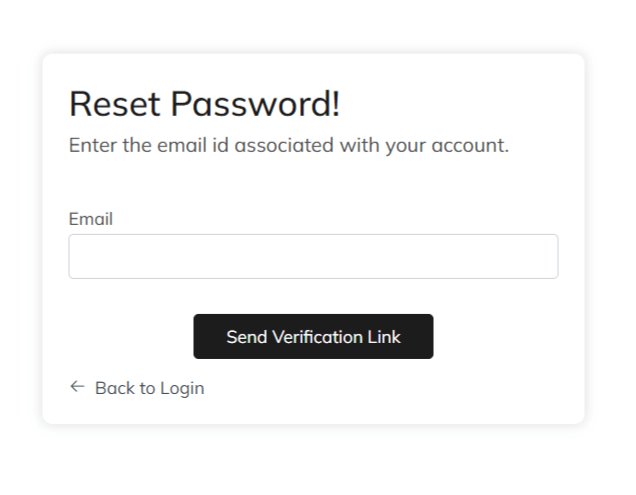
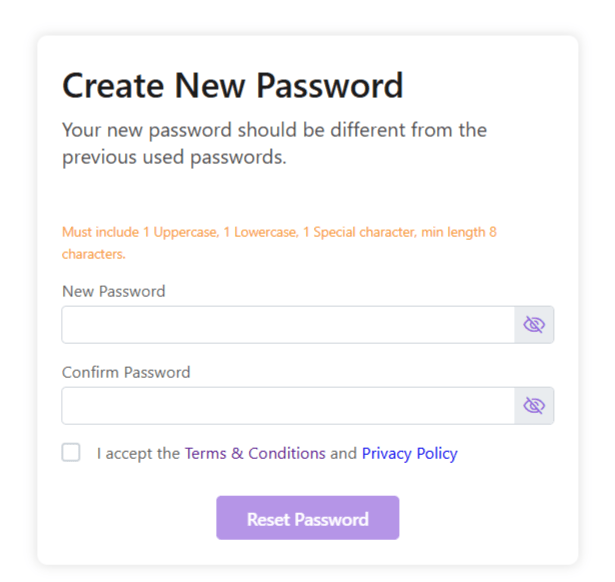
Your password will be reset. Login and begin using Zhylar!
Make a note on your device for future reference.
Discover how Zhylar can streamline your sales and elevate your business processes. Visit our website or book a demo today to experience the difference!
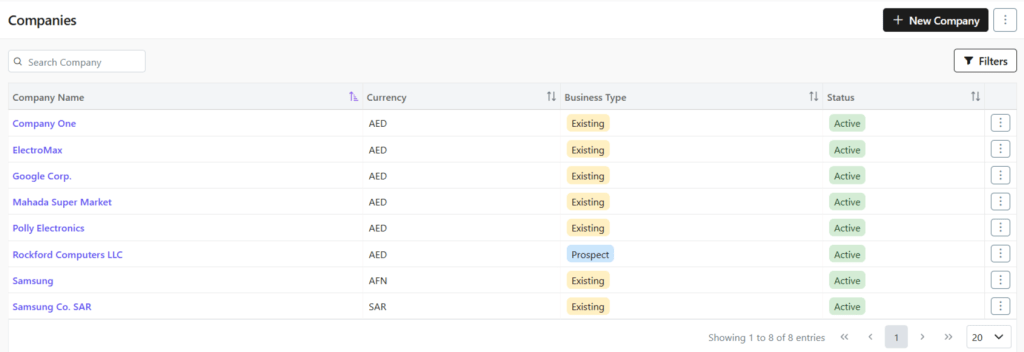
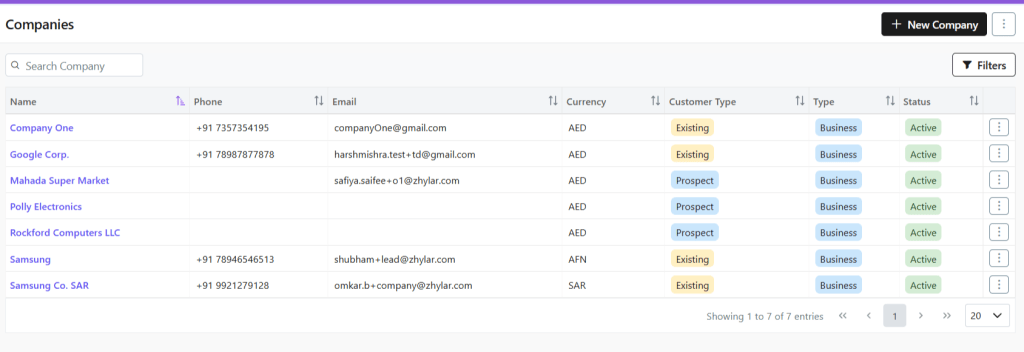
Here, you can find a list of all the companies added to the system.
Viewing a Company Profile
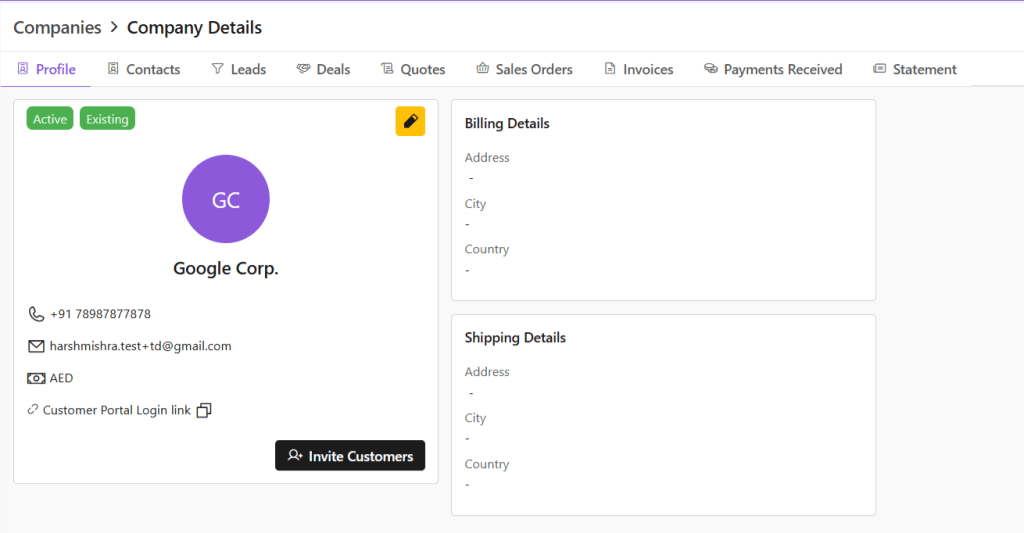
To view the details of any company,
Click any company name
See complete company overview
Basic information
Recent activities
Linked contacts/deals
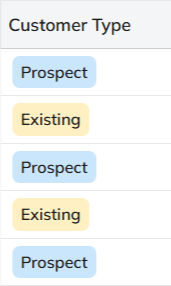
Customer Type
A company is categorized as:
Existing: A customer you’re already dealing with.
Prospect: Each customer/company is marked as a “prospect” until an invoice is generated and payment is made for said company. Once payment is made, the company is marked as “existing”.
Search Filter
Conduct a universal search across all fields through the search box.
Or search/sort through Name/Phone no./Email/Currency/Customer Type/Status.
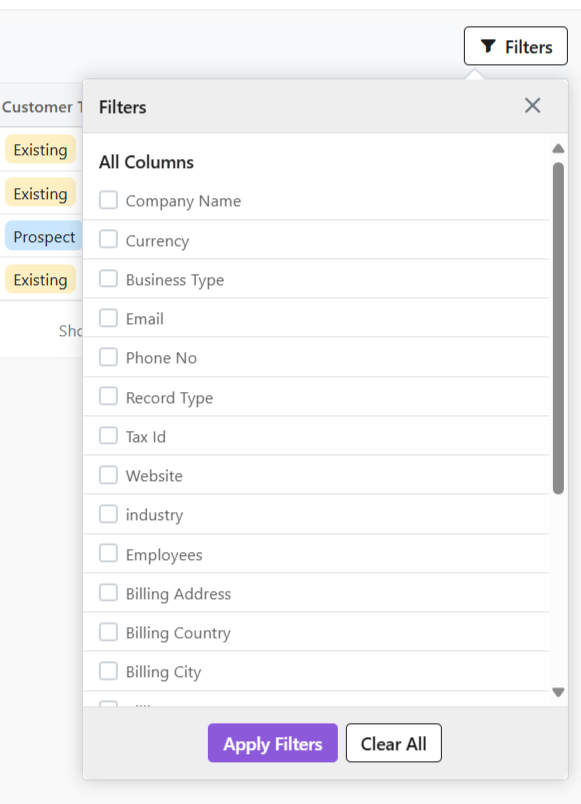
Or, you can use the Filter button to filter your searches from a range of filters.
Check all details of the company, e.g., status, customer type, etc.
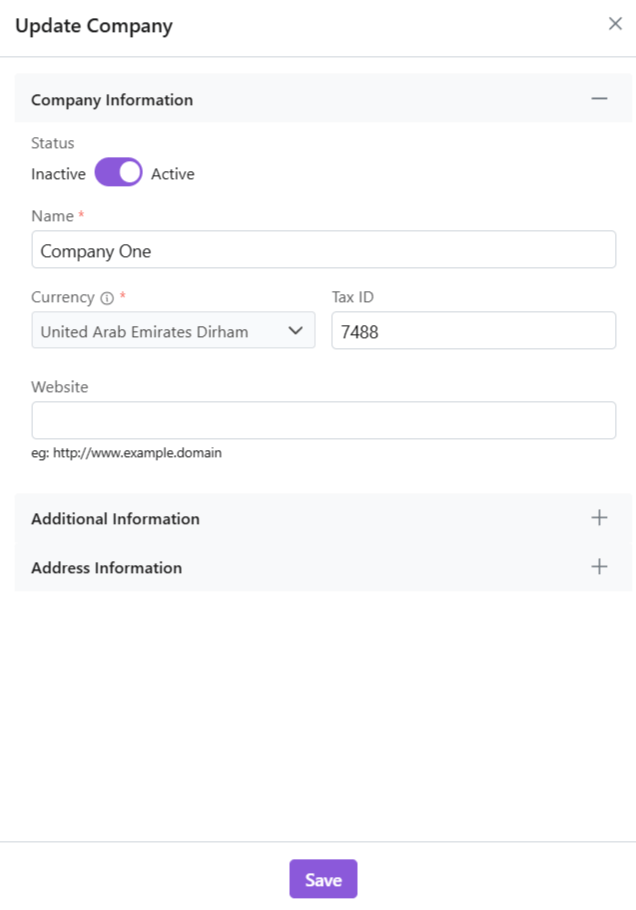
Click ✏️ Edit (yellow-highlighted pen) to edit details or invite customers directly.
Switch tabs to check data in specific modules, e.g., contacts, leads etc.
Managing Contacts
A contact is an individual person associated with a company. This person might be a decision-maker, buyer, or support staff. Your team communicates with them during business interactions.
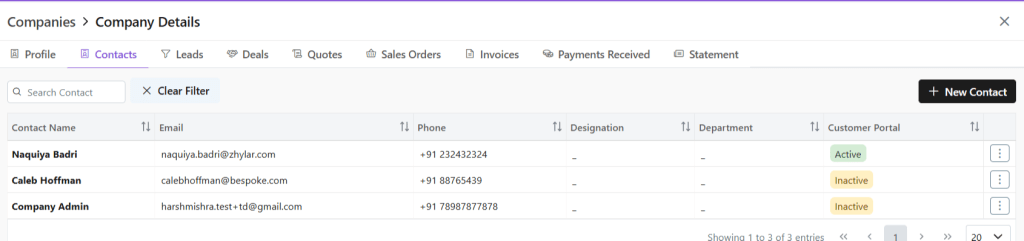
View Contacts
Click Contacts tab
See all users added to the company
Conduct universal search or filter by fields
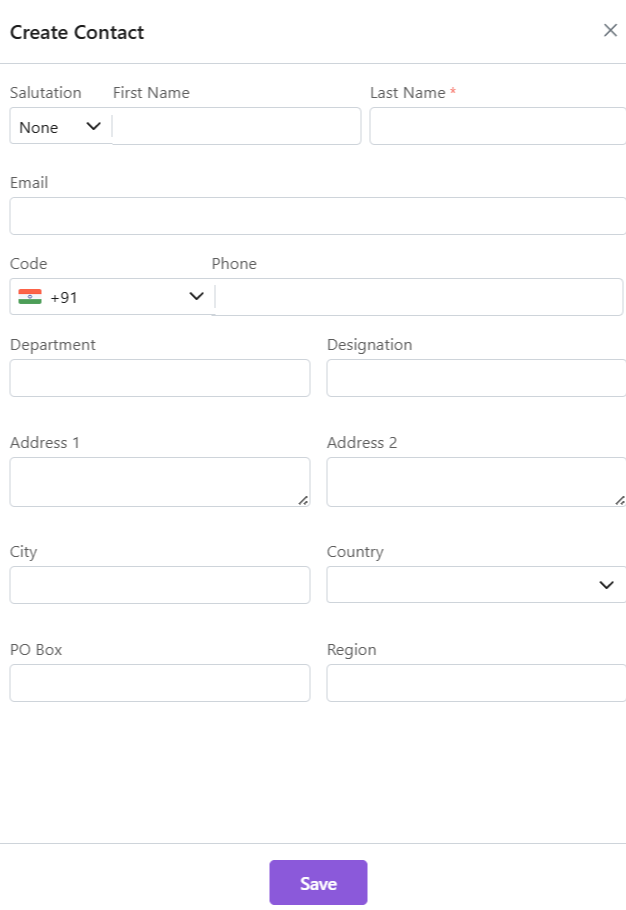
Adding a New Contact
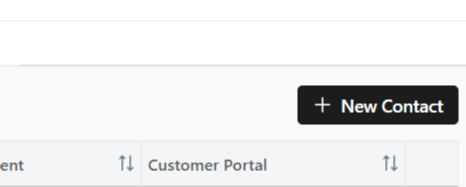
Click “+ New Contact”
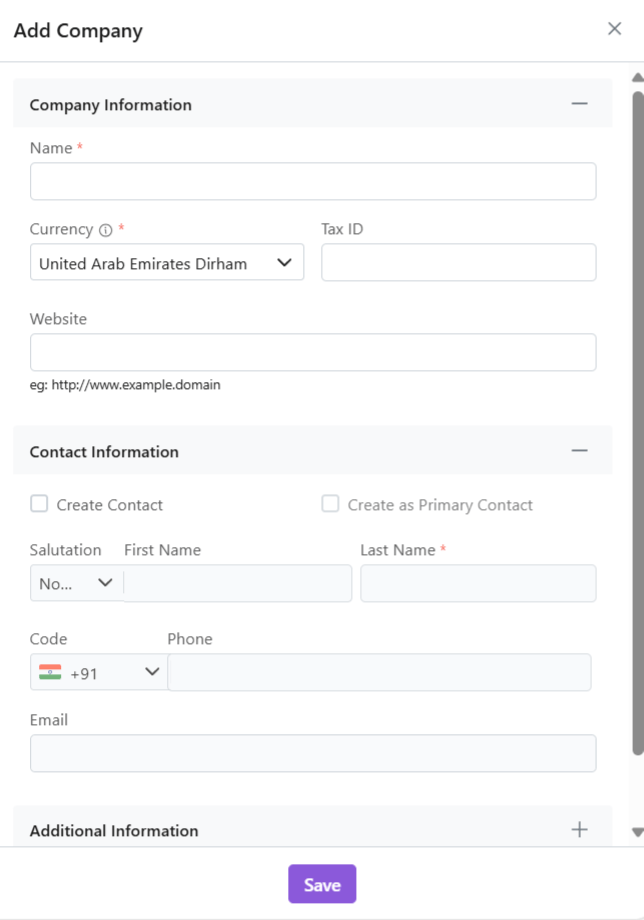
Fill required data.
Click “Save.”
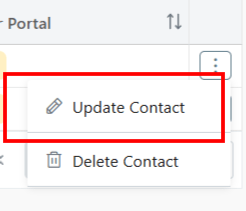
Update Contact
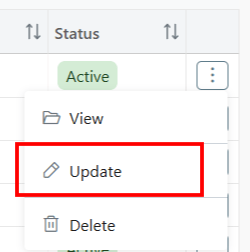
Click ⋮ 3 dots
Select Update
Make changes
Click Save.
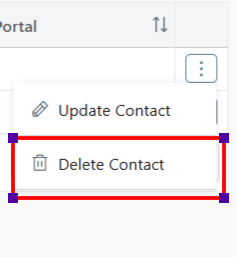
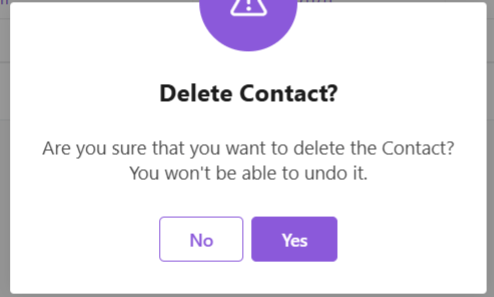
Delete Contact
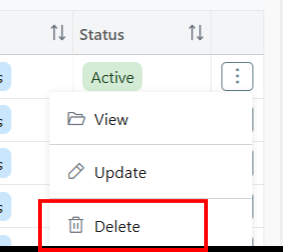
Delete: Click ⋮ 3 dots
Select Delete
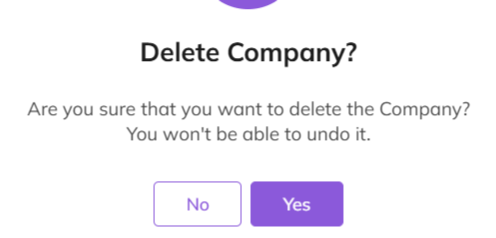
Provide Confirmation.
Business Activities
Leads
Click Leads tab
View all potential opportunities
Click lead name for details
Conduct universal search or sort by fields in ascending or descending order.
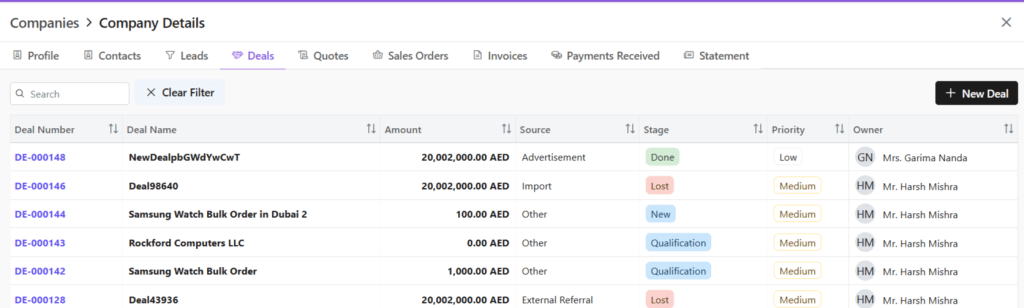
Deals
Click Deals tab
See all active negotiations
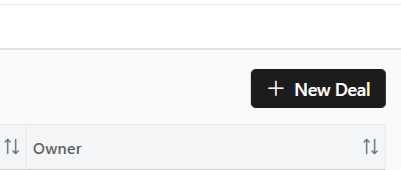
Add New Deal:
Click “+ New Deal”
Fill required details.
Save deal.
Conduct universal search or sort by fields in ascending or descending order.
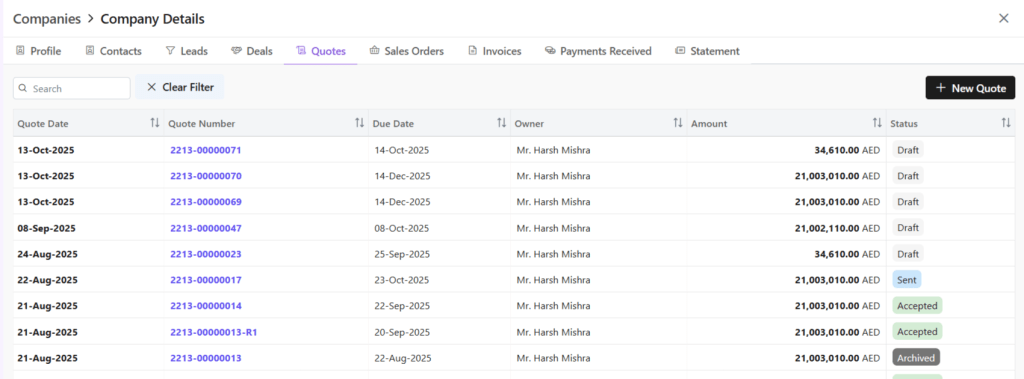
Quotes
Click Quotes tab
See all Quotes
Add New Quote:
Click “+ New Quote”
Fill required details.
Save as draft or save and send quote.
Conduct universal search or sort by fields in ascending or descending order.
Sales Orders
Click Sales Order tab
See all Sales Orders
Add New SO:
Click “+ New Sales Order”
Fill required details.
Save as draft or save and send quote.
Conduct universal search or sort by fields in ascending or descending order.
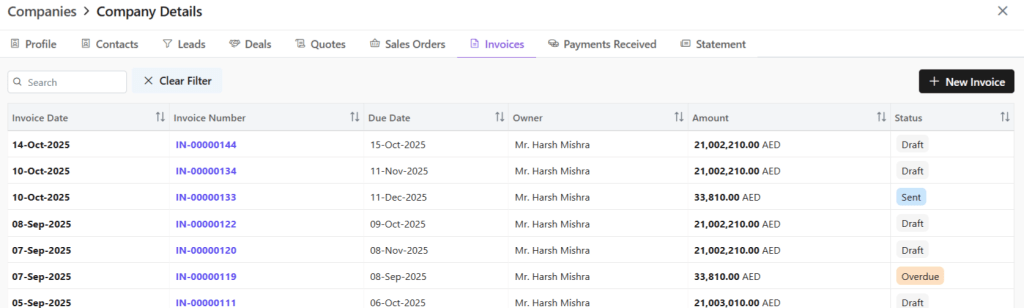
Invoice
Click Invoice tab
See all invoices
Add New Invoice:
Click “+ New Invoice”
Fill required details.
Save as draft or save and send invoice.
Conduct universal search or sort by fields in ascending or descending order.
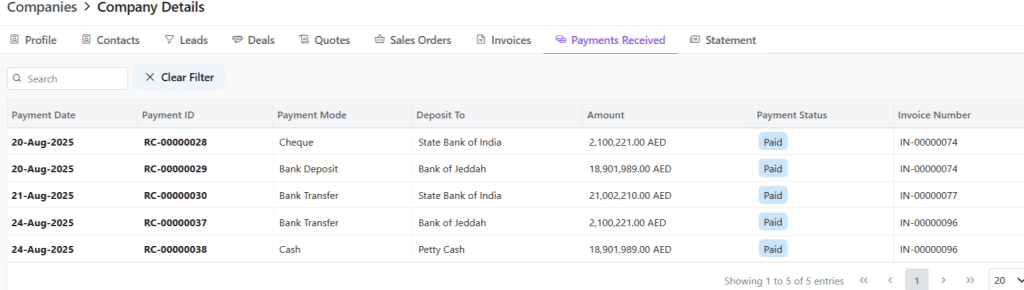
Payments Received
Check financial transactions for this company.
Click on any payment document number to view all details.
Redirected to Invoice module.
Check all details for this invoice, timeline, notes, emails, etc.
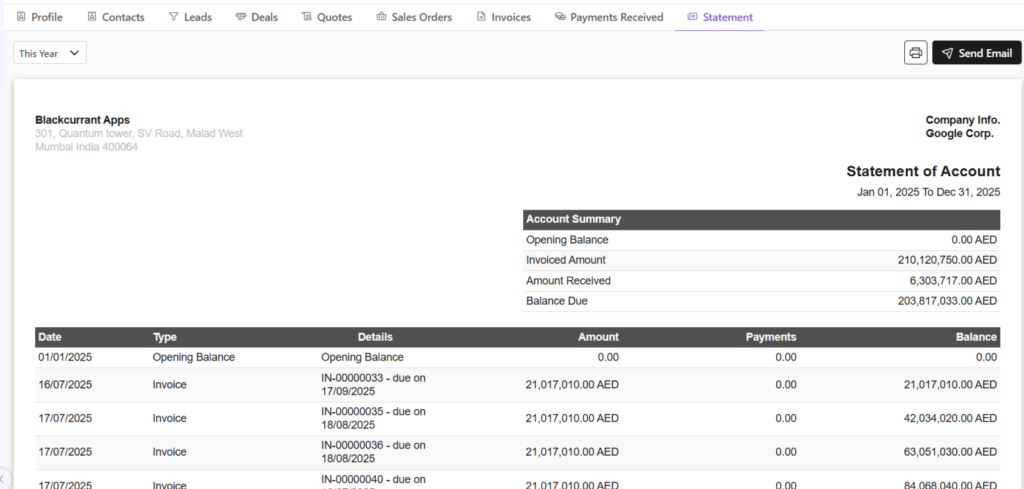
Statement
Statement of accounts is a detailed summary of all financial transactions between a company and a customer. It covers a specific period and shows invoices, payments, credits, and the remaining balance.
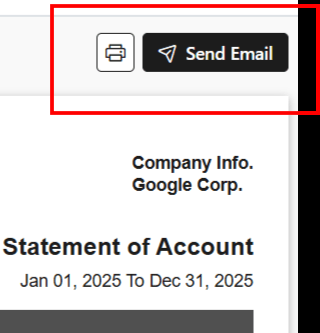
You can email the statement to your client by clicking on Send Email.
Discover how Zhylar can streamline your sales and elevate your business processes. Visit our website or book a demo today to experience the difference!
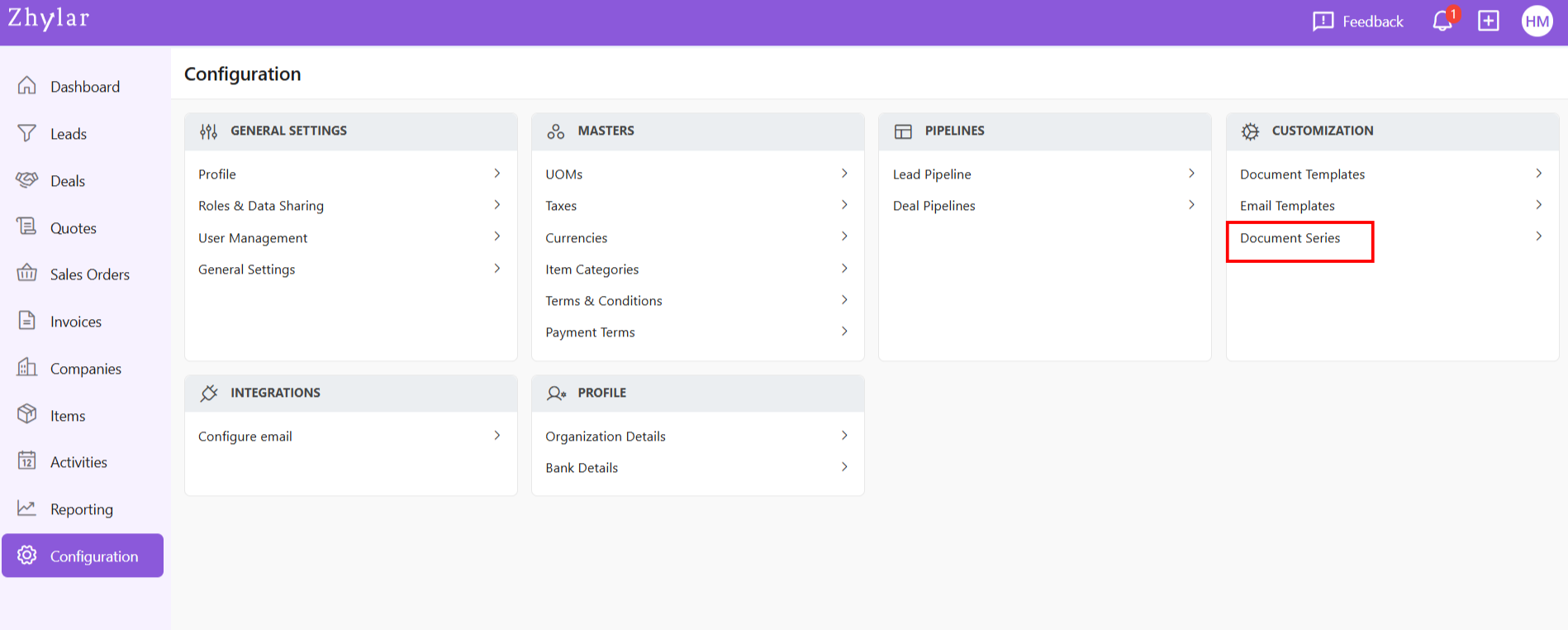
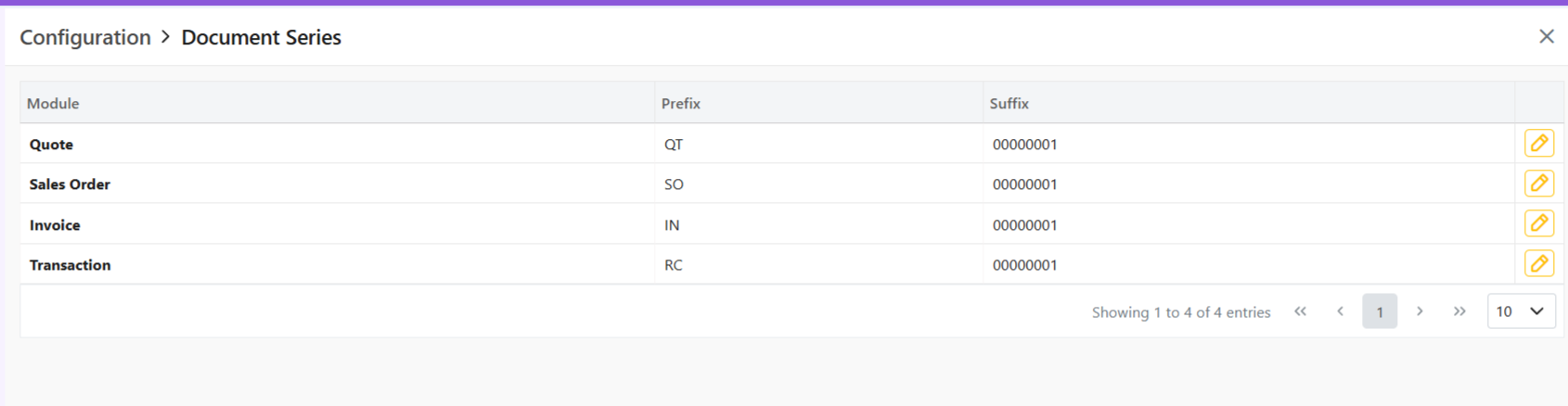
A Document Series is a structured numbering system applied to documents like invoices, quotes, and sales orders (e.g., INV-2025-001) to ensure consistency, efficient tracking, and easy communication.
Example of successive sales orders: `INV-0001` → `INV-0002 → INV-0003
No duplicate numbers allowed
Suffix cannot carry any alphabets.
How this works:
System applies prefix automatically
Number increments with each successive document
Update Series
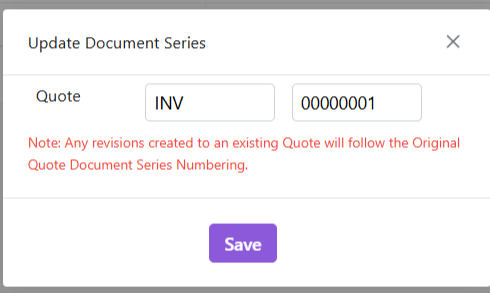
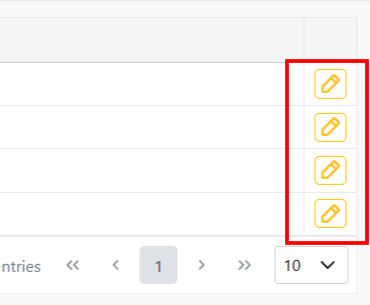
Click on any series to edit format by clicking on the yellow pencil:
Make changes.
Click Save.
> Note: Changes only affect new documents – existing records maintain original numberings
Important Notes on Editing
Suffix Updates:
If changing current suffix (e.g., 0002 → 0012):
All future documents use new sequence (0013, 0014 etc.)
The numbers that have been skipped cannot be used in the future (0003-0011 in this example)
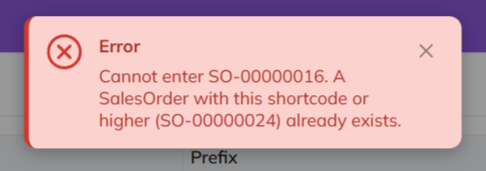
System will show an error if attempting to use skipped number
Prefix Updates:
Affects only new documents
Existing documents keep original prefix
How this works
Prefix auto-applies to new documents.
Suffix auto-increments.
Skipped numbers cannot be recovered – plan edits carefully.
Discover how Zhylar can streamline your sales and elevate your business processes. Visit our website or book a demo today to experience the difference!
Contacts in a CRM system are individual people your business interacts with, such as customers, prospects, or partners. They store key details like name, phone number, email, and job title. Each contact is linked to companies (accounts), deals, and activities. This linkage allows your team to track every conversation and interaction in one place. It enhances better relationship management.
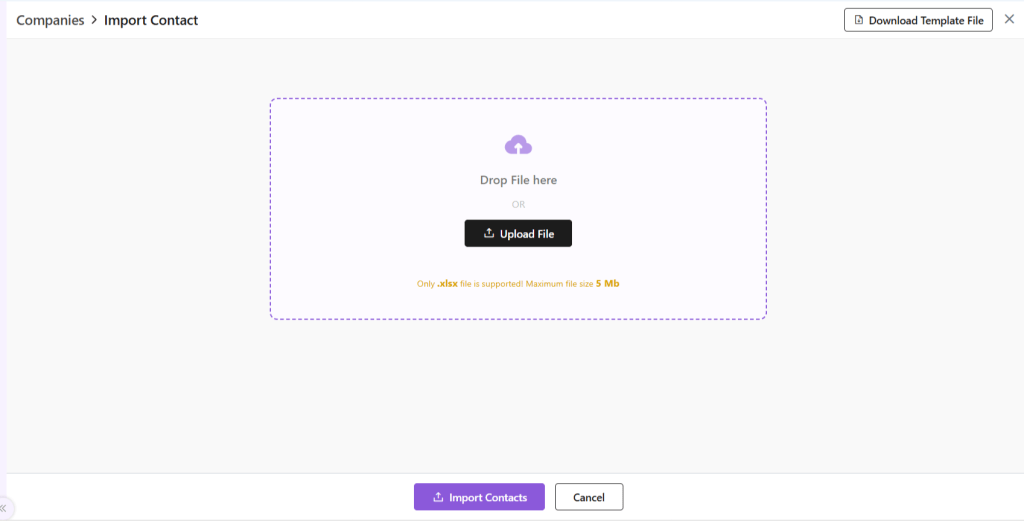
From the top-right hand corner, click ⋮ 3 dots beside +New Company
Select Import Contacts.
You will be taken to a new page.
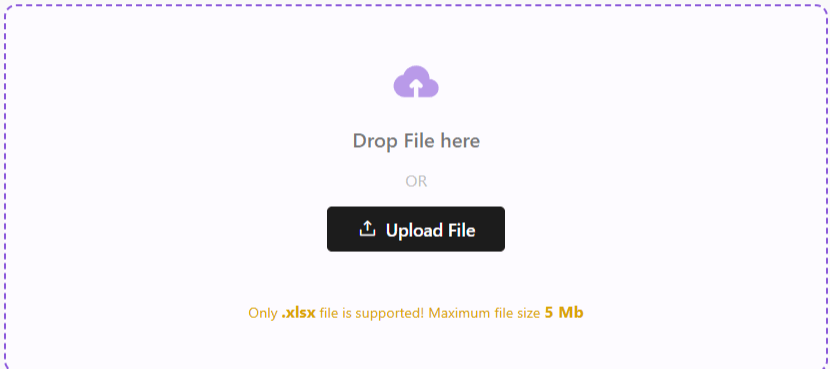
Upload a file in .xlsx format with the details of your leads.
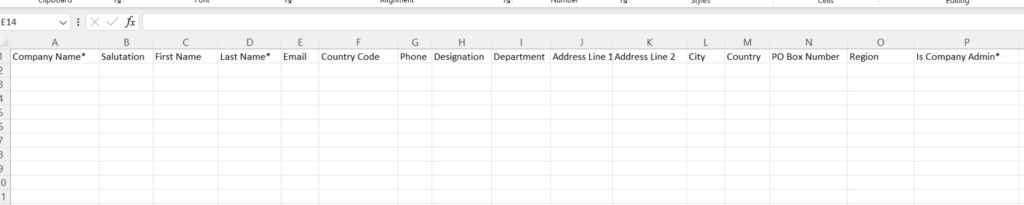
If file is not ready, Download Template File from the right-hand corner.
Fill out the data in the filed provided.
All fields marked in * are mandatory.
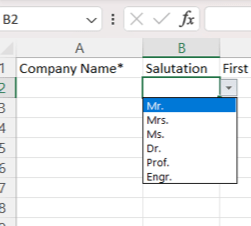
For some fields, entry can be punched manually.
For others, such as salutation, country and such, a drop-down arrow will be there. You can select one of the pre-filled values.
Once done, upload this file back in the space provided by clicking on the Upload File button.
Click Import Contacts.
Your Contacts will be added to the system.
Click on Go to All Contacts to go to Contact List View page.
You can now see this newly added company in the list view.
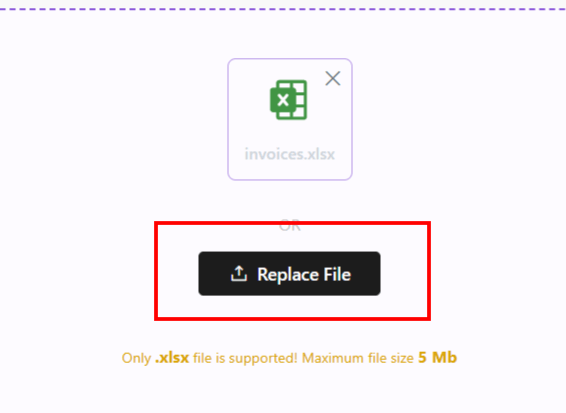
In case there is an error with the file upload, simply click Replace File and try again.
Once your Contacts have been imported, you can now proceed. Read about how to navigate through the Companies module at Zhylar.
Discover how Zhylar can streamline your sales and elevate your business processes. Visit our website or book a demo today to experience the difference!
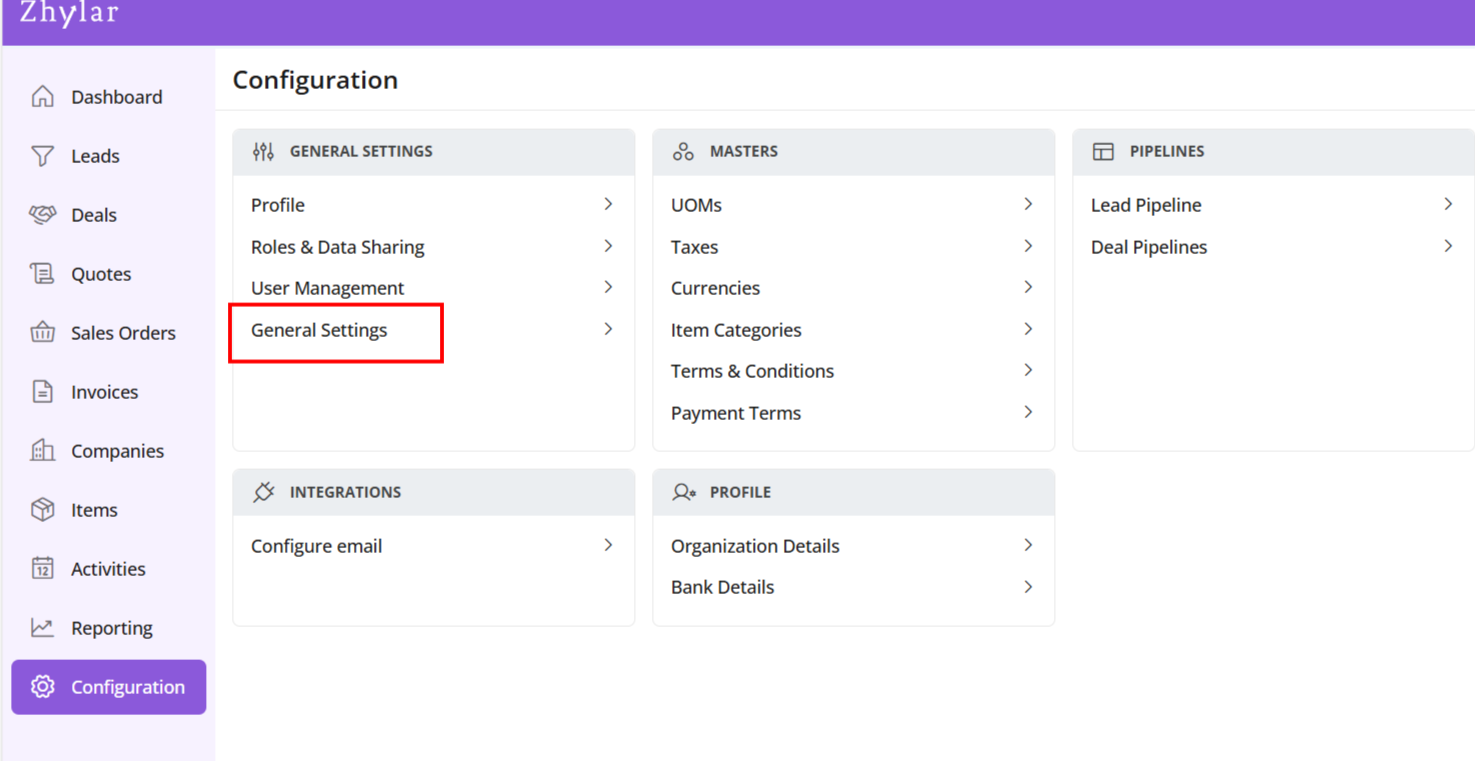
In the “Masters” column, click on “General Settings”.
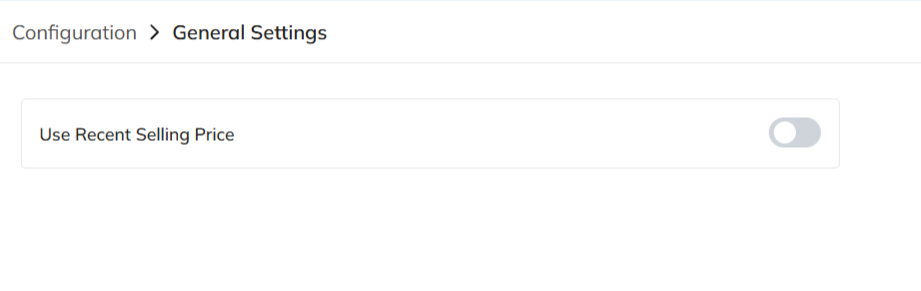
A new page will open for you.
Here, you can turn on or turn off the “recent selling price” option.
View Recent Selling Price
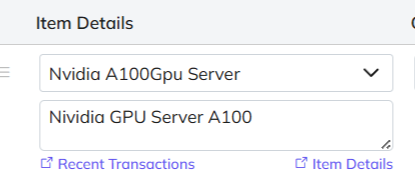
When turned on, recent selling price is reflected under “Item Details” wherever an item is added in the following modules:
Deal
Quote
Sales Order
Invoice
Under the added item, select Item Details
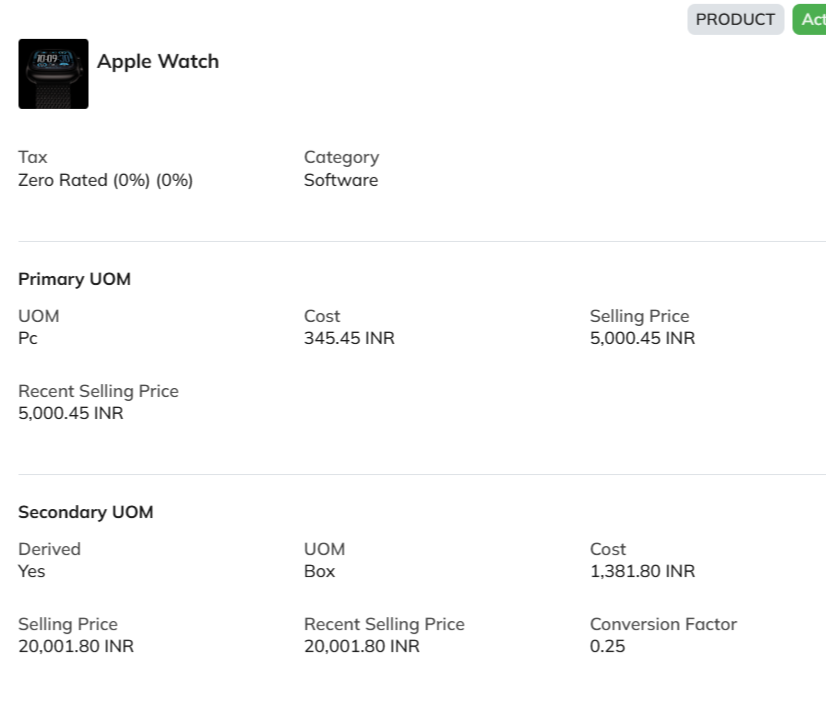
The details will open.
The recent selling price reflects the price at which the item was sold the last time only. In comparison, the recent transaction reflects the entire transaction history of the product in the Zhylar system.
Discover how Zhylar can streamline your sales and elevate your business processes. Visit our website or book a demo today to experience the difference!
At Zhylar, we believe that technology should empower businesses, not complicate them. We are a next-generation business solutions platform dedicated to transforming traditional sales and operations into streamlined, automated, and efficient processes. Our innovative software solutions serve businesses of all sizes. They help accelerate growth. They enhance customer relationships. They drive digital transformation.
Our Mission: Simplifying sales and business operations
In today’s fast-paced digital world, businesses struggle with fragmented data. They face manual processes and inefficiencies in managing sales, customer interactions, and pricing. That’s where we come in. At Zhylar, our mission is to create powerful yet easy-to-use software that simplifies sales cycles, automates workflows, and optimizes decision-making.
We design our tools with businesses in mind. A startup may look for scalable CRM solutions. A mid-sized enterprise might need advanced CPQ features. We cater to all. A large corporation may seek end-to-end automation. Our goal is to eliminate the roadblocks that slow businesses down. We aim to provide them with intuitive, smart, and integrated solutions. These solutions drive real results.
CRM: Customer Relationship Management made easy
Our CRM software centralizes customer data, streamlines communication, and helps businesses manage leads, deals, and customer interactions effectively. Features like automated workflows help teams stay organized. Sales pipeline visualization allows for better tracking. Data-driven insights ensure focus on closing deals faster.
Key CRM features include:
Lead Management – Capture, track, and nurture leads effortlessly.
Deals & Pipelines – Visualize and manage your sales progress.
Customer Profiles – Access all client information in one place.
Automation Workflows – Reduce manual tasks and boost efficiency.
Reporting & Insights – Make informed decisions with real-time analytics.
CPQ: Configure, Price, Quote with Accuracy
Our CPQ software takes the complexity out of pricing and quoting. With Zhylar’s CPQ solution, businesses can generate accurate quotes in minutes. They can configure complex products effortlessly. It also ensures compliance with pricing policies.
Key CPQ features include:
Automated Quote Generation – Reduce errors and speed up the sales process.
Product Configuration – Customize pricing and product bundles with ease.
Multi-Currency Support – Expand globally with flexible currency options.
Discount & Approval Workflows – Maintain pricing accuracy and approvals.
Seamless Integration – Sync CPQ with your CRM for a unified experience.
Automation & Integration: Work Smarter, Not Harder
We understand that businesses need a seamless flow of information between different tools. That’s why Zhylar integrates with leading email, accounting, and social media platforms. Our automation workflows ensure that routine tasks are handled automatically, freeing up time for teams to focus on strategic growth.
Some integrations include:
Email & Calendar Sync – Stay connected with O365 and GSuite.
Accounting Tools – QuickBooks, Zoho Books, and Tally integrations.
Social Media Connect – Engage customers via Facebook, Instagram, LinkedIn, and Google Ads.
Why Businesses Choose Zhylar
1. User-Friendly & Scalable
We design software that is easy to use, whether you’re a startup or an enterprise. Our intuitive interface ensures quick onboarding, while our scalable architecture supports business growth.
2. End-to-End Sales Management
Zhylar covers the entire sales cycle. It manages everything from lead capture to quote generation, sales order processing, and invoicing. This reduces manual effort and increases efficiency.
3. Secure & Compliant
Data security is our top priority. Zhylar complies with GDPR and HIPAA standards, ensuring businesses operate with the highest level of data protection and privacy.
4. Advanced Insights & Forecasting
Make data-driven decisions with our AI-powered analytics and forecasting tools. Understand market trends, track sales performance, and optimize your strategies with real-time insights.
5. Dedicated Support & Continuous Innovation
We don’t just build software; we build relationships. Our support team ensures businesses get the most out of Zhylar, and we continuously innovate to meet evolving business needs.
How Zhylar Transforms Businesses
Speed & Efficiency
Traditional sales processes can be time-consuming and error-prone. With Zhylar, businesses eliminate redundant tasks, speed up sales cycles, and reduce paperwork through automation and digital workflows.
Seamless Data Flow
Say goodbye to scattered information. Our CRM and CPQ solutions ensure that every piece of data is connected. This includes customer interactions, product pricing, and sales history. All information is easily accessible.
Enhanced Customer Experience
Personalized interactions and quick response times lead to better customer satisfaction. Zhylar helps businesses engage customers proactively, close deals faster, and build long-lasting relationships.
Cost-Effective Growth
We help businesses save time and resources by providing an all-in-one solution that reduces the need for multiple software tools. Whether it’s CRM, CPQ, or automation, everything is integrated seamlessly in Zhylar.
The Future with Zhylar
At Zhylar, we are committed to pushing the boundaries of business software solutions. We continually innovate to bring more intelligent, AI-driven automation, enhanced integrations, and seamless user experiences to help businesses scale effortlessly.
If you’re seeking a robust solution to manage your sales, Zhylar is your answer. It is easy-to-use and comprehensive for streamlining operations. It helps drive growth. Zhylar is your answer. Join us in transforming business efficiency and unlocking new opportunities in the digital era.
Ready to experience the future of business management?Contact us today or book a demo to see how Zhylar can empower your business.
Do you own a small business facing challenges in establishing customer relationships? Is your company having trouble maintaining these relationships or improving its sales procedure? In that case, let us introduce Zhylar’s Customer Relationship Management (CRM) tailored to your business needs.
A small business CRM solution has many advantages to offer. It can make a huge difference to your business. This includes helping you generate more sales, deliver better customer service, and increase organizational effectiveness. Discover how transitioning to Zhylar’s small business CRM solution produces incredible positive changes.
Examining the Strength of Zhylar’s CRM
A CRM is a program designed to assist an organization in capturing customer information. It helps in storing, accessing, and analyzing data across the customer relationship cycle. Compared to the previous point, Zhylar’s CRM is beneficial for small businesses. It unifies customer data and increases the number of automated tasks. Additionally, it offers useful analytic data.
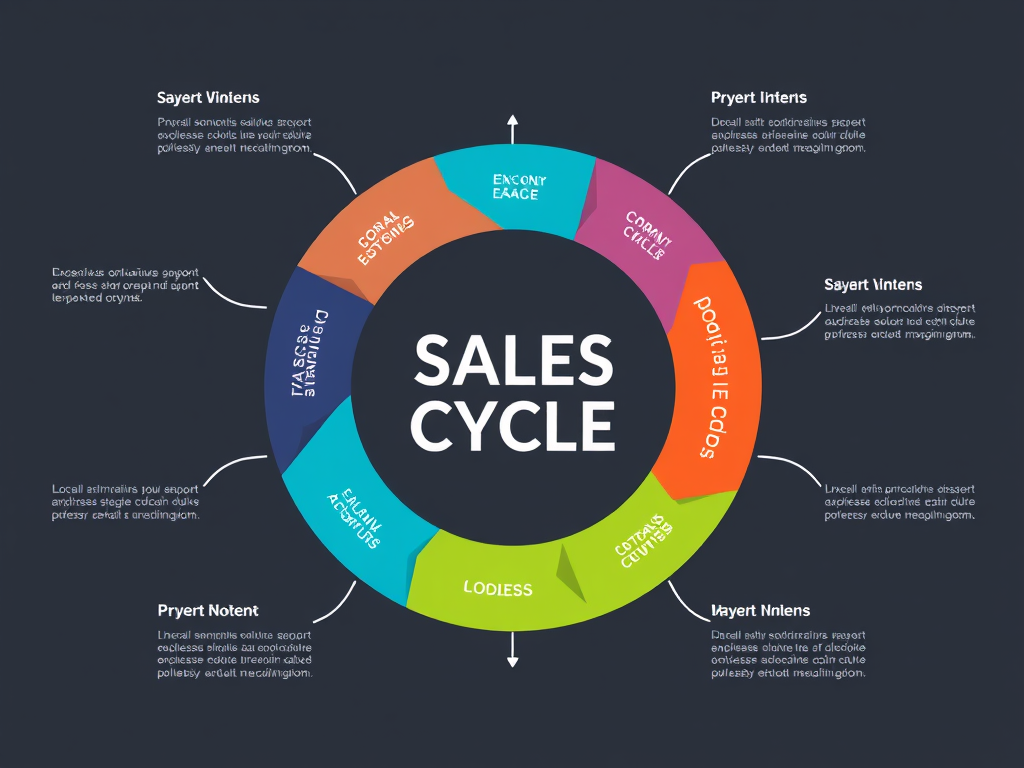
Let’s look deeper into how Zhylar’s CRM can help you improve your business sales journey from enquiry to invoice.
Enhanced Customer Relationship Management
Centralized Customer Data: Zhylar’s CRM is integrated. It allows all members of your team to have complete visibility of the customer. Your team can see all interactions they have with customers.
Personalized Interactions: The Zhylar CRM allows for more effective messaging. It reaches each customer in a way that suits their needs best. This leads to stronger bonds and customer satisfaction.
Improved Customer Service: Zhylar enables this organization to respond to inquiries. It solves problems within the shortest time possible. It also offers the best customer support.
Streamlined Sales Processes
Efficient Lead Management: Understand where every lead is at any point in time. Track them from the first contact to the final closure as a sale. This process helps eliminate any loss of potential customers with Zhylar.
Automated Tasks: Eliminate time-consuming tasks like sending follow-ups. You can also automate scheduling a meeting. This enables the team to spend more time with better use for Zhylar’s CRM.
Sales Pipeline Visibility: Get deeper insights into your pipeline. First, discover the problem areas. Then, use Zhylar’s CRM to improve your sales tactics.
Improved Marketing Effectiveness
Targeted Campaigns: Develop individual advertisement blitz with the help of customer info and experience the highest returns with Zhylar.
Campaign Tracking: Monitor the marketing communication and the performance. Make relevant adjustments to optimize your strategy with the help of Zhylar’s CRM.
Customer Segmentation: Segment Group customers to produce messages that may be more relevant and have more impact with Zhylar.
Increased Productivity and Efficiency
Time-Saving Automation: Free up your teams from repetitive tasks. Use Zhylar’s CRM for often used tasks. It will handle them in the background.
Improved Collaboration: Enhance the collaboration between your sales, marketing personnel and customer care services with Zhylar.
Data-Driven Decision-Making: Zhylar’s CRM helps in making decisions as and when they happen through real-time data and analytics.
Conclusion
Zhylar’s CRM is designed to help small business owners improve their sales, customer relationships, and overall productivity. It streamlines key processes, giving you a competitive edge.
Curious about how Zhylar can support your business? Start by exploring options that fit your needs and budget, focusing on ease of use, flexibility, and integration.
Our goal is to simplify small business management and provide solutions that boost your efficiency.
Zhylar is your one-stop Customer Relationship Management (CRM) + Configure, Price, Quote (CPQ) solution. We are the only cutting-edge SaaS product that provides CRM and CPQ solutions all in one. This helps you reduce costs, improve workflow and organize your enquiry to invoice process all in one place.
First, let us understand the importance of CRM solutions. Before we move on to learn more about why you should choose Zhylar for your sales processes. Then we will explore why CPQ solutions are crucial for any growing business.
Importance of CRM and CPQ Systems
CRM and CPQ systems are important, rather indispensable tools for all modern-day businesses in sales-driven organizations. CRM focuses on managing customer relationships and streamlining interactions. CPQ enhances the quoting and sales process. It simplifies product configuration and pricing, and it aids in creating quotes. Together, they create a powerful synergy that streamlines efficiency, boosts sales and improves overall customer experience.
By itself, CRM systems provide a single database for all customer information. This includes contacts, past interactions, and sales history. This centralization allows sales teams to have a comprehensive view of each customer, enabling personalized and efficient engagement. CRM helps businesses manage relationships at every stage of the customer lifecycle—from lead generation to post-sale support.
When it comes to CPQ, for businesses with complex products or services, CPQ simplifies configuring the right product mix. Sales teams can easily customize offerings based on customer needs, ensuring that quotes are accurate and aligned with customer expectations. Additionally, CPQ systems can provide valuable insights into sales performance and customer preferences, helping businesses make data-driven decisions to optimize their product offerings and pricing strategies
Integrated CRM and CPQ
When CRM and CPQ are integrated, they create a seamless flow from lead management to quote creation. CRM manages the relationship and pipeline, while CPQ handles product configuration and pricing. Together, they:
Increase revenue by streamlining the sales process. Reduce errors in quoting. This leads to more closed deals and higher customer retention rates.
Enhance collaboration between sales, marketing, and product teams. Provide a centralized platform for sharing customer information. Share product details and pricing data on this platform.
Enable data-driven decision-making by tracking customer interactions, quote history, and sales performance metrics in one integrated system.
This is where Zhylar comes into play!
How Does Zhylar Solve Your CRM + CPQ Needs?
As aforementioned, Zhylar provides integrated CRM and CPQ solutions. These solutions simplify and consolidate your tasks in one place. Furthermore, Zhylar’s competitive pricing is very easy on your pockets and provides 2 solutions at the cost of one.
Don’t believe us? Check it out in the section below.
Why Choose Zhylar?
There are many reasons why Zhylar is your go-to CRM+ CPQ product.
Only SaaS product offering CRM+ CPQ solution all in one!
Competitive price offering 2 solutions at the price of one.
Easy-to-use user-friendly interface.
All-time suppport available.
Let’s Talk Numbers!
From one business to another, at the end of the day, it’s all about numbers. Take a look at our product pricing to understand how Zhylar is your cost-effective solution.
Tiers Name
Freemium
Basic
Standard
Premium
Yearly Price
$-
$14
$20
$30
Diff Yearly – Monthly
25%
25%
25%
25%
Monthly Price
$-
$18
$25
$38
Users
2 Users
Price / User
Price / User
Price / User
Parameters & Features
CRM Essential
Leads
Y
Y
Y
Y
Deals
Y
Y
Y
Y
Customer/Contacts
Y
Y
Y
Y
Sales Pipeline
1 Pipeline/Org
1 Pipeline/Org
3 Pipeline/Org
5 Pipeline/Org
Web Forms to capture leads
Y
Y
Y
Y
Custom Web Forms
N
N
2
5
Reporting & Insights
Y
Y
Y
Y
Sales Essential
Product Catalog
Y
Y
Y
Y
Simple Units of Measure
Y
Y
Y
Y
Quotes
Y
Y
Y
Y
Sales Order
Y
Y
Y
Y
Invoice
Y
Y
Y
Y
Customer/Contacts
Y
Y
Y
Y
Attachment in documents
N
N
N
3 MB/ Document
Line items / Quotes, Sales order, Invoice
10-line items/ Quotes, SO, Invoice
20-line items/ Quotes, SO, Invoice
30-line items/ Quotes,SO,Invoice
50-line items/ Quotes,SO,Invoice
Data
Number of Records
500 / Org
20000 / Org
50000 / Org
100000 / Org
File Storage
–
1 GB / Org
1 GB / Org
2 GB / Org
Data Backup (No of backup to be taken monthly)
–
1/Month
2/Month
2/Month
Data Import (No of records to be imported per batch)
50 Records/Batch
150 Records/Batch
300 Records/Batch
500 Records/Batch
Data Export
50 Records/Batch 2 Export/Day/Org
5000 Records/Batch 5 Export/Day/Org
10,000 Records/Batch 10 Export/Day/Org
20,000 Records/Batch 15 Export/Day/Org
Integrations
Email, Calendar & Contact sync
O365
N
N
N
Y
Gsuite
N
N
N
Y
Attachment Size
1 MB / Email
1 MB / Email
1 MB / Email
5 MB / Email
Emails
1 Email/Day *License /Org/month
20 Email/Day *License /Org/month
30 Email/Day *License /Org/month
50 Email/Day *License /Org/month
Accounting Integration
QuickBooks
N
N
N
Y
Zoho Books
N
N
N
Y
Tally
N
N
N
Y
Amazon-Business
N
N
N
Y
Social Media Integrations
Facebook
N
N
N
Y
Instagram
N
N
N
Y
Linkden
N
N
N
Y
Google Ads
N
N
N
Y
Advance features
Combined Units of Measure
N
N
Y
Y
Multicurrency
N
N
5 Currency / Org
10 Currency/Org
Sales Forecast
N
N
2 Sales Forecast/Org
5 Sales Forecast/Org
Custom Email Template
N
Y
Y
Custom Document Template
N
Y
Y
Y
Custom Dashboard
N
N
Y
Y
Subscribe to get access
Read more of this content when you subscribe today.