
What are Payment Terms?
Payment terms are the agreed-upon conditions between a buyer and a seller. These terms specify how and when payment should be made. They define due dates, applicable discounts, penalties for late payments, or instalment plans.
In a CRM system, these terms are integrated into quotes, sales orders, and invoices. This integration helps streamline and standardize the payment process.
Managing Payment Terms
Payment Terms List View
- Log in to Zhylar.
- Go to Left-hand panel
- Click on Configuration
- Under Masters, click on Payment Terms
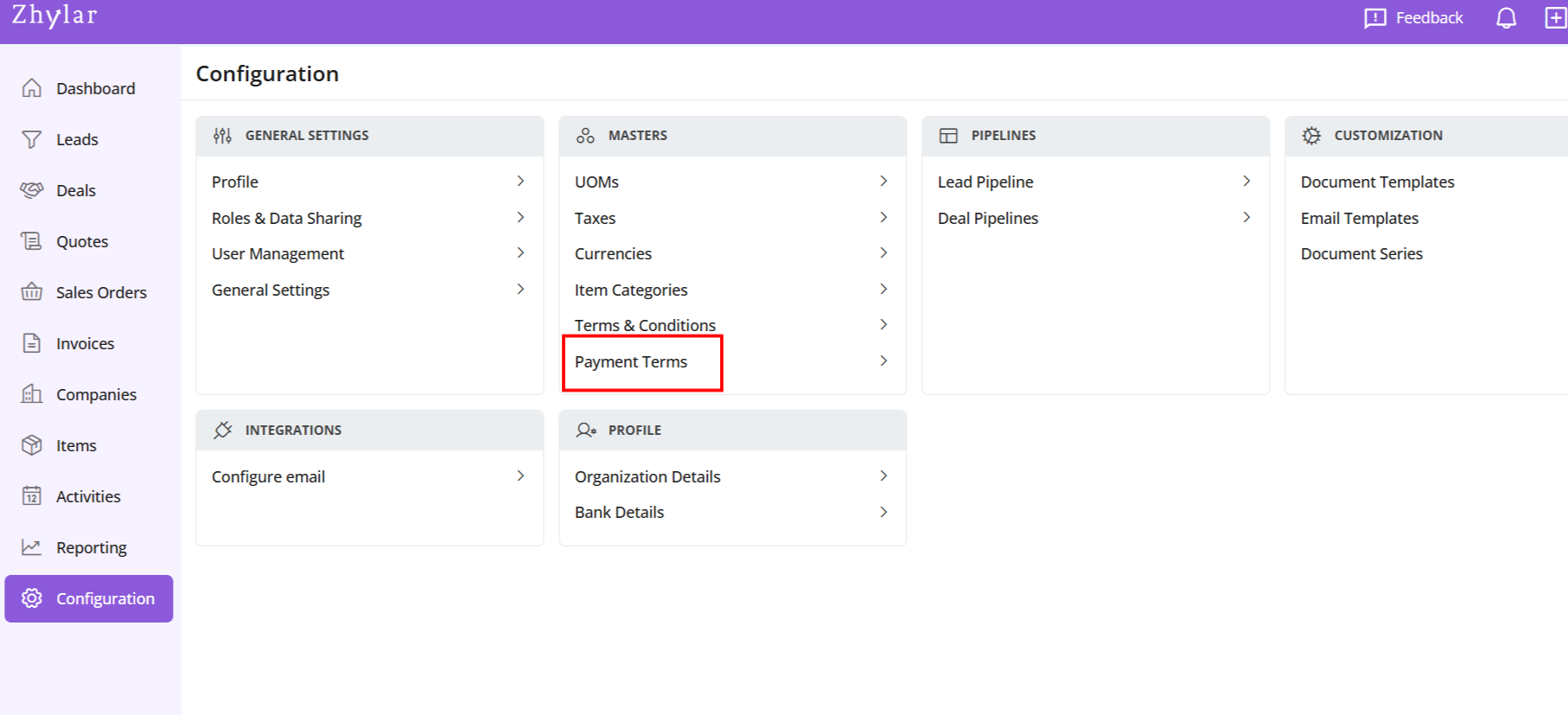
- Check the list of Payment Terms added to the system.
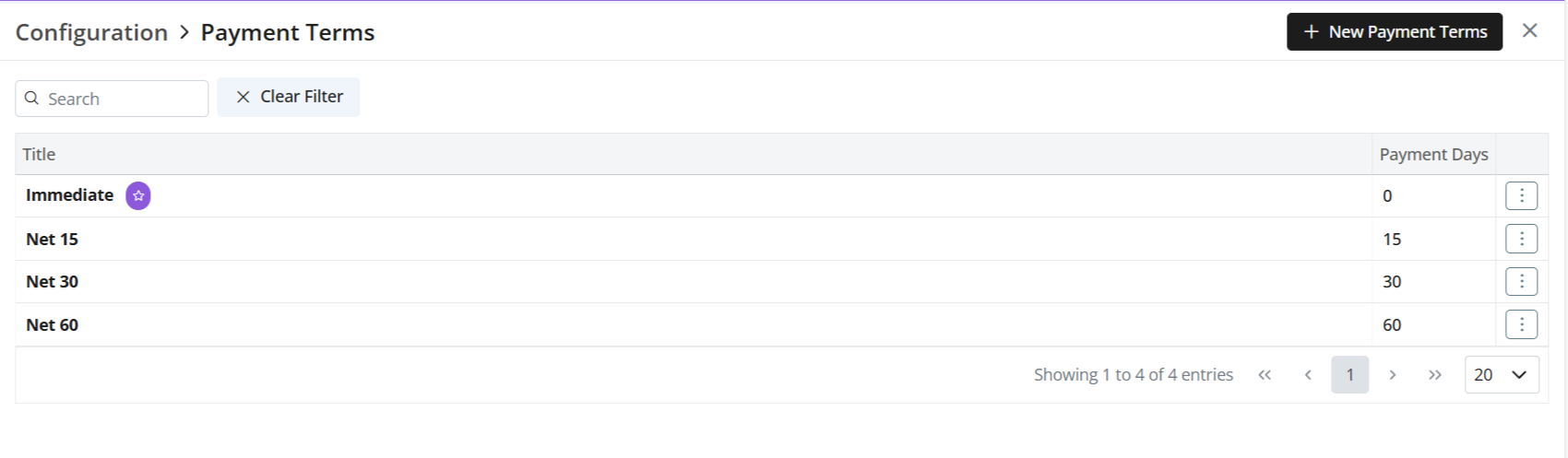
Add New Payment Term
- Click + New Payment Term
- Enter details
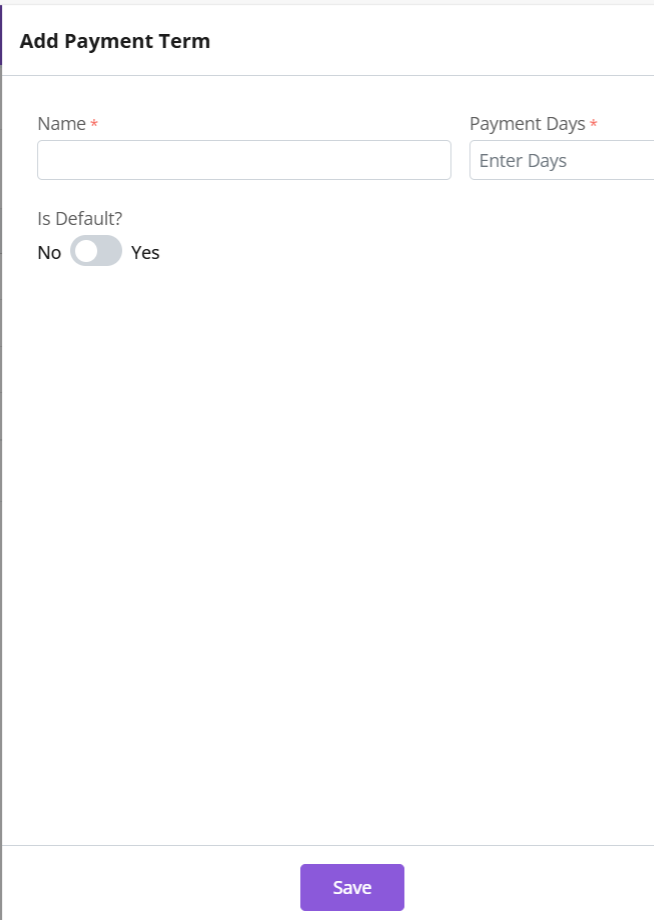
- Name- Name of payment term.
- Days- The number of days within which payment term must be satisfied.
- Toggle “Make Default” if needed.
- Default payment terms are auto-applied to documents.
- Click Save
Update Payment Term
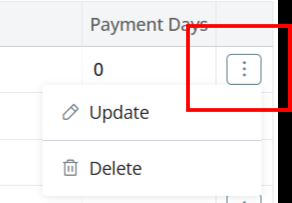
- Click ⋮ > Update
- Make changes
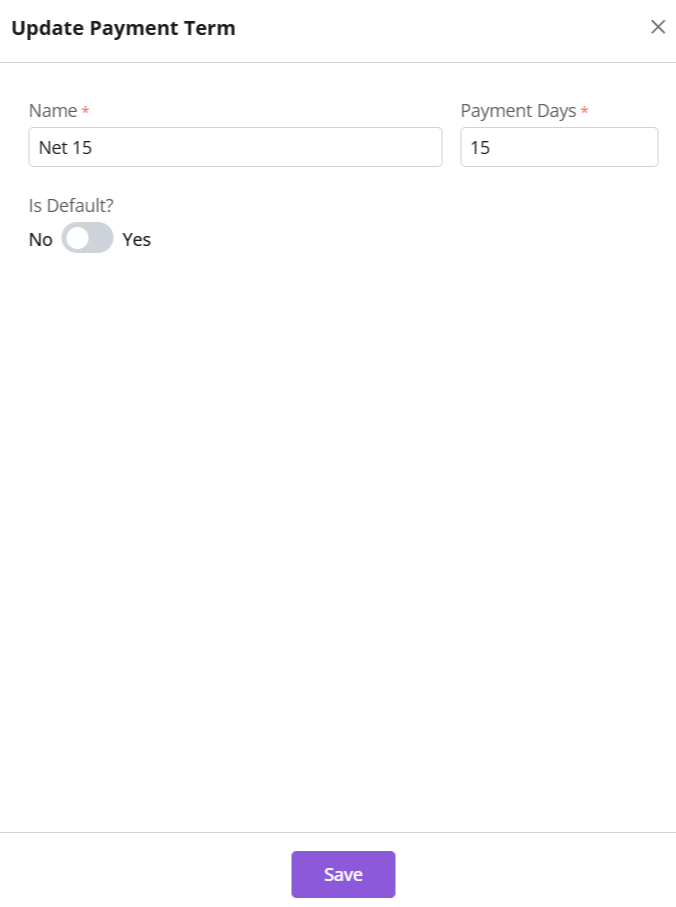
- Save
Please note
- Default Terms: Auto-applies to all documents. However, a user can still edit or change it as per the requirement in that particular document.
- For SO and invoice, the “payment days” refers to the due date within which the payment should be received. E.g., the invoice must be cleared/paid in X number of days.
- For quotes, payment terms is for reference purpose only. The expiry date has no implication on payment terms.
- Global Use: Consistent payment policies
Delete Payment Term
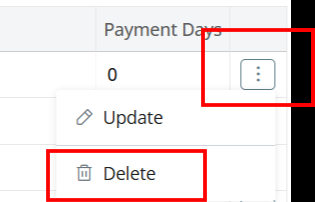
- Click ⋮ > Select Delete
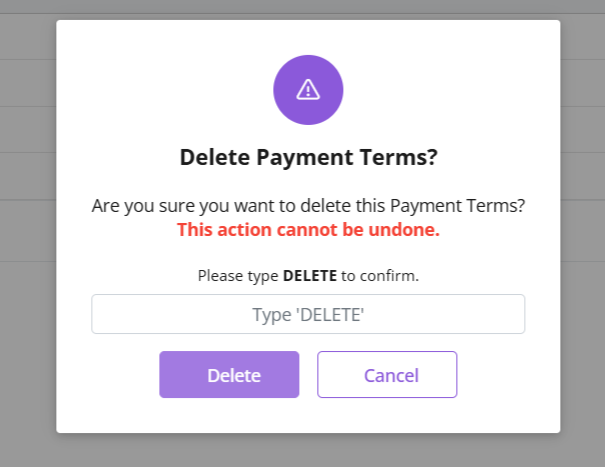
- Type “DELETE” to provide confirmation.
- Payment term will be deleted.
- If Payment Term is associated with some other modules, e.g., Quotes, then it cannot be deleted.
- You will receive an error message.
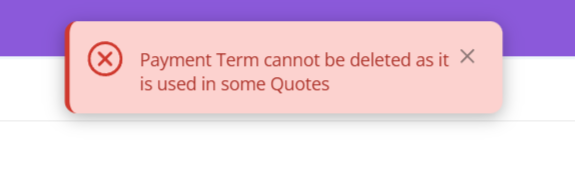
- Delete relevant document first to proceed with deleting the payment term.
Discover how Zhylar can streamline your sales and elevate your business processes. Visit our website or book a demo today to experience the difference!
Also Read