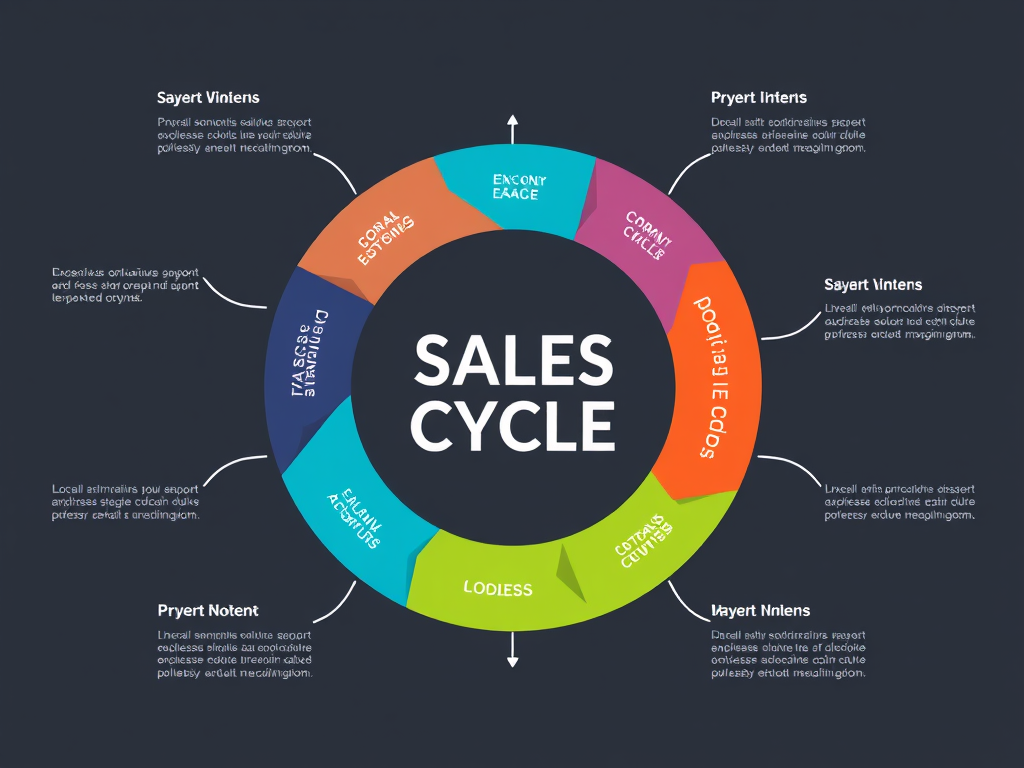
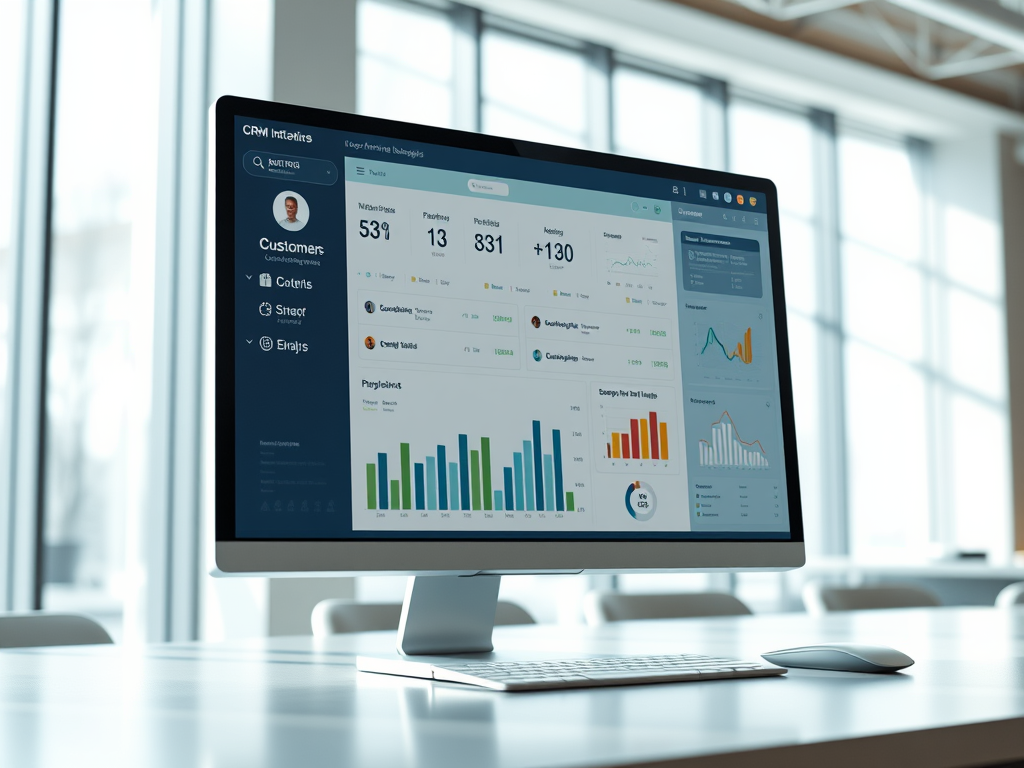
In a CRM system, activities refer to all scheduled or logged interactions with customers, including tasks, events, and calls. Managing these activities helps teams stay organized. It enables them to follow up efficiently. It also ensures strong, timely communication with prospects and customers throughout the sales cycle.
Key Features
Centralized Tracking: All interactions in one place
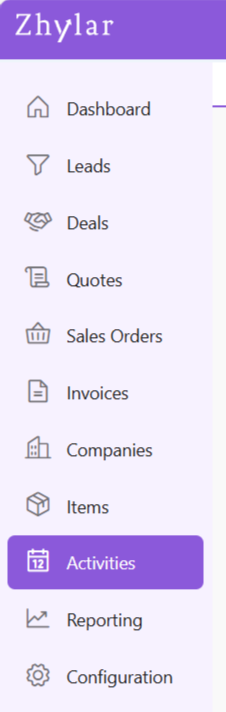
From the left-hand navigation panel, click on Activities
Calendar View
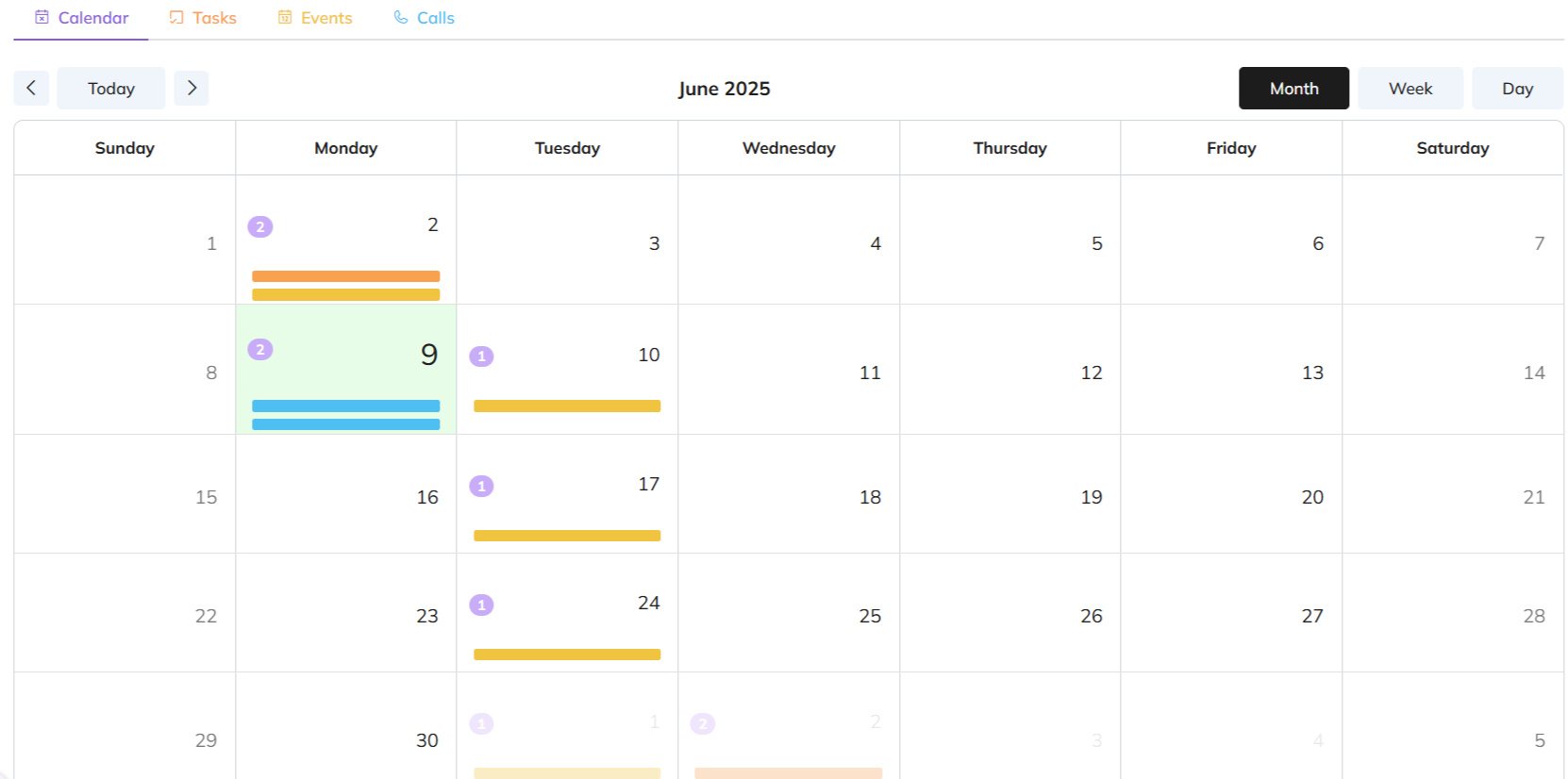
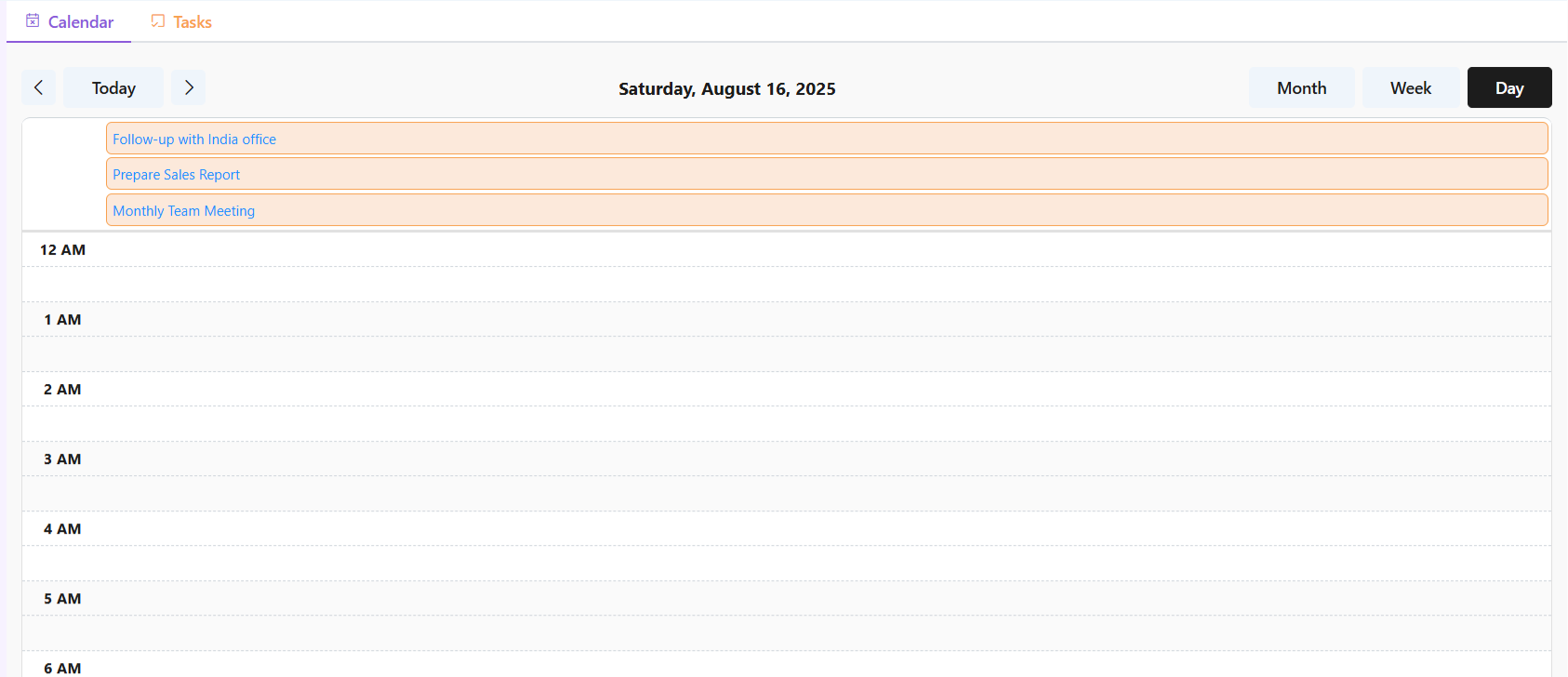
By default, the page will take you to the Monthly overview of all activities. Some events and calls have been added for the 9th and 10th of June 2025.
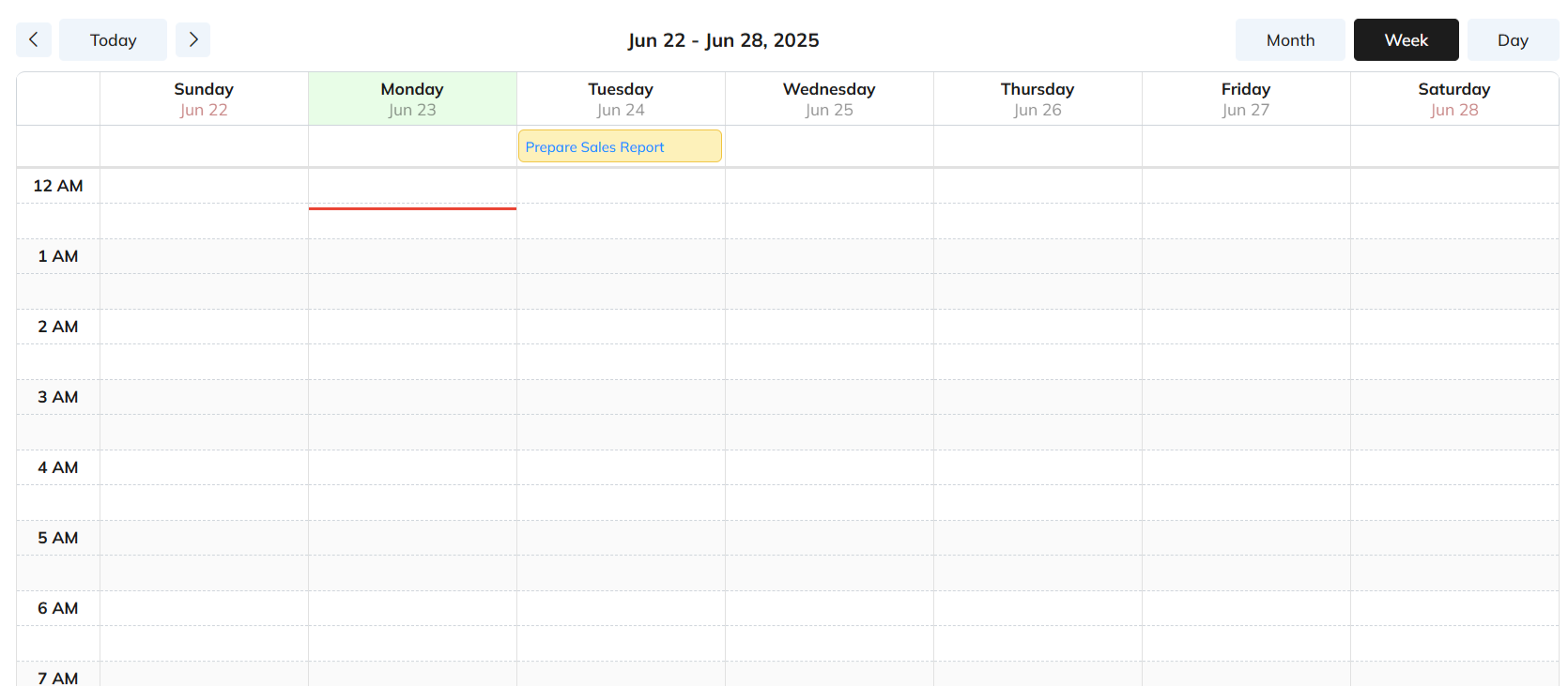
Switch to Week or Day view to check/add weekly or daily activities from the left hand corner.
Weekly
Daily
Discover how Zhylar can streamline your sales and elevate your business processes. Visit our website or book a demo today to experience the difference!
In CRM, a deal is a sales opportunity — a chance to sell your product or service and earn revenue. A deal record stores key details like:
Deal value (how much it’s worth)
Expected close date (when you aim to win it)
Linked contacts (people you’re selling to)
Products or services offered
Tracking deals in the CRM helps sales teams stay organized. It ensures they follow up on time. It also moves opportunities forward until they’re won or lost.
What is a Deal Pipeline?
In Zhylar, a deal pipeline is a visual framework. It maps each stage of your sales process, from opportunity creation to closure. Pipeline management empowers you to track progress, identify stalled deals, and forecast revenue accurately.
Deals View
When viewing the deals added to the system, the list will show deals in one particular pipeline at a time.
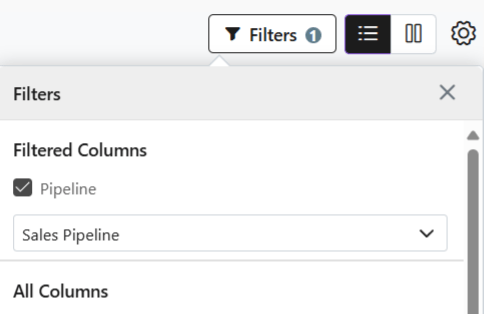
Switch between pipelines to check deals.
Click on Filters
Select Pipeline
Select the required pipeline
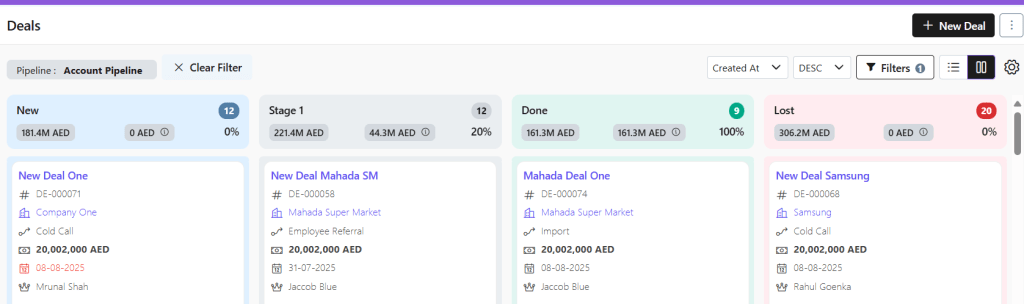
Kanban View
Visual Pipeline Tracking – See deal stages at a glance with color-coded cards
Drag-and-Drop Simplicity – Move deals between stages instantly
Quick Status Checks – Identify bottlenecks or stalled deals visually
List View
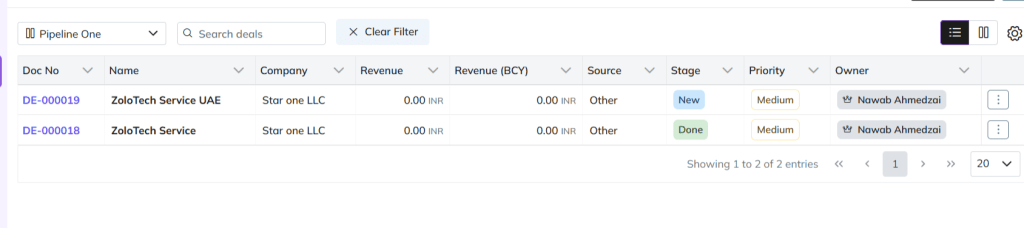
Switch to list view if required.
Detailed Data Overview – View all deal info (value, dates, contacts) in one table
Sorting & Filtering – Organize by amount, close date, or custom fields
Add New Deal
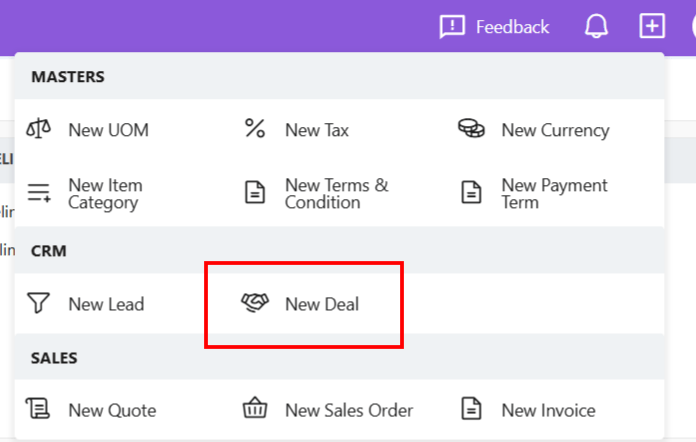
There are three ways to add a new deal to Zhylar.
Shortcut
Click + New Deal (top-right)
Fill details
Click Add Deal
Deals Module
Go to Dashboard
From the left-hand panel, go to Deals
Click + New Deal
Fill details.
Save.
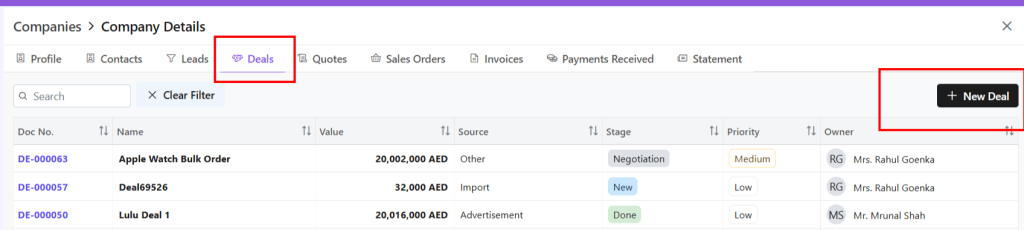
From Companies
From the left-hand panel, go to Companies
Go to Company Details
Click on the Deals tab
Select + New Deal
Deal Details
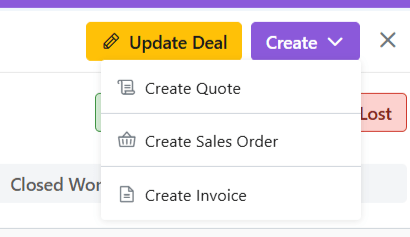
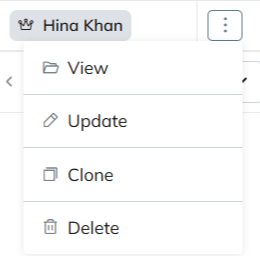
Deal Actions
When you click open a deal, you can;
View deal details
Edit deal– Make required changes
Email deal– The deal can be mailed to client
View Company– Get a wholistic view of the company linked to this deal with one click.
At Zhylar, we believe that technology should empower businesses, not complicate them. We are a next-generation business solutions platform dedicated to transforming traditional sales and operations into streamlined, automated, and efficient processes. Our innovative software solutions serve businesses of all sizes. They help accelerate growth. They enhance customer relationships. They drive digital transformation.
Our Mission: Simplifying sales and business operations
In today’s fast-paced digital world, businesses struggle with fragmented data. They face manual processes and inefficiencies in managing sales, customer interactions, and pricing. That’s where we come in. At Zhylar, our mission is to create powerful yet easy-to-use software that simplifies sales cycles, automates workflows, and optimizes decision-making.
We design our tools with businesses in mind. A startup may look for scalable CRM solutions. A mid-sized enterprise might need advanced CPQ features. We cater to all. A large corporation may seek end-to-end automation. Our goal is to eliminate the roadblocks that slow businesses down. We aim to provide them with intuitive, smart, and integrated solutions. These solutions drive real results.
CRM: Customer Relationship Management made easy
Our CRM software centralizes customer data, streamlines communication, and helps businesses manage leads, deals, and customer interactions effectively. Features like automated workflows help teams stay organized. Sales pipeline visualization allows for better tracking. Data-driven insights ensure focus on closing deals faster.
Key CRM features include:
Lead Management – Capture, track, and nurture leads effortlessly.
Deals & Pipelines – Visualize and manage your sales progress.
Customer Profiles – Access all client information in one place.
Automation Workflows – Reduce manual tasks and boost efficiency.
Reporting & Insights – Make informed decisions with real-time analytics.
CPQ: Configure, Price, Quote with Accuracy
Our CPQ software takes the complexity out of pricing and quoting. With Zhylar’s CPQ solution, businesses can generate accurate quotes in minutes. They can configure complex products effortlessly. It also ensures compliance with pricing policies.
Key CPQ features include:
Automated Quote Generation – Reduce errors and speed up the sales process.
Product Configuration – Customize pricing and product bundles with ease.
Multi-Currency Support – Expand globally with flexible currency options.
Discount & Approval Workflows – Maintain pricing accuracy and approvals.
Seamless Integration – Sync CPQ with your CRM for a unified experience.
Automation & Integration: Work Smarter, Not Harder
We understand that businesses need a seamless flow of information between different tools. That’s why Zhylar integrates with leading email, accounting, and social media platforms. Our automation workflows ensure that routine tasks are handled automatically, freeing up time for teams to focus on strategic growth.
Some integrations include:
Email & Calendar Sync – Stay connected with O365 and GSuite.
Accounting Tools – QuickBooks, Zoho Books, and Tally integrations.
Social Media Connect – Engage customers via Facebook, Instagram, LinkedIn, and Google Ads.
Why Businesses Choose Zhylar
1. User-Friendly & Scalable
We design software that is easy to use, whether you’re a startup or an enterprise. Our intuitive interface ensures quick onboarding, while our scalable architecture supports business growth.
2. End-to-End Sales Management
Zhylar covers the entire sales cycle. It manages everything from lead capture to quote generation, sales order processing, and invoicing. This reduces manual effort and increases efficiency.
3. Secure & Compliant
Data security is our top priority. Zhylar complies with GDPR and HIPAA standards, ensuring businesses operate with the highest level of data protection and privacy.
4. Advanced Insights & Forecasting
Make data-driven decisions with our AI-powered analytics and forecasting tools. Understand market trends, track sales performance, and optimize your strategies with real-time insights.
5. Dedicated Support & Continuous Innovation
We don’t just build software; we build relationships. Our support team ensures businesses get the most out of Zhylar, and we continuously innovate to meet evolving business needs.
How Zhylar Transforms Businesses
Speed & Efficiency
Traditional sales processes can be time-consuming and error-prone. With Zhylar, businesses eliminate redundant tasks, speed up sales cycles, and reduce paperwork through automation and digital workflows.
Seamless Data Flow
Say goodbye to scattered information. Our CRM and CPQ solutions ensure that every piece of data is connected. This includes customer interactions, product pricing, and sales history. All information is easily accessible.
Enhanced Customer Experience
Personalized interactions and quick response times lead to better customer satisfaction. Zhylar helps businesses engage customers proactively, close deals faster, and build long-lasting relationships.
Cost-Effective Growth
We help businesses save time and resources by providing an all-in-one solution that reduces the need for multiple software tools. Whether it’s CRM, CPQ, or automation, everything is integrated seamlessly in Zhylar.
The Future with Zhylar
At Zhylar, we are committed to pushing the boundaries of business software solutions. We continually innovate to bring more intelligent, AI-driven automation, enhanced integrations, and seamless user experiences to help businesses scale effortlessly.
If you’re seeking a robust solution to manage your sales, Zhylar is your answer. It is easy-to-use and comprehensive for streamlining operations. It helps drive growth. Zhylar is your answer. Join us in transforming business efficiency and unlocking new opportunities in the digital era.
Ready to experience the future of business management?Contact us today or book a demo to see how Zhylar can empower your business.
Do you own a small business facing challenges in establishing customer relationships? Is your company having trouble maintaining these relationships or improving its sales procedure? In that case, let us introduce Zhylar’s Customer Relationship Management (CRM) tailored to your business needs.
A small business CRM solution has many advantages to offer. It can make a huge difference to your business. This includes helping you generate more sales, deliver better customer service, and increase organizational effectiveness. Discover how transitioning to Zhylar’s small business CRM solution produces incredible positive changes.
Examining the Strength of Zhylar’s CRM
A CRM is a program designed to assist an organization in capturing customer information. It helps in storing, accessing, and analyzing data across the customer relationship cycle. Compared to the previous point, Zhylar’s CRM is beneficial for small businesses. It unifies customer data and increases the number of automated tasks. Additionally, it offers useful analytic data.
Let’s look deeper into how Zhylar’s CRM can help you improve your business sales journey from enquiry to invoice.
Enhanced Customer Relationship Management
Centralized Customer Data: Zhylar’s CRM is integrated. It allows all members of your team to have complete visibility of the customer. Your team can see all interactions they have with customers.
Personalized Interactions: The Zhylar CRM allows for more effective messaging. It reaches each customer in a way that suits their needs best. This leads to stronger bonds and customer satisfaction.
Improved Customer Service: Zhylar enables this organization to respond to inquiries. It solves problems within the shortest time possible. It also offers the best customer support.
Streamlined Sales Processes
Efficient Lead Management: Understand where every lead is at any point in time. Track them from the first contact to the final closure as a sale. This process helps eliminate any loss of potential customers with Zhylar.
Automated Tasks: Eliminate time-consuming tasks like sending follow-ups. You can also automate scheduling a meeting. This enables the team to spend more time with better use for Zhylar’s CRM.
Sales Pipeline Visibility: Get deeper insights into your pipeline. First, discover the problem areas. Then, use Zhylar’s CRM to improve your sales tactics.
Improved Marketing Effectiveness
Targeted Campaigns: Develop individual advertisement blitz with the help of customer info and experience the highest returns with Zhylar.
Campaign Tracking: Monitor the marketing communication and the performance. Make relevant adjustments to optimize your strategy with the help of Zhylar’s CRM.
Customer Segmentation: Segment Group customers to produce messages that may be more relevant and have more impact with Zhylar.
Increased Productivity and Efficiency
Time-Saving Automation: Free up your teams from repetitive tasks. Use Zhylar’s CRM for often used tasks. It will handle them in the background.
Improved Collaboration: Enhance the collaboration between your sales, marketing personnel and customer care services with Zhylar.
Data-Driven Decision-Making: Zhylar’s CRM helps in making decisions as and when they happen through real-time data and analytics.
Conclusion
Zhylar’s CRM is designed to help small business owners improve their sales, customer relationships, and overall productivity. It streamlines key processes, giving you a competitive edge.
Curious about how Zhylar can support your business? Start by exploring options that fit your needs and budget, focusing on ease of use, flexibility, and integration.
Our goal is to simplify small business management and provide solutions that boost your efficiency.