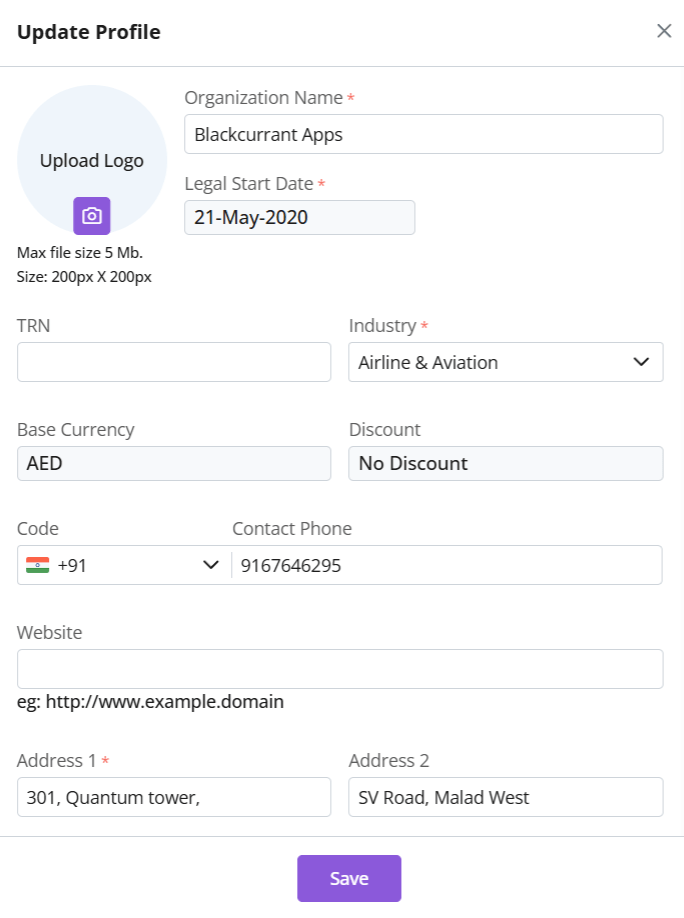
The organization refers to the company or business that is using the Zhylar portal itself. This serves as the top-level account under which all users, modules, data, and customizations are managed. This setup ensures centralized control over user roles, data access, business settings, and operational workflows.
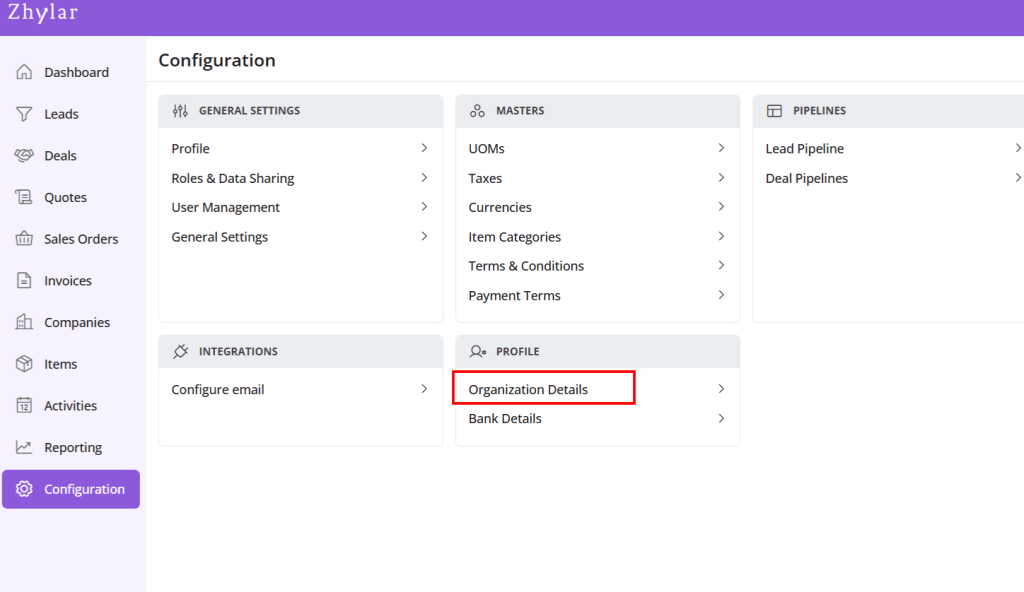
Under Profile section, select Organization Details
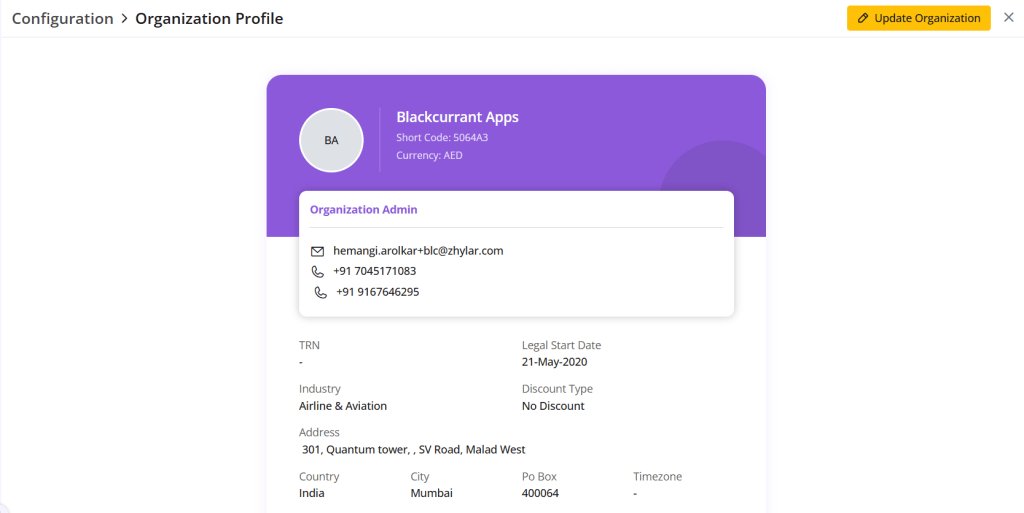
A new page will open for you.
View Organization details.
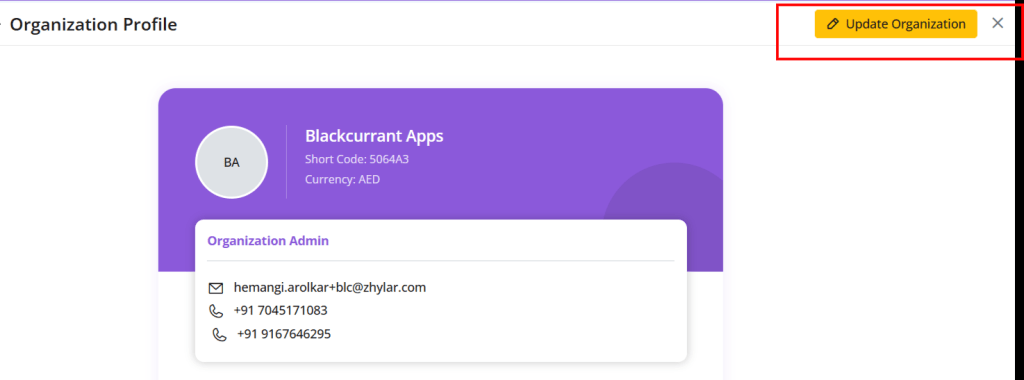
Update Organization
Click on the yellow button “Update Organization”.
Make your changes.
The following details cannot be changed:
Legal start date
Base Currency
Discount
Click Save.
Discover how Zhylar can streamline your sales and elevate your business processes. Visit our website or book a demo today to experience the difference!