What is User Management?
User management is a system that controls access to software or platforms. It assigns role-based privileges such as Admin or Sales Rep. It ensures that users have appropriate permissions based on their roles. This approach enhances data security. It prevents unauthorized access. It also supports regulatory compliance by maintaining control over who can view or modify specific information within the system.
Key Features
- Organization Admin has the full system control (configurations/user access). Organization Admin is the CEO.
- User Status– Tracks invitation (Pending → Active)
- Password Reset– credential updates
User Management
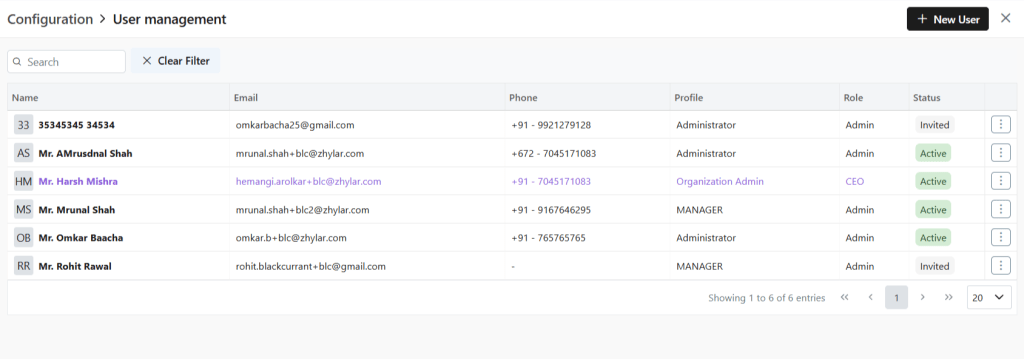
User List View
- Log in to Zhylar
- Go to Left-hand navigation panel
- Click on Configuration
- Under General Settings tab, select User Management.
User Actions
Add New User
- Click +New User”
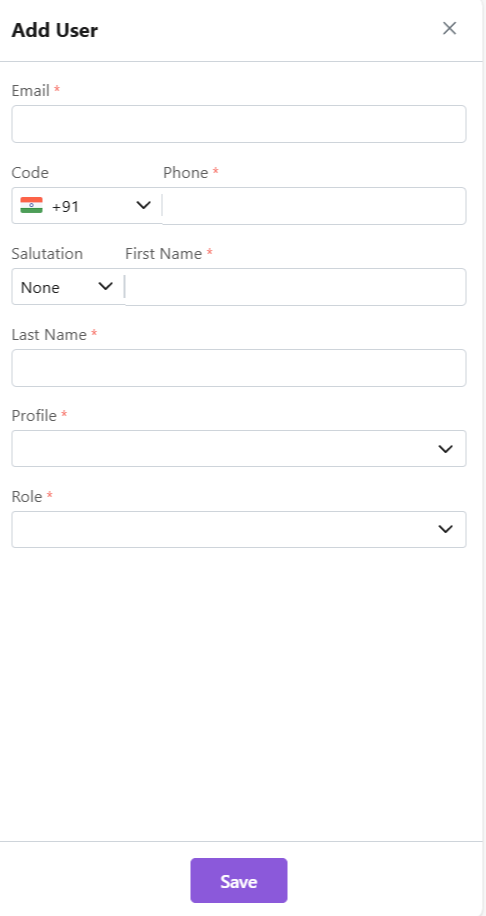
- Fill details
- Save User”
- To define Profile, add a new Profile from “Profile” module first, if required.
- When a new user is added, the status will automatically be updated as “Invited”.
- Once the user accepts, the status will change to active.
Other Actions
Update User
- Click ⋮ 3 dots
- Select Update
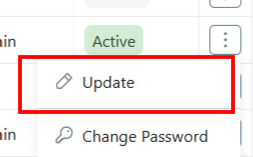
- Click Save.
Change Password
- Click ⋮ 3 dots
- Select Change Password
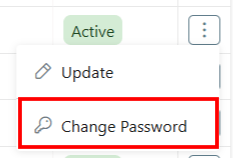
- “Set Password”
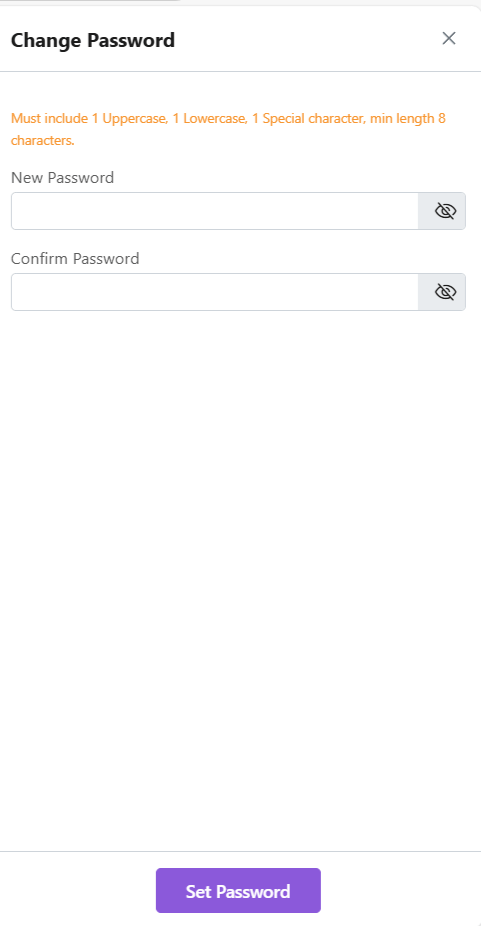
Note: Password can only be changed by the user or system administrator.
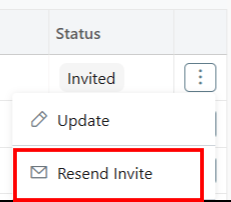
Resend Invite
This is only applicable for a User who has not yet accepted the invite email. The status will reflect Invited.

- Click ⋮ 3 dots
- Select “Resend Invitation” to invite user again (password reset email)
Notes
- Organization Admin is the CEO.
- Only users with specific permissions Can Create, Add, Update, Delete or Resend the Invitation to any user.
- One email ID can be used to register one user only.
- Permissions required for user modifications
- Admins customize workflows/access per role.
Discover how Zhylar can streamline your sales and elevate your business processes. Visit our website or book a demo today to experience the difference!
 Zhylar Blog
Leave a comment