
What is UOM in a CRM system
UOM or Units of Measurement refers to standardized units like kilograms, liters, or hours used to quantify products or services. It ensures accurate pricing, quoting, and inventory tracking across the CRM. UOMs are customizable to match specific business needs, making transactions more precise and consistent.
Managing UOMs
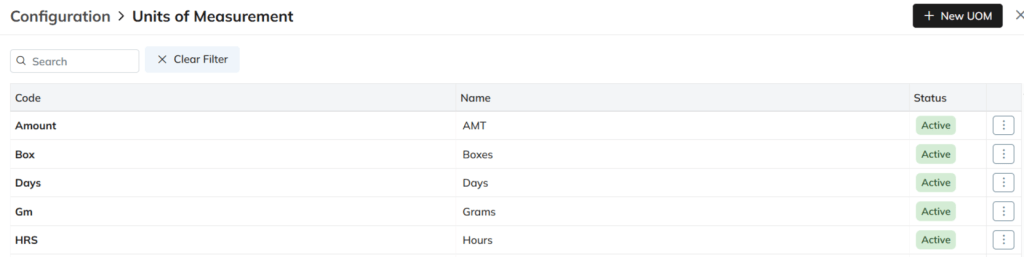
UOM List View
- Log in to Zhylar.
- Go to Left-hand panel
- Click on Configuration
- Under Masters, click on UOMs
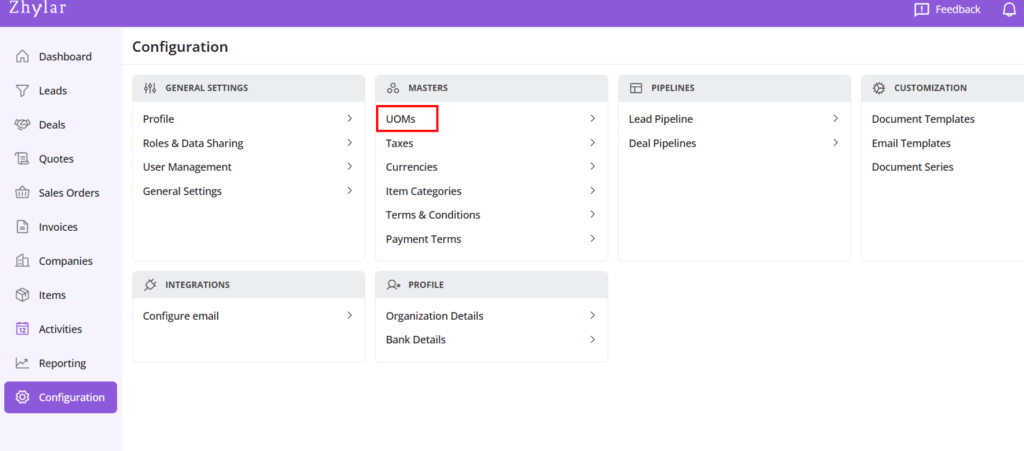
- Check the list of UOMs added to the system.
Add New UOM
- Click + New UOM
- Enter details
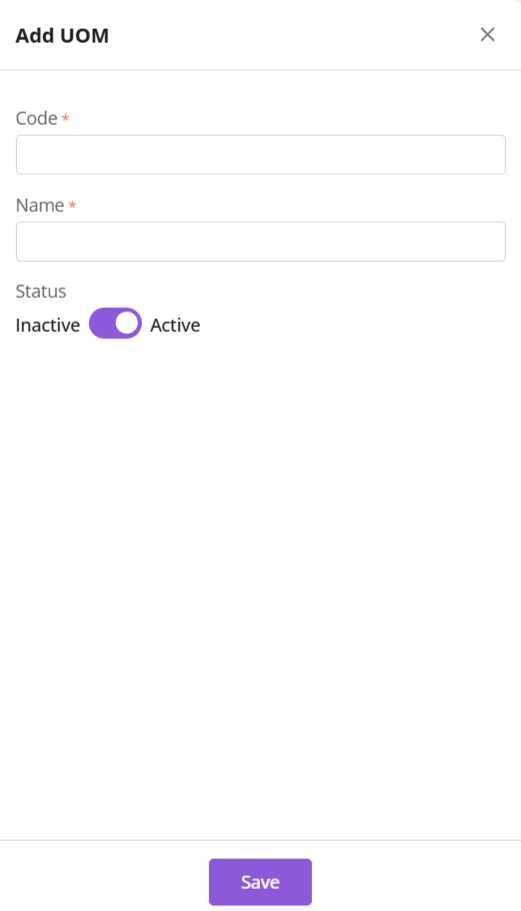
- Code: Enter a code for the UOM
- Name: Give the UOM a name
- Duplicate UOM names or codes are not allowed. In case you enter a duplicate name or code, you will receive an error.
- Click Save
Update UOM
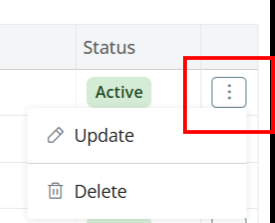
- Click ⋮ 3 dots > Update → Edit → Save
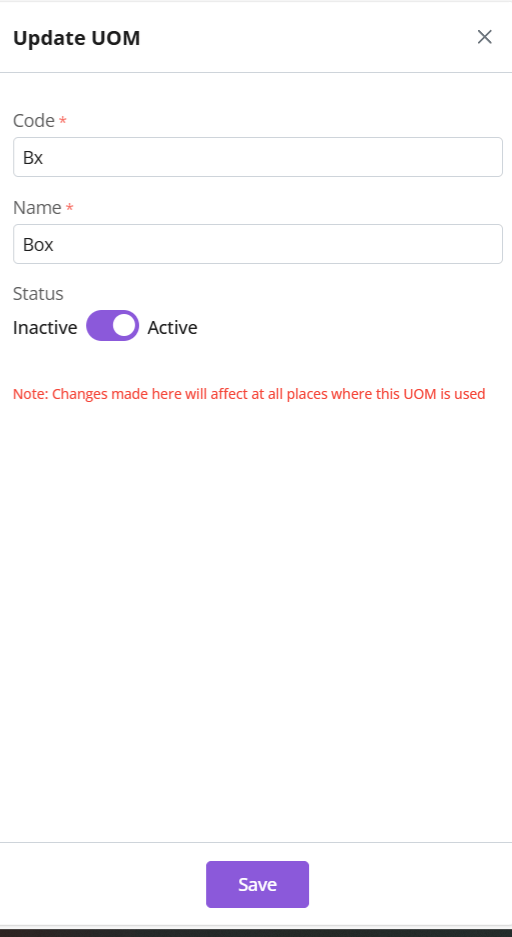
Status
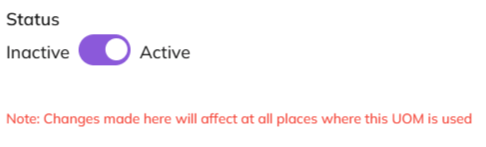
- Toggle UOM status from active to inactive.
- To do so, you must ensure UOM is not associated with any item.
- Click Save
Delete UOM
- Click ⋮ 3 dots > select Delete
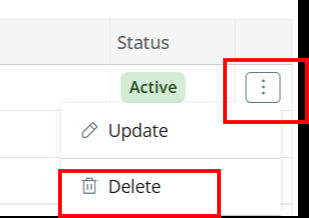
- Type “DELETE” to provide confirmation.
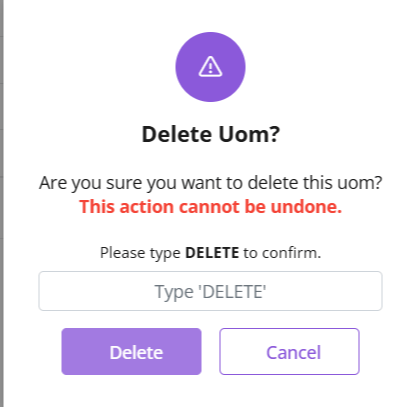
- The UOM will be deleted.
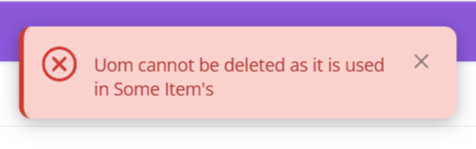
- If the UOM is associated with any items, you will receive an error message
Discover how Zhylar can streamline your sales and elevate your business processes. Visit our website or book a demo today to experience the difference!
 Zhylar Blog
Leave a comment